
 Models
 Materials
 HDRIs
 Scenes
 Brushes
 Node Groups
 Printables
 Creators
 Creations
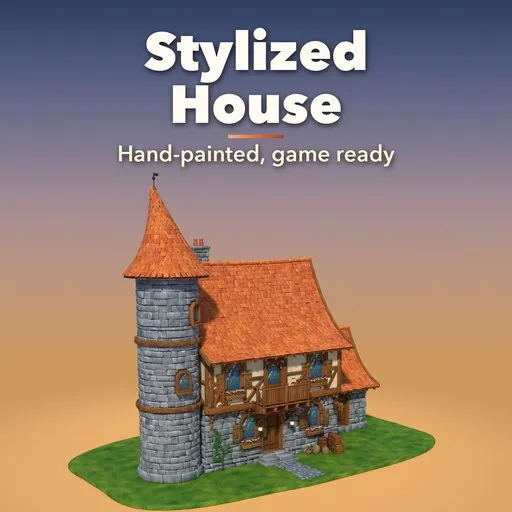
Hearthwood – Stylized House Generator for Blender
 add-on
Hand-painted storybook houses in one click: timber frames, chipped plaster, swooping roofs, towers and furnished interiors. One-button export to Unity, Unreal, Godot and glTF.
Explore all my Blender addons
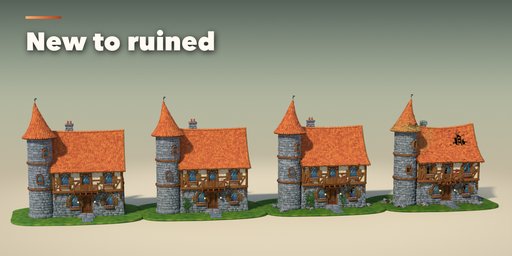
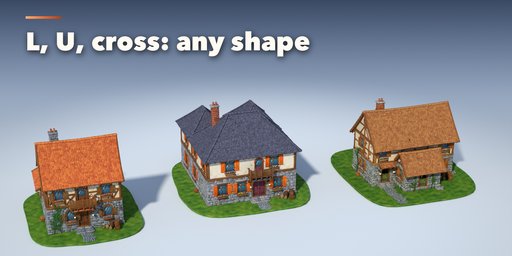
Hearthwood builds hand-painted storybook houses in one click: crooked timber frames, chipped plaster that shows the bricks underneath, chunky stone, swooping shingle roofs, round towers with witch-hat spires, and furnished rooms you can look into.
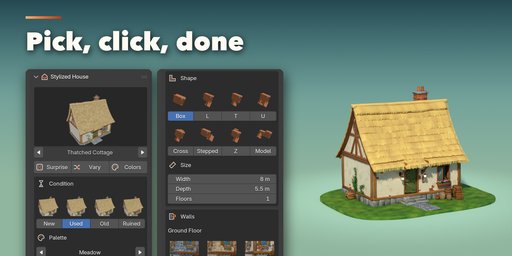
Every beam, stone and shingle is a separate chunky piece with soft painted edges, its own color shift and grime near the ground, so the house looks hand made from every side. Pick a design, a condition and a palette, then change anything: shape, size, floors, walls, roof, windows, doors, tower, chimney, ivy, stable and yard.
Designs
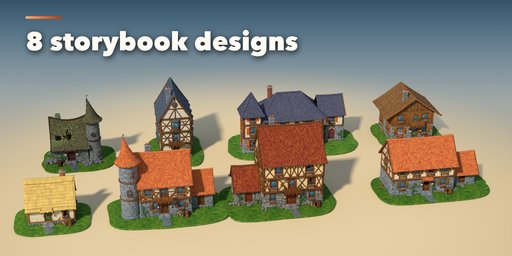
- Forge Cottage, Thatched Cottage, Tavern, Townhouse, Witch Hut, Chalet, Manor and Farmhouse
- Conditions New, Used, Old and Ruined: plaster chips, missing shingles, holes in the roof, grime and moss
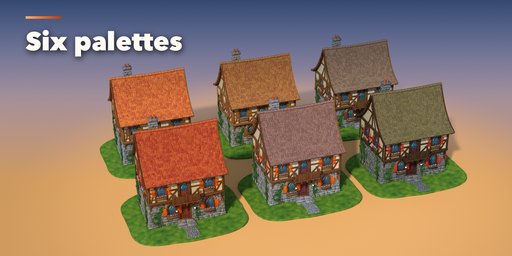
- Six palettes plus every color editable
- Surprise Me for a random house, Vary and Colors to explore around the one you like
Shapes and parts
- Floor plans Box, L, T, U, Cross, Stepped and Z, with roofs that merge into valleys and cross gables
- House From Model: block out any volume with cubes and get a house in that shape, overhangs included
- Stone, sandstone, plaster, timber-frame and board walls; clay, wood shingle, slate and thatch roofs
- 8 door and 8 window designs, round and square towers, balconies, chimneys, climbing ivy, a routed cobble path
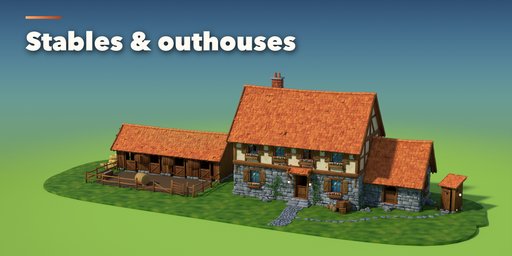
- Stable (open shelter or closed block) with stalls, hay and paddock, and an outhouse with a cut-out door
Inside
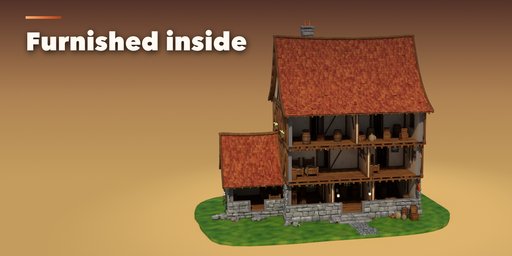
- Planned rooms on every floor with corridors, partition walls and six stair types
- Room styles Home, Tavern, Smithy, Shop and Alchemist: bar and kegs, forge and anvil, counters, beds, kitchen, potion bench
- Curtains, hanging lamps and 15 landscape paintings on the walls
- Open the front or lift the roof off (dollhouse view) to stage scenes inside
Ready for game engines
- Export for Game Engine: one button for Unity, Unreal Engine, Godot or glTF
- Tiling textures plus vertex-color shading, or the whole painted look baked into one atlas
- Separate parts (walls, windows and doors, roof, details, interior), origin on the ground, collision hulls for Unreal and Godot, LODs for Unity
Requires Blender 4.2 or newer. Tested on Blender 4.2, 4.5 and 5.2 LTS.
How to use
Installation
In Blender open Edit > Preferences > Get Extensions, then use Install from Disk and pick the zip.
Usage
- Open the sidebar (N) and the House tab, or use Add > Mesh > Stylized House.
- Pick a design and click Add House, or click Surprise Me.
- With the house selected, choose its condition, palette, size, walls and roof; open the sub-panels for the tower, windows, chimney, rooms and colors.
- Under Inside, switch to Open Front or Dollhouse to look into the rooms.
- Click Export for Game Engine, pick Unity, Unreal, Godot or glTF and save.
Game engines
Tiling Textures keeps text-sharp textures and puts the painted shading in vertex colors: glTF engines use it automatically; in Unreal multiply the Vertex Color node into Base Color. Baked Atlas bakes the full look into one texture and one material for any engine.
FAQ
Which Blender versions are supported?
Blender 4.2 and newer. It is tested on Blender 4.2, 4.5 and 5.2 LTS.
Can I use the houses in Unity, Unreal or Godot?
Yes. Export for Game Engine writes FBX for Unity and Unreal and GLB for Godot and glTF tools, with clean materials, the origin on the ground, optional separate parts, collision hulls and LODs.
Do the interiors work with the cutaway views?
Yes. Open Front removes the front walls and Dollhouse lifts the roof off; the export always writes the closed house unless you turn that off.


