
 Models
 Materials
 HDRIs
 Scenes
 Brushes
 Node Groups
 Printables
 Creators
 Creations
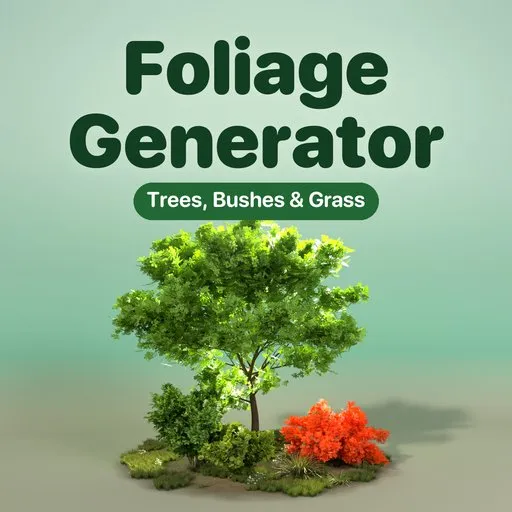
Foliage Generator - Tree and Plant Generator for Blender
 add-on
Photoreal procedural trees, bushes, grass and wildflowers: 51 designs from real scans, four seasons and one-click game export to GLB, FBX and OBJ with LODs.
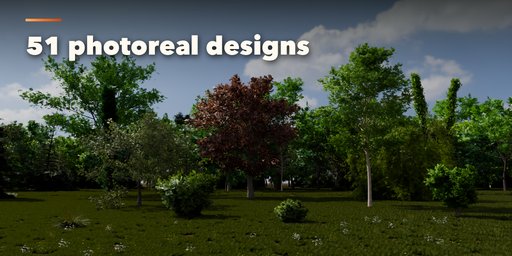
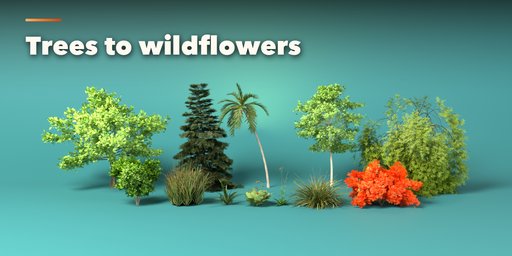
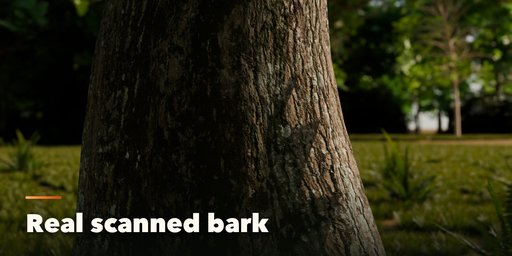
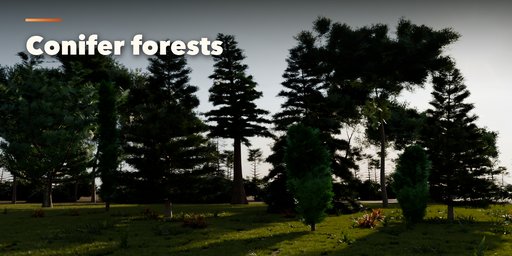
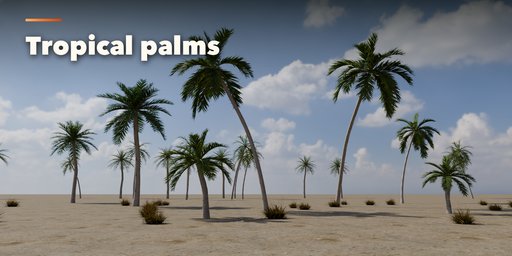
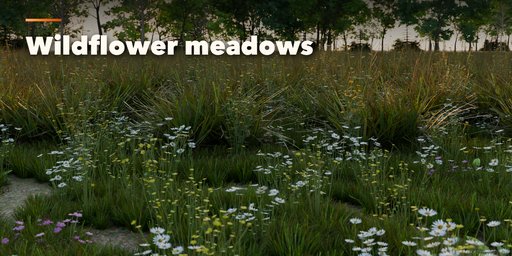
Foliage Generator is a tree and plant generator for Blender that grows photorealistic vegetation from real scans: an English oak in full summer leaf, a sugar maple turning red, a Norway spruce, a coconut palm leaning over the beach, a lilac bush, a patch of lawn, a meadow full of daisies or a forest fern. Start from one of 51 designs, then change anything. Every trunk, branch, leaf and blade is built from parameters and rebuilds live as you drag.
Leaves, needles, blades and flowers are photo-scanned sprites, gathered into leafy twig cards the way game studios build their trees, so crowns look full without millions of polygons. Trunks wear real scanned bark with color, normal and roughness maps. Branches grow by botanical rules with crown shapes from columnar poplars to weeping willows and flat-topped acacias.
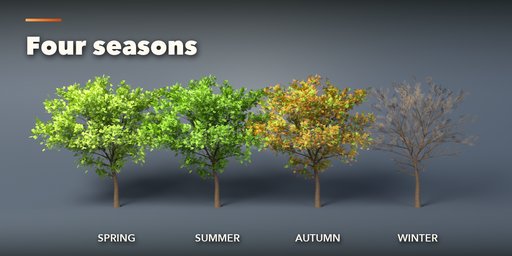
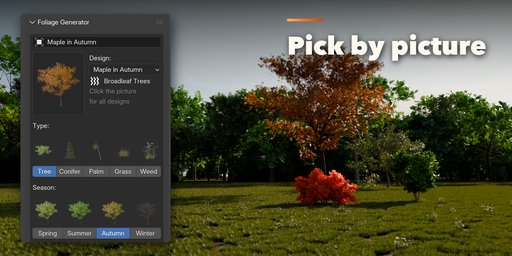
One Season switch turns any plant from fresh spring green to deep summer, natural autumn colors or bare winter twigs, while evergreens keep their needles. A Group setting turns one plant into a clump or a patch scattered over an area, each plant a little different.
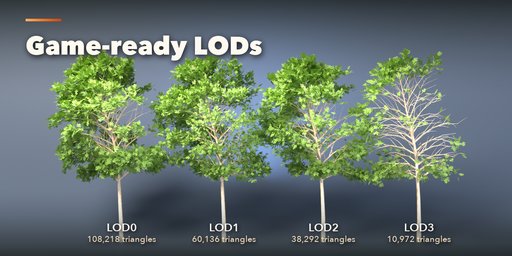
Everything is game ready: materials are plain PBR with packed images, four detail levels go from about 10k triangles for games to over 100k for close-up renders, and one click exports GLB, glTF, FBX or OBJ with LODs that Unity, Unreal and Godot pick up as LOD groups.
Features
- 51 designs in eight families: broadleaf trees, conifers, palms, bushes, grass, weeds and wildflowers, ferns, dead and winter trees
- Photo-scanned leaves, needles, flowers and 12 bark textures
- 27 leaf kinds, 8 crown shapes and 7 flower types to mix freely
- Four seasons with natural or custom autumn colors
- Clumps and scattered groups with size variation and lean
- Four detail levels from low poly to close-up renders
- Game export to GLB, glTF, FBX and OBJ with LODs
- Surprise and Vary buttons for endless variations
- Picture-driven sidebar, Shift+A menu, Photo Studio and Convert to Mesh
- Works in Cycles and EEVEE
Requires Blender 4.2 or newer. Tested on Blender 4.2, 4.5 and 5.2 LTS.
How to use
Installation
In Blender open Edit, Preferences, Get Extensions, then use Install from Disk and pick the zip.
Usage
- Open the Foliage tab in the 3D viewport sidebar (N).
- Click the big picture to choose a design, then Add Plant. Or use Shift+A, Foliage.
- With the plant selected, pick a type and a season with the pictures, and set the height and the number of plants.
- Change anything in the tabs: Trunk & Bark, Branches, Leaves, Blades, Colors and Group.
- Surprise and Vary make new variations; the arrow button resets the design.
- In Detail & Export choose a detail level, then Export for Games (GLB, glTF, FBX or OBJ with optional LODs), Photo Studio, or Convert to Mesh.
FAQ
Which Blender versions are supported?
Blender 4.2 and newer. It is tested on Blender 4.2, 4.5 and 5.2 LTS.
Can I use the trees in Unity, Unreal or Godot?
Yes. Export for Games writes GLB, glTF, FBX or OBJ with plain PBR materials, the leaf and bark textures, triangulated meshes and optional _LOD0, _LOD1 levels of detail.
How heavy are the trees?
You choose. A broadleaf tree is about 10k triangles at Low detail, 35-40k at Medium and about 100k at Ultra. Leaves are textured twig cards, as in game engines, so crowns stay light.
Do I need internet or extra assets?
No. All leaf, flower and bark scans ship inside the add-on and are packed into the .blend file.


