
 Models
 Materials
 HDRIs
 Scenes
 Brushes
 Node Groups
 Printables
 Creators
 Creations
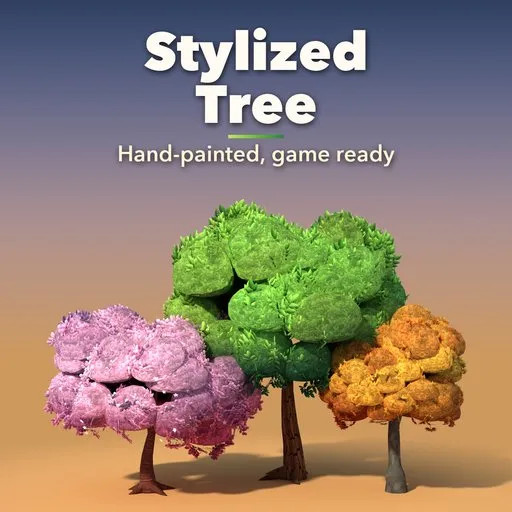
Stylized Tree – Stylized Tree Generator for Blender
 add-on
Stylized hand-painted trees of every kind in one click: 25 designs, 10 crown shapes, seasons, ages, fruit, blossoms and ivy, all editable live from the sidebar and game ready.
Explore all my Blender addons
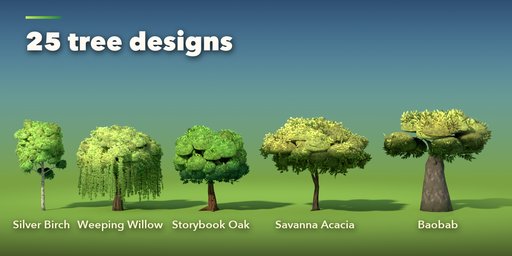
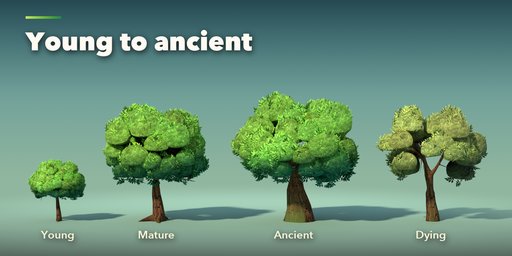
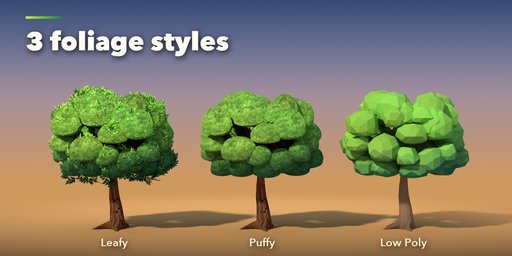
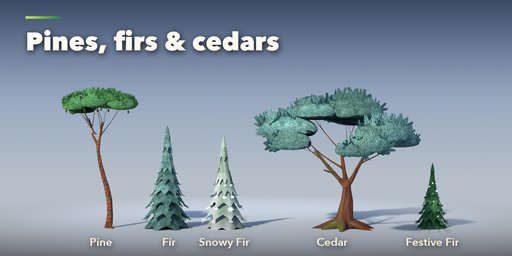
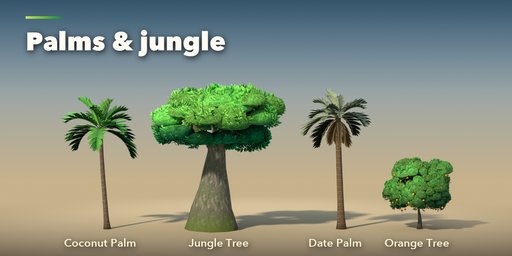
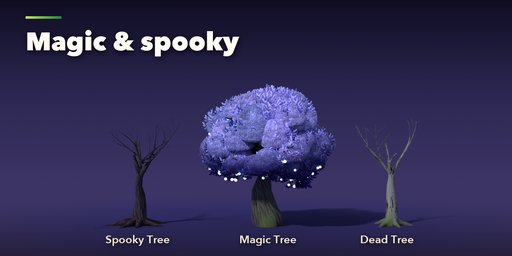
Stylized Tree makes stylized, hand-painted trees of every kind in one click: storybook oaks, autumn maples, birches, weeping willows, cherry blossoms, fruit trees, olives, acacias, baobabs, poplars, cypresses, pines, firs, cedars, palms, bushes, dead and spooky trees and glowing magic trees.
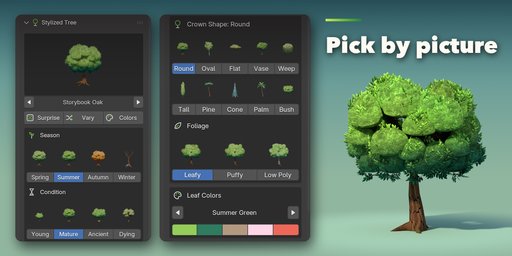
Every tree is fully procedural and stays editable from the sidebar. Pick a design from the picture gallery, then change the season, the age, the crown shape and the leaf colors and watch the tree rebuild live.
What you get
- 25 ready designs, 10 crown shapes and 16 painted leaf palettes
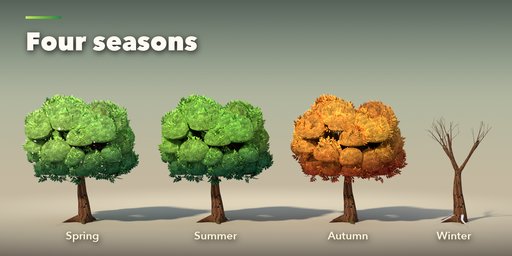
- Seasons: spring blossoms, summer green, autumn colors, winter snow on bare branches and evergreens
- Condition: young, mature, ancient (thick, gnarled, mossy) or dying
- Three foliage styles: leafy painted cards, soft puffy clouds or faceted, flat-colored low poly
- 10 hand-painted barks that run seamlessly through every fork, plus roots, moss and climbing ivy
- Soft painted shading: the crown is lit as a few big masses, like in hand-painted games
- Fruit, pine cones, coconuts, glowing orbs and blossoms
- Surprise button for a random tree, Vary for a new version of the same design, Colors for a new palette
- Low, Medium and High detail levels
Game ready
- One mesh per tree with UVs, vertex colors and a small set of materials
- The trunk, limbs and roots are one clean watertight quad mesh
- Painted textures are included; export with Blender's FBX or glTF exporter to Unity, Unreal or Godot
Requires Blender 4.2 or newer. Tested on Blender 4.2, 4.5 and 5.2 LTS.
How to use
Installation
In Blender open Edit, Preferences, Get Extensions, then use Install from Disk and pick the zip.
Usage
- Open the sidebar (N) in the 3D Viewport and pick the Tree tab.
- Click the picture to choose a design and press Add Tree, or press Surprise Me.
- With the tree selected, change Season, Condition, Crown Shape, Foliage and Leaf Colors; the tree rebuilds live.
- Fine-tune the crown and branches, trunk and roots (bark, moss, ivy), leaves, fruit and flowers, colors and snow in the sub-panels.
- Surprise gives a random tree, Vary reshapes the same design, Colors picks a new leaf palette.
- Actions > Make Plain Mesh keeps the tree as a normal mesh for hand editing.
FAQ
Which Blender versions are supported?
Blender 4.2 and newer. It is tested on Blender 4.2, 4.5 and 5.2 LTS.
Can I use the trees in Unity, Unreal or Godot?
Yes. Each tree is one mesh with UVs, vertex colors and a few materials using the shipped painted textures. Export it with Blender's FBX or glTF exporter.
Does the generator make a ground, grass or rocks?
No. It makes only the tree, so it stands on your own scene's ground. Roots dip slightly below the floor so nothing floats.
How heavy are the trees?
A Medium detail oak is about 22,000 faces. Low, Medium and High detail levels are one click, and Low Poly foliage is flat colored with no textures.


