
 Models
 Materials
 HDRIs
 Scenes
 Brushes
 Node Groups
 Printables
 Creators
 Creations
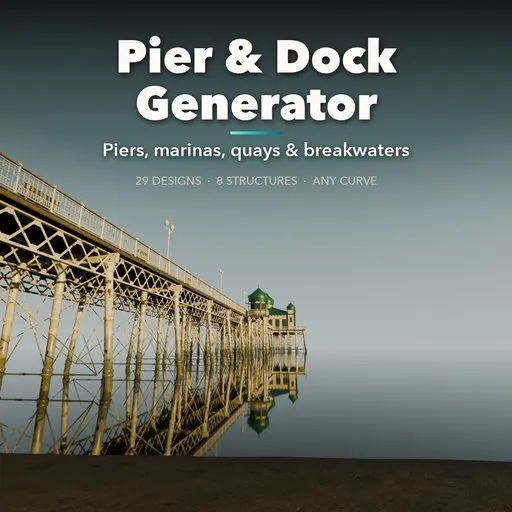
Pier & Dock Generator
 add-on
Procedural piers and docks: 29 real-world designs from Victorian piers and marinas to quays, ferry terminals, breakwaters and water villas, on any curve, with tide, weed and barnacles.
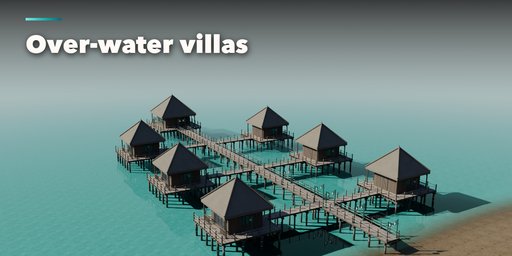
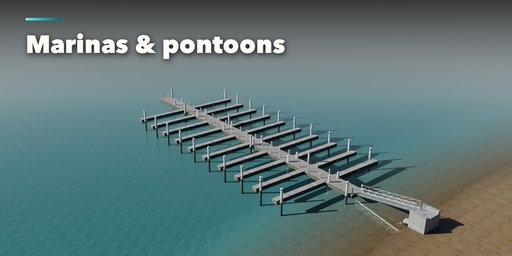
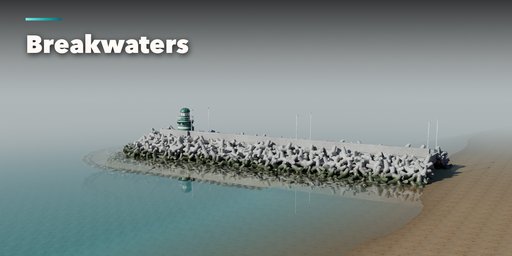
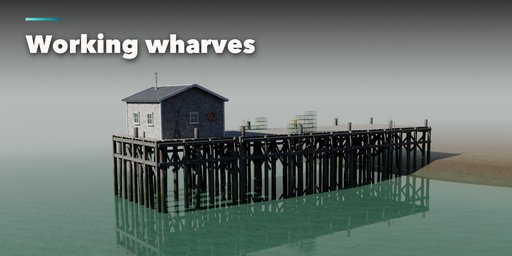
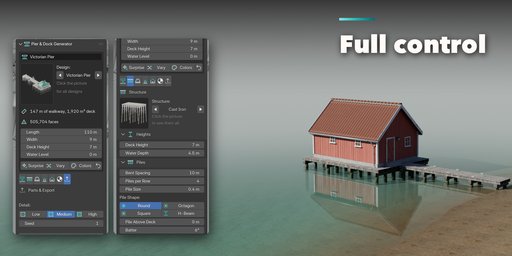
Pier & Dock Generator builds complete waterfront structures inside Blender: a cast-iron Victorian pleasure pier with its domed pavilion, a lake jetty, a floating marina with finger piers, a New England lobster wharf, a stone harbour quay, a ferry terminal with its linkspan, a tetrapod breakwater or a lagoon of thatched water villas. Pick one of 29 designs, then change anything: every part is a number, a choice or a switch, and the pier rebuilds live as you drag.
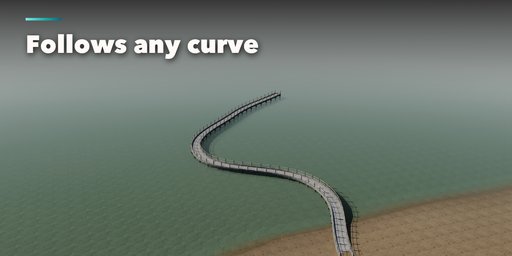
Lay it out straight, as an L, T or U, with a head platform and rows of finger piers, or draw a curve and the walkway follows it, every spline becoming its own walkway, rebuilding while you edit the curve.
Eight structures cover how real piers stand: timber pile bents with bracing, stilts and lashed poles, cast-iron screw piles with lattice girders, concrete and steel piles, floating pontoons on guide piles, battered stone quay walls and rubble mounds armoured with rock, tetrapods, accropodes, dolosse, X-blocs or cubes.
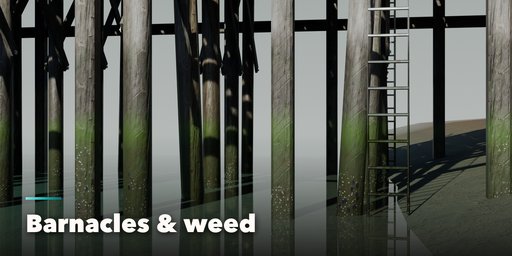
Raise or lower the water level and floating docks ride the tide while the fixed piles show a wet band, green weed and barnacles where the sea reaches them.
Features
- 29 real-world designs in 6 groups: lake and river, seaside, marina, harbour and port, breakwaters, tropics and stilts
- Straight, L, T and U plans, pier heads, finger piers on one or both sides, or any curve you draw
- 8 structures: timber, stilts, cast iron, concrete, steel, floating, stone and rubble mound
- 6 breakwater armour units: rock, tetrapod, accropode, X-bloc, dolos and cube
- Decks of planks, concrete, paving or grating, with kerbs, missing boards and crane rails
- 9 railings: rope, chain, timber, picket, pipe, cable, Victorian cast iron, glass and parapet wall
- Bollards, cleats, 7 kinds of fenders, ladders, life rings, benches, power pedestals, mooring rings
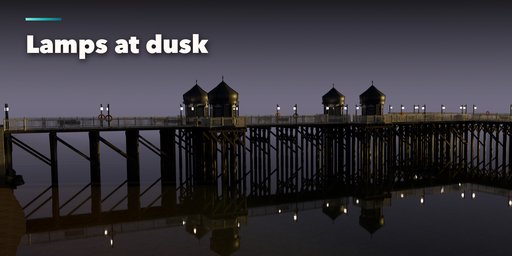
- Victorian, lantern, modern and bollard lamps that light up, with real lights for night renders
- Pavilions, boathouses, water villas, fishing shacks, kiosks, harbour beacons and ferry terminals
- Gangways, boat ramps, quay steps, ferry linkspans, abutments, water and sea bed
- Tide, weed, barnacles, weathering and silver-grey timber, with Poly Haven textures packed in
- UV-mapped game-ready meshes, three detail levels and Convert to Mesh for export
- Surprise, Vary and Colors buttons for endless new piers
- Picture-driven sidebar with seven tabs and a Shift+A menu
- Works in Cycles and EEVEE
Requires Blender 4.2 or newer. Tested on Blender 4.2, 4.5 and 5.2 LTS.
How to use
Installation
In Blender open Edit, Preferences, Get Extensions, then use Install from Disk and pick the pier_dock_generator zip.
Usage
- Open the Pier tab in the 3D viewport sidebar (N). With no pier selected, click the big picture to browse the designs, or pick a group and a design, then press Add Pier to place it at the 3D cursor. To follow a path, select a curve object and press Add Along Curve. You can also use Shift+A, Mesh, Pier & Dock.
- The card at the top shows the design, the walkway length, deck area and face count, plus the main sizes and the water level. Surprise makes a new random pier, Vary changes the current one a little and Colors paints new wood, paint, walls and water.
- The icon tabs hold every setting: Layout (plan shape, head, finger piers, curve), Structure (piles, bracing, floats, stone walls, breakwater armour), Deck (surface, boards, kerbs, railings), Fittings (bollards, cleats, fenders, ladders, lamps, benches, props), Buildings (end building, kiosks, huts, gangway, ramps, steps, linkspan), Finish (colors, tide, weed, barnacles, weathering, water) and Parts (part visibility, detail level, Convert to Mesh).
- When the pier follows a curve, edit the curve and the pier rebuilds as you move its points. Convert to Mesh keeps the pier as plain meshes; Delete removes it with all its parts.
All sizes are in meters. The root empty sits on the water line at the shore end and the walkway runs out along its Y axis. The water level moves the tide without moving the pier: floating decks follow it.
FAQ
Which Blender versions are supported?
Blender 4.2 and newer. It is tested on Blender 4.2, 4.5 and 5.2 LTS.
Can I use the piers in a game engine?
Yes. Every part is a UV-mapped mesh with Principled BSDF materials. Pick the Low detail level, hide the water if you have your own, use Convert to Mesh and export as usual (FBX, glTF).
Can the pier follow my own path?
Yes. Select a curve object and press Add Along Curve, or set the plan shape to Curve and pick the curve. Every spline becomes a walkway, and the pier rebuilds live while you edit the curve.
Are the textures included?
Yes. The wood, concrete, stone, rock, rust and thatch textures are CC0 textures from Poly Haven, packed inside the addon, so nothing has to be downloaded.


