
 Add-ons
 Models
 Materials
 HDRIs
 Scenes
 Brushes
 Node Groups
 Printables
 Creators
 Creations
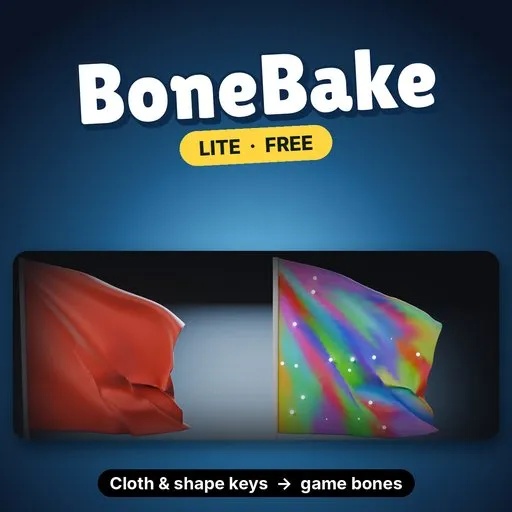
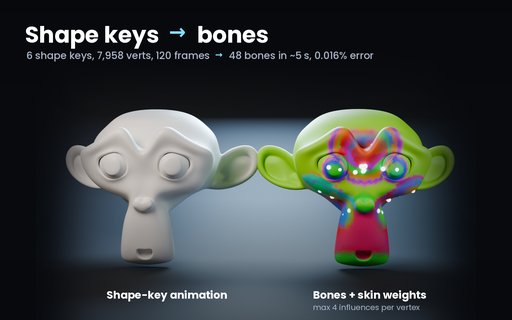
BoneBake Lite is a free Blender add-on that turns any mesh animation into bones and skin weights. Shape keys, cloth sims, modifiers and Geometry Nodes become a normal armature with a baked action, ready for FBX or glTF export to game engines.
EVERYTHING IN LITE- Bake up to 16 bones from any animated mesh with a constant vertex count
- Max 4 influences per vertex, the limit most game engines use
- Game preset: engine-safe names for Unity, Unreal and Godot
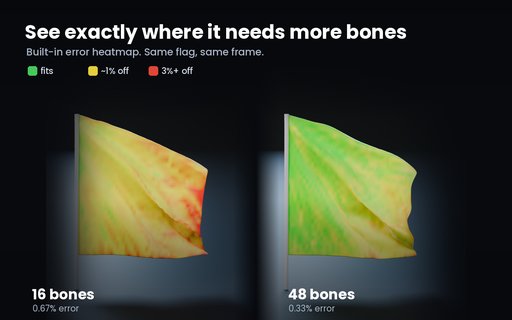
- Error report: RMSE, 99th percentile and worst frame, in % of the model's size
- Error heatmap painted on the mesh, plus Select Worst to find the worst-fitting vertices
- Quick Start: one click adds a waving flag, ready to bake
- Runs in the background with a progress bar; Esc cancels
- Install: Edit › Preferences › Get Extensions › Install from Disk, and pick the zip.
- Press N in the 3D viewport and open the BoneBake tab. Click Add Demo Flag, then press Play.
- Click Bake to Bones. You get an armature, a skinned copy of the mesh and an action. Your original is hidden, not changed.
- On your own scene: select the animated mesh and bake.
- Raise Frame Step for long animations; keys stay linear between samples.
- If detail lost is above 15%, the panel tells you. More bones is the fix.
- Demo flag (693 vertices × 48 frames, 16 bones): 0.015% RMS error, under 1 second.
- Blender 4.2 LTS to 5.2; Windows and Linux tested, macOS not tested
- The vertex count must stay constant (no remesh per frame or fluids)
- Bones are rigid transforms with a flat hierarchy: right for baked effects, not for hand-animating
Lite stays free. The full BoneBake is a separate paid add-on; search BoneBake under Add-ons here on Blendkit.
- No bone limit (cloth flag: 48 bones, 0.29% error)
- Suggest Bones: tries 16, 32, 64 and 128 bones and picks the smallest count that keeps the detail
- Roblox Dynamic Head preset: ARKit shape keys to FACS poses, 18 checks before export, FBX with Roblox's settings
Remove Lite before installing the full version.
By


