
 Models
 Materials
 HDRIs
 Scenes
 Brushes
 Node Groups
 Printables
 Creators
 Creations
Cable & Wire Generator
 add-on
Real hanging cables in seconds: connect two objects and get true sag, floor contact and live draping. 57 presets of cords, plugs, data and audio cables, string lights, rope, chain, trays and coils.
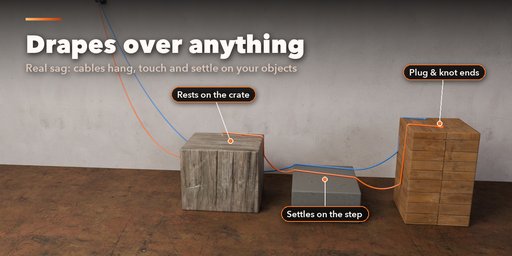
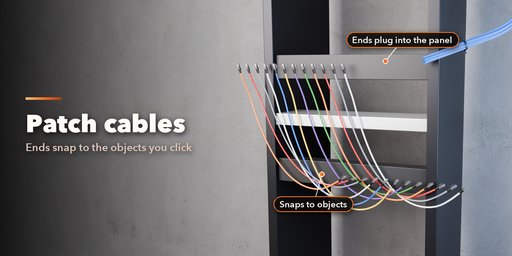
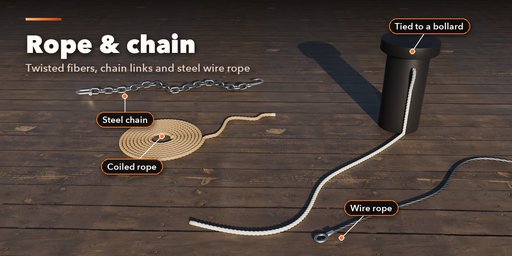
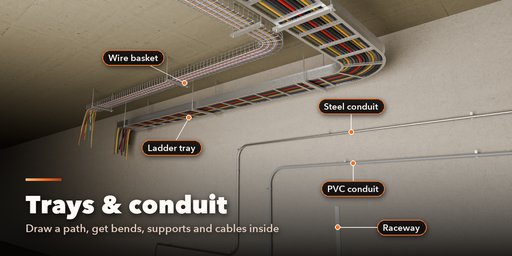
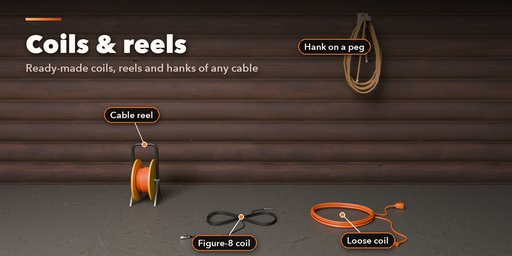
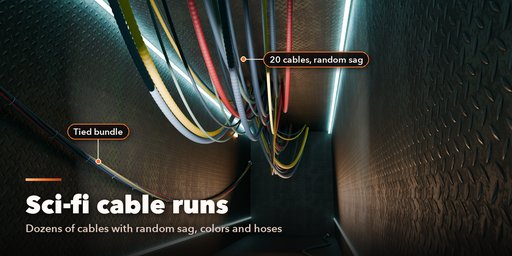
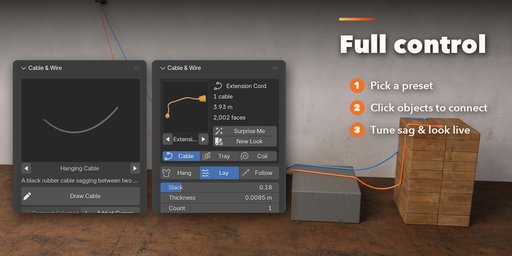
Cable & Wire Generator puts real cables into your scenes in seconds. Select two objects and click Connect: a cable hangs between them with true catenary sag, lies down on the floor, drapes over the furniture in its way and follows the objects live when you move or animate them. Draw a cable right on your scene with the mouse, or connect vertices in Edit Mode.
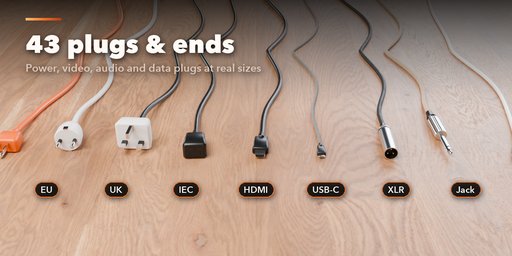
It covers the cables, wires and ropes you meet at room scale: extension cords with US, Euro, UK and Australian plugs, power strips, laptop chargers, USB-C, HDMI, ethernet patch cables and bundles, coiled phone cords, XLR, guitar and speaker cables, test leads, festoon and fairy lights, bunting, laid and braided rope, wire rope, link chain and ball chain, sci-fi cable ceilings and corrugated hoses.
It also builds what holds cables: ladder trays, wire baskets, troughs, steel, PVC and flexible conduit, surface raceway, slotted wiring duct, floor ramps and drag chains, with hangers, brackets or stands and cables inside. Coils, figure-8 stage coils, hanks on a peg and cable reels finish the set.
Features
- 57 real-world presets with a picture gallery, plus Surprise Me and New Look buttons
- Connect selected objects or vertices, draw cables in the viewport or add at the cursor
- Physics-free solver: exact sag, floor touchdown, draping over objects, live follow on move and animation
- 9 cable types: round, flat, twin, corrugated, twisted, braided, coiled, chain and ball chain
- 43 plugs, connectors, terminals, rope ends and chain fittings, plus inline switches, bricks and ferrites
- Many cables at once: loose rows, grids and sci-fi ceilings, or bundles with ties, sleeves and gaffer tape
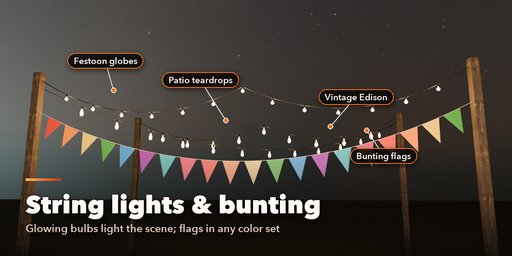
- String lights with glowing bulbs (globe, vintage, teardrop, C9, fairy, lanterns) and bunting flags in their own color sets
- 11 cable tray and conduit types with supports, and 5 coil styles
- Low, Medium and High detail for game LODs; Convert to Mesh for export
- Works in Cycles and EEVEE
Requires Blender 4.2 or newer. Tested on Blender 4.2, 4.5 and 5.2 LTS.
How to use
Installation
In Blender open Edit, Preferences, Get Extensions, then use Install from Disk and pick the cable_generator zip.
Usage
- Open the Cable tab in the 3D viewport sidebar (N). Pick a cable from the picture gallery first.
- Select two or more objects and click Connect Selected: the cable runs from object to object and ends at the active one. Move or animate the objects and the cable follows. In Edit Mode, select vertices in order and click Connect Selected Vertices.
- Draw Cable lets you click points on any surface in the viewport; Enter, Space or right click finishes, Backspace removes the last point, Esc cancels. Add at Cursor adds the preset at the 3D cursor. You can also use Shift+A, Curve, Cable & Wire.
- With a cable selected, the card at the top shows its preset, length and face count. Surprise Me makes a new random cable, New Look changes only its colors. Pick Cable, Tray or Coil, then use the main controls (route, slack, thickness, ends).
- Sub-panels hold the details: Route & Attachments (bind or unbind points, edit the curve), Cable Look, Several Cables, Plugs & Ends, Lights & Flags, Tray Details & Supports, Floor, Obstacles & Shape and Detail & Export.
- Convert to Mesh bakes the cable into a plain mesh; Delete removes it with its parts.
The cable is a curve object: edit its points in Edit Mode and the cable rebuilds. Bulbs glow in both Cycles and EEVEE.
FAQ
Which Blender versions are supported?
Blender 4.2 and newer. It is tested on Blender 4.2, 4.5 and 5.2 LTS.
Does it use physics or cloth simulation?
No. Sag, floor contact and draping are solved directly, so a cable rebuilds in a fraction of a second and stays the same every time. Nothing needs baking.
Do cables follow animated objects?
Yes. Cable ends bound to objects or vertices follow them while you move them and during animation playback and rendering.
Can I use the cables in a game engine?
Yes. Pick Low detail for a light mesh, then Convert to Mesh and export. Materials are plain Principled BSDF colors, roughness and metal values.


