
 Models
 Materials
 HDRIs
 Scenes
 Brushes
 Node Groups
 Printables
 Creators
 Creations
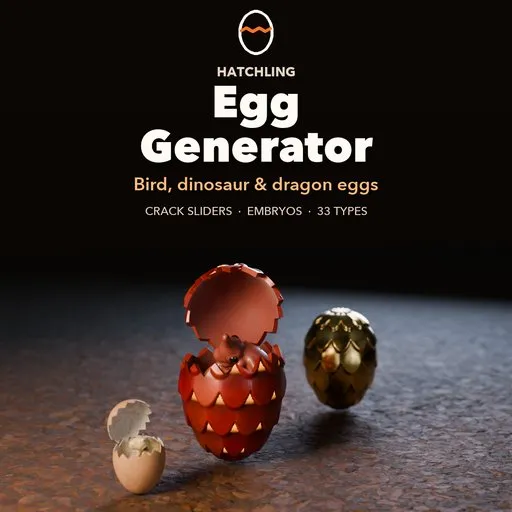
Hatchling – Egg Generator for Blender
 add-on
Realistic bird, dinosaur, reptile and dragon eggs: 33 types, crack sliders from hairline to smashed, and a choice of contents: empty, raw egg with yolk, or a realistic embryo.
Explore all my Blender addons
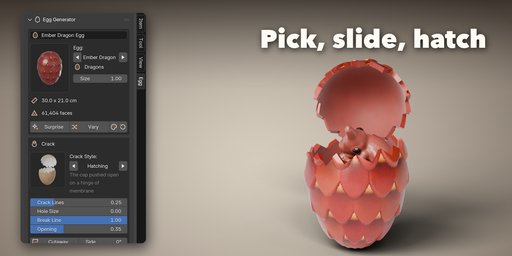
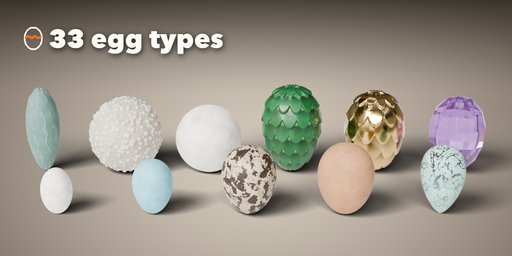
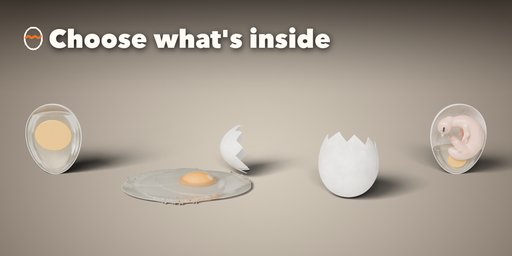
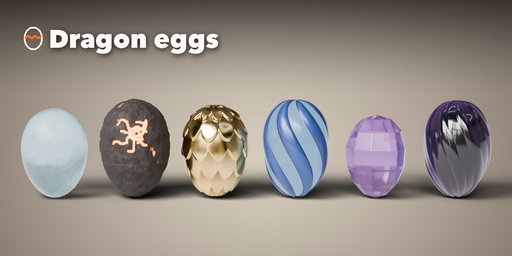
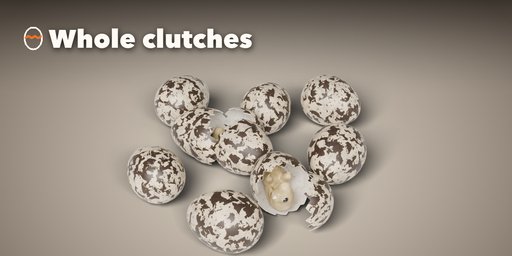
Hatchling builds realistic eggs inside Blender: real bird eggs at their true size, fossil dinosaur eggs, leathery reptile eggs and fantasy dragon eggs. Pick one of 33 egg types from the picture gallery, from a hummingbird egg to an ostrich egg, a speckled quail clutch, a ridged oviraptor egg or a glowing lava dragon egg, then change anything you like.
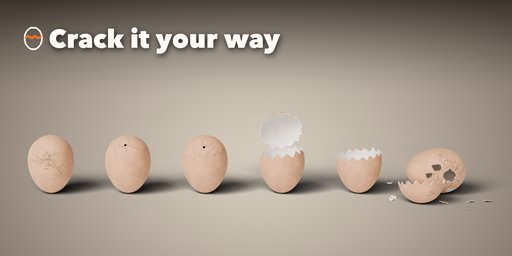
Cracking is controlled with sliders. Start from a crack style (hairline, pipped, zipping, hatching, hatched, broken in half or smashed) and set the crack lines, the hole size and count, the break line around the egg, how far the cap opens, the crush, the shards and where the egg was hit. The shell has a real thickness, an inner membrane and clean broken rims, and caps and shards rest on the ground.
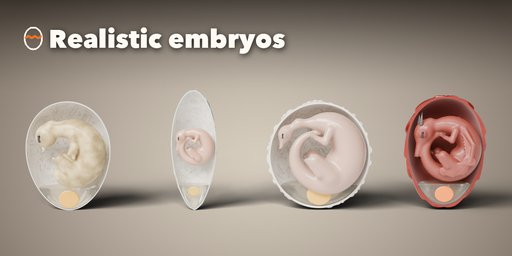
Choose what is inside: an empty shell, a raw egg with egg white and a floating yolk that can spill into a puddle, or a realistic embryo. Embryos come as a bird chick, a theropod, a sauropod or a dragon hatchling, with a growth stage slider from a curled early embryo to a wet chick with down, and a Peeking pose that pushes the head out of the opening. A cutaway shows the inside in section.
Features
- 33 egg types: birds, dinosaurs, reptiles and dragons, at real sizes
- 8 crack styles plus sliders for every part of the crack
- Contents: empty, raw egg with yolk and spill, or embryo
- 4 embryo kinds with growth stage, curled or peeking pose
- 10 shell finishes (calcite, leathery, fossil, dragonhide, metal, crystal, obsidian, ice, stone, lava) and 6 marking patterns
- Reliefs: pores, grain, nodes, ridges, scales, spirals, facets and rock
- Clutches of up to 60 eggs in a nest, row or ring, some of them cracked
- Surprise button, variations, random colors and Make Real to convert to a plain mesh
- Works in Cycles and EEVEE
Requires Blender 4.2 or newer. Tested on Blender 4.2, 4.5 and 5.2 LTS.
How to use
Installation
In Blender open Edit, Preferences, Get Extensions, then use Install from Disk and pick the egg_generator zip.
Usage
- Open the Egg tab in the 3D viewport sidebar (N). With nothing selected, click the picture to choose an egg type from the gallery and press Add Egg. You can also use Shift+A, Mesh, Egg.
- The first page holds the main choices: the egg type and size, the crack style with its main sliders and the cutaway, and what is inside (empty, raw egg or embryo, its kind, stage and pose).
- The tab row below holds every setting: Shape (outline and relief), Shell (finish, colors, markings, glow), Crack (impact, break line, pieces), Inside, Clutch (orientation, number of eggs and their arrangement) and Output.
- Surprise makes a random egg, Vary changes the proportions and the crack, and the palette button gives new colors.
- Make Real keeps a plain mesh copy; the trash button deletes the egg.
FAQ
Which Blender versions are supported?
Blender 4.2 and newer. It is tested on Blender 4.2, 4.5 and 5.2 LTS.
Are the eggs real size?
Yes. Every bird, dinosaur and reptile type starts at the real length and width of that egg (a hen's egg is 5.7 x 4.4 cm). The Size slider scales it.
Can I use the eggs in a game engine?
Yes. Make Real converts an egg to a plain mesh with Principled BSDF materials. The crack lines are an image texture, so they export with the mesh.


