
 Models
 Materials
 HDRIs
 Scenes
 Brushes
 Node Groups
 Printables
 Creators
 Creations
Gemforge – Crystal Generator for Blender
 add-on
Crystal clusters, geodes and mineral specimens in one click: 64 designs, 15 crystal shapes, 45 photoreal minerals on photo-scanned host rock. Randomize, edit live, export game ready.
Explore all my Blender addons
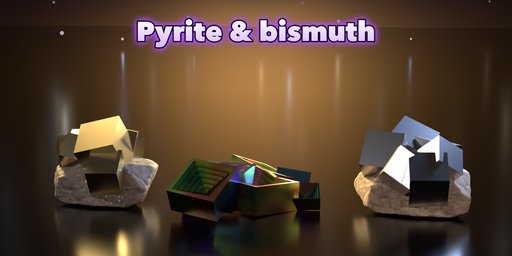
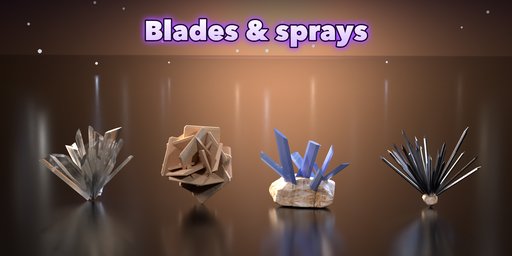
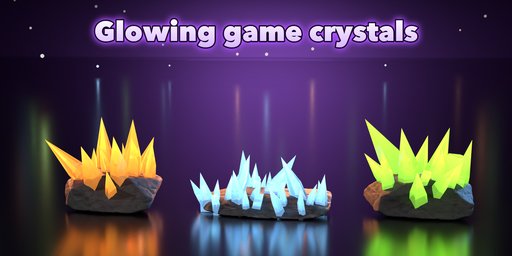
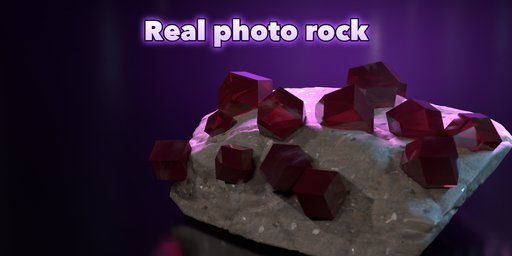
Grow realistic crystal clusters, geodes and mineral specimens in one click, right inside Blender.
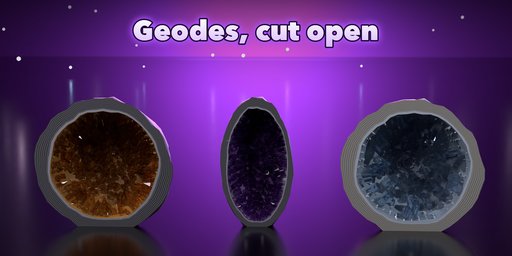
Gemforge builds every crystal from real crystal habits: six-sided quartz points with their rhombohedral tips, double-terminated Herkimer points, calcite dogtooth, selenite blades, pyrite cubes, fluorite octahedra, garnet dodecahedra, stepped bismuth hoppers and more. The crystals grow on a real host rock, line the inside of a cut geode, fan out as a spray or break out of the ground as a giant outcrop.
What you get
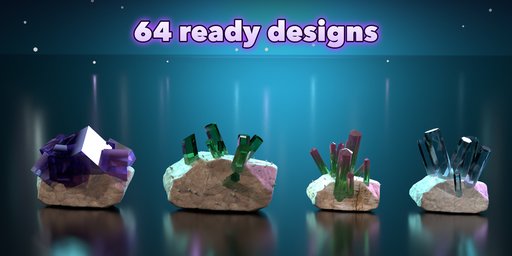
- 64 ready-made designs: amethyst clusters, citrine and smoky quartz, cathedral geodes, agate geodes, pyrite, bismuth, fluorite, desert rose, kyanite, glowing fantasy crystals and more
- 15 crystal shapes and 6 formations: cluster, druse, geode, single point, spray and outcrop
- About 45 minerals with photoreal clear, gem, opaque and metallic materials: color zoning, milky roots, inclusions, striations, iridescence and glow
- 8 host rocks with photo-scanned PBR textures (color, roughness, relief), broken fracture shapes and mica sparkle; agate bands on geodes
- One-click randomize: new layout, variation, mineral or a surprise design
- Picture pickers for every visual choice, live editing in the sidebar
- Looks right in EEVEE and Cycles
- Game ready: one mesh with three PBR materials, a Low detail setting and attributes that bake to plain texture maps
Requires Blender 4.2 or newer. Tested on Blender 4.2, 4.5 and 5.2 LTS.
How to use
Installation
In Blender open Edit, Preferences, Get Extensions, then use Install from Disk and pick the zip.
Usage
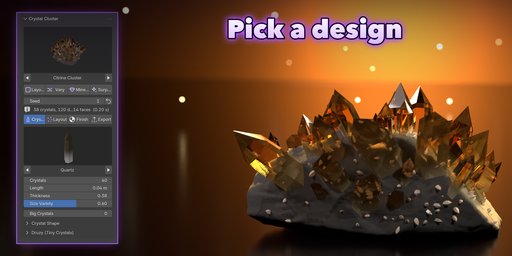
- Open the sidebar (N) and pick the Crystal tab.
- Pick a design picture and click Add Crystal Cluster.
- Click Layout, Vary, Mineral or Surprise to randomize, or change the Crystals, Layout and Finish settings.
- Export tab: choose Low detail for games, or convert the cluster to a plain mesh.
FAQ
Which Blender versions are supported?
Blender 4.2 and newer. It is tested on Blender 4.2, 4.5 and 5.2 LTS.
Can I use the crystals in game engines?
Yes. Each cluster is one mesh with three PBR materials (crystal, rock, geode rind). Use the Low detail setting and bake the materials to texture maps.
Does it work in EEVEE?
Yes. Adding a cluster turns on EEVEE raytracing so clear crystals refract, and every material is made for both Cycles and EEVEE.


