
 Models
 Materials
 HDRIs
 Scenes
 Brushes
 Node Groups
 Printables
 Creators
 Creations
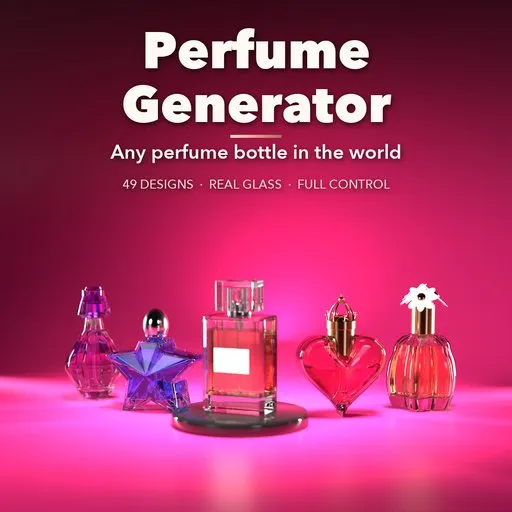
Perfume Generator
 add-on
Photoreal procedural perfume bottles: 49 designs from square parfums and faceted gems to atomizers and figurative flacons, with real glass, 26 caps and full live control.
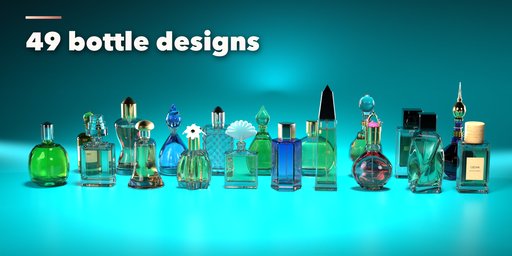
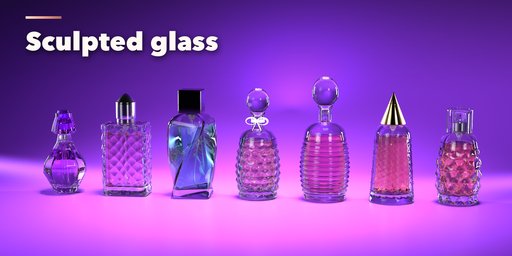
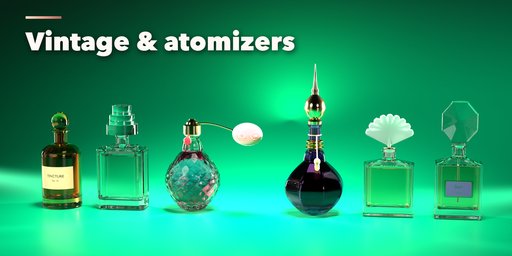
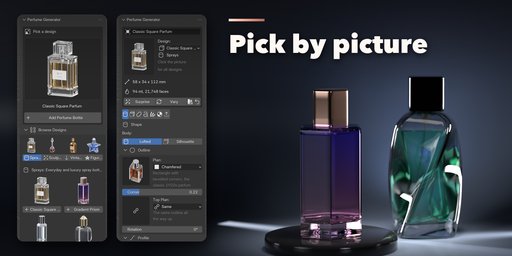
Perfume Generator builds photorealistic perfume bottles inside Blender, from a square parfum flacon with a heavy glass base to a faceted gem, a star, a heart, a stiletto, a vintage atomizer with a silk bulb or a cut crystal decanter. Pick one of 49 designs modeled on the kinds of bottles found in perfume shops around the world, then change anything: every part is a number, a choice or a switch, and the bottle rebuilds live as you drag.
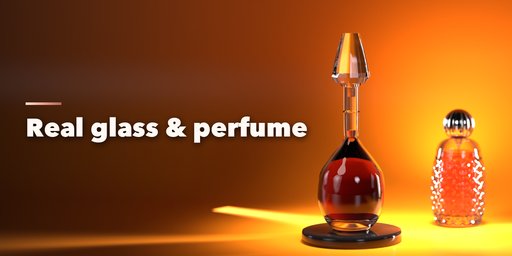
The glass is real glass: thick walls, a heavy base with a punt, a neck with a lip, and perfume inside that fills to any level and refracts in Cycles. Shape the body by plan and profile (round, rectangle, chamfered, squircle, polygon, star, heart, teardrop, lobed and more, morphing from bottom to top, tapered, leaning or twisted), or as a flat silhouette with bulging faces. Press patterns into it (flutes, ribs, spirals, waves, diamonds, quilting, hobnails, facets) and recesses into its front. Draw your own curve for the outline or the profile when nothing fits.
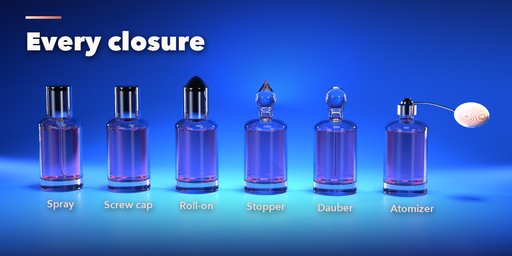
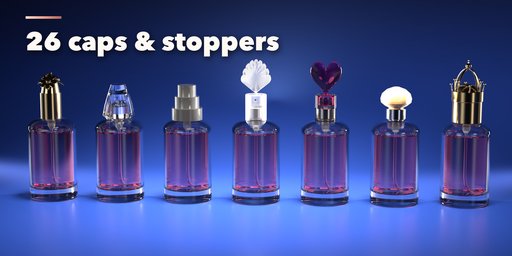
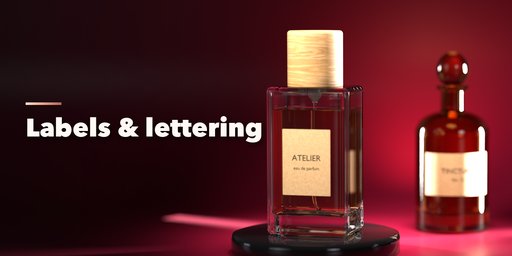
Close it with a spray pump, screw cap, roll-on, glass stopper, dauber or a vintage atomizer, add a collar, then choose from 26 caps and stoppers: cylinders, cubes, gems, teardrops, spires, fans, hearts, flowers, crowns, wood, marble, lacquer or your own mesh. Labels, lettering, ribbons, tassels and charms finish the look.
Features
- 49 designs in four families: sprays, sculpted glass, vintage and figurative
- Lofted bodies with 11 outlines that morph, side profiles, taper, lean and twist
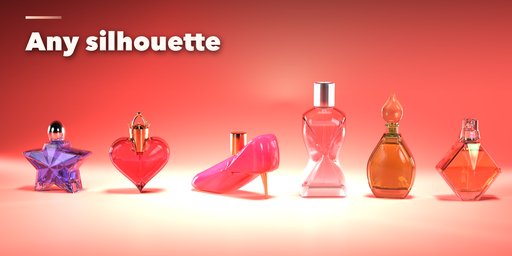
- Flat silhouette bottles: star, heart, torso, shoe, diamond, fan, leaf and more
- Glass patterns and front recesses, or your own curves for outline and profile
- 6 dispensers, 5 collars and 26 caps and stoppers
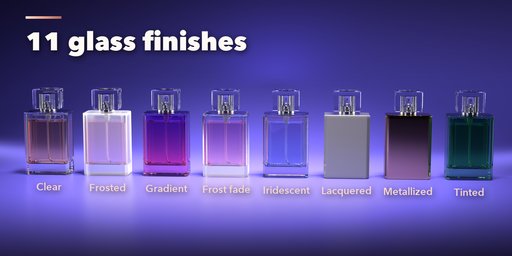
- 11 glass finishes: clear, crystal, tinted, gradient, frosted, frost fade, opal, iridescent, lacquered, metallized and inside coat
- Paper, kraft, metal, enamel and clear labels with your own lettering
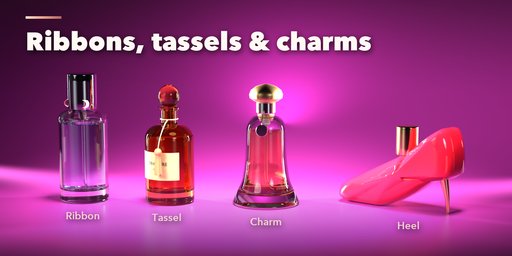
- Ribbons with bows, tassels, charms and stiletto heels
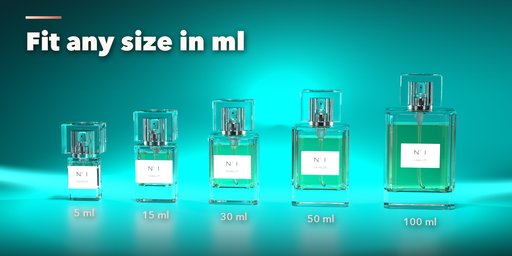
- Fit to Capacity sizes the bottle to any volume in ml
- Photo Studio adds a backdrop, lights and a camera in one click
- Surprise and Vary buttons for endless new bottles
- Picture-driven sidebar with seven tabs, Shift+A menu and Convert to Mesh
- Works in Cycles and EEVEE
Requires Blender 4.2 or newer. Tested on Blender 4.2, 4.5 and 5.2 LTS.
How to use
Installation
In Blender open Edit, Preferences, Get Extensions, then use Install from Disk and pick the perfume_generator zip.
Usage
- Open the Perfume tab in the 3D viewport sidebar (N). With no bottle selected, click the picture to choose one of the 49 designs, or browse the four families, and add it at the 3D cursor. You can also use Shift+A, Mesh, Perfume Bottle.
- The card at the top shows the design, its size in mm, its capacity in ml and its face count. Surprise makes a new random bottle, Vary changes the current one a little, the palette button picks a random finish and the arrow resets the design.
- The icon tabs hold every setting: Shape (body, outline, profile, silhouette, shoulder, neck), Glass (perfume, walls, patterns, recesses), Closure (dispenser, collar, cap or stopper), Label (label and lettering), Decor (ribbon, tassel, charm, heel), Finish (glass, perfume, cap, metals, colors) and Parts & Export (part visibility, detail, seed, Fit to Capacity, Photo Studio, Convert to Mesh, Delete).
- Every picture choice opens a gallery: click the picture next to a setting to see all its options.
Use Rendered view in Cycles for real refraction. Photo Studio adds a seamless backdrop, softboxes and a camera ready to render.
FAQ
Which Blender versions are supported?
Blender 4.2 and newer. It is tested on Blender 4.2, 4.5 and 5.2 LTS.
Is the glass hollow with real perfume inside?
Yes. The bottle has real wall thickness, a heavy base and a neck, and the perfume is a separate object filling it to any level. In Cycles it refracts like real glass and liquid.
Can I use my own bottle shape?
Yes. Draw a closed curve for the outline seen from above and another curve for the side profile, and the bottle follows them. You can also use your own mesh as the cap.
Can I edit the result as a normal mesh?
Yes. Convert to Mesh in the Parts & Export tab turns the bottle into plain mesh objects, ready to edit or export.
Does it work in EEVEE?
Yes, in both Cycles and EEVEE. Cycles gives the most realistic glass and perfume.


