
 Models
 Materials
 HDRIs
 Scenes
 Brushes
 Node Groups
 Printables
 Creators
 Creations
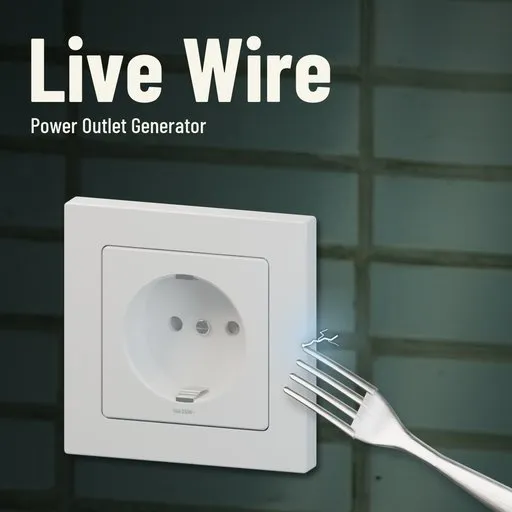
Live Wire – Power Outlet Generator for Blender
 add-on
Photoreal power outlets and wall sockets of every world standard: US, Schuko, UK, French, Swiss, IEC and more, with 18 finishes and new, used or old grimy wear.
Explore all my Blender addons
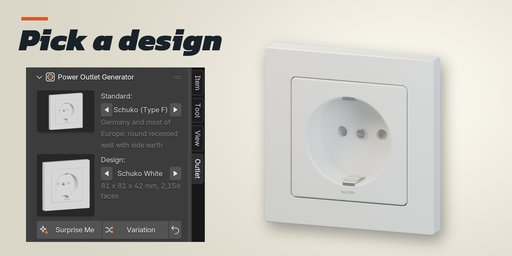
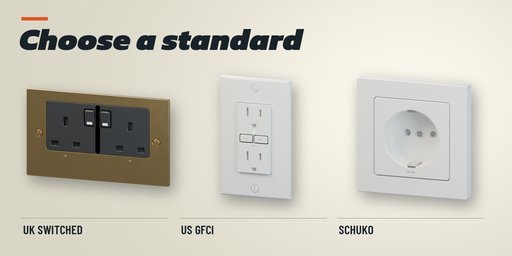
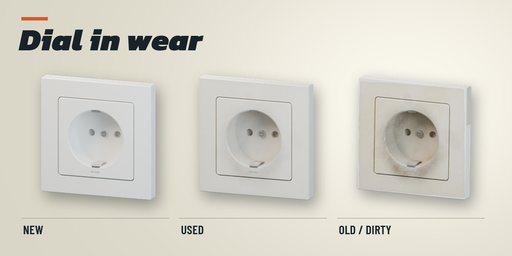
Live Wire builds photoreal power outlets and wall sockets in one click, for any country. Pick a standard and a design from the pictures, choose the plate finish and how worn it is, and the outlet is real geometry at true size: chamfered holes, shutters, brass contacts, earth clips, screws with their slots and moulded wells you can look straight into.
Every plug standard
- North America: duplex, Decora, GFCI with TEST / RESET and LED, USB, 20 A, range and dryer outlets
- Europe: Schuko, French earth pin, Danish, Swiss T13 (single and triple), Italian, Israeli
- UK, Australia, China, Japan, India and Brazil
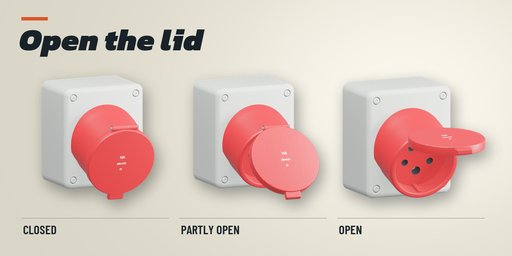
- Industrial IEC 60309 sockets with tilted sleeves and flip lids, and floor outlets with brass or steel lids
Finishes and plates
- 18 finishes: gloss and matte plastics, brushed stainless, chrome, satin and antique brass, black nickel, aluminium, white and black glass, or any custom color
- Pillowed, flat, square, soft, screwless and ultra slim plates; 1 to 4 gangs, side by side or stacked
- Switched sockets with rocker and red flag, USB-A and USB-C ports, splash-proof lids that open
Hyperreal wear
- New, Used and Old: yellowed plastic, dark hand grime around the holes, greasy finger prints, wall paint lapped onto the plate edges, dust on top, crooked screws and slightly crooked plates
- Every outlet paints its own grime map, so no two old outlets look the same
Made for scenes and games
- Optional wall piece: painted plaster, white tiles or concrete (CC0 scans)
- Printed ratings as texture decals, never mesh text; no brand names or logos
- Surprise Me and Variation buttons randomize the selected outlet in place; Apply as Mesh freezes it
- PBR materials that render in Cycles and EEVEE and export to game engines
Requires Blender 4.2 or newer. Tested on Blender 4.2, 4.5 and 5.2 LTS.
How to use
Installation
In Blender open Edit, Preferences, Get Extensions, then use Install from Disk and pick the zip.
Usage
- Open the Outlet tab in the 3D View sidebar (N), or use Shift+A, Mesh, Power Outlet.
- Pick a standard and a design from the pictures, then click Add Outlet.
- With the outlet selected, pick the finish, socket color, condition, gangs, plate style and wall on the first page.
- The Plate, Socket and Wall & Wear tabs hold the fine settings: plate size and edges, screws, shutters, ratings, USB, switches and lids.
- Surprise Me randomizes the selected outlet in place; with nothing selected it adds a new random one.
FAQ
Which Blender versions are supported?
Blender 4.2 and newer. It is tested on Blender 4.2, 4.5 and 5.2 LTS.
Can I use the outlets in a game engine?
Yes. Click Apply as Mesh, then export as FBX or glTF. The materials are standard PBR; the grime map is a packed image you can bake or export with the model.
Do the outlets carry brand names?
No. Only generic ratings and symbols are printed, so you can use them anywhere.


