
 Models
 Materials
 HDRIs
 Scenes
 Brushes
 Node Groups
 Printables
 Creators
 Creations
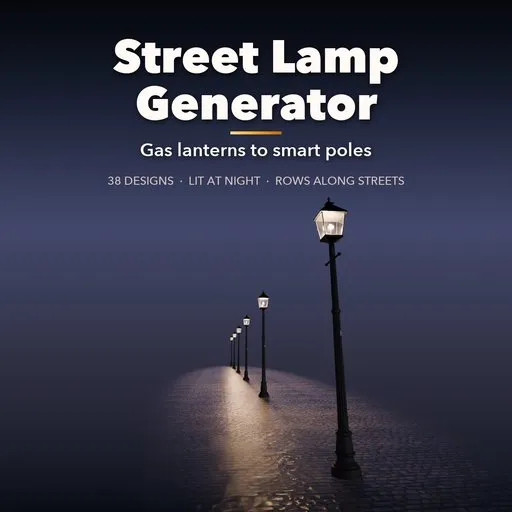
Street Lamp Generator
 add-on
Procedural street lights: 38 designs from Victorian gas lanterns, Paris candelabras and globes to cobra heads, LED poles, floodlights and toro, lit at night and placed in rows along streets.
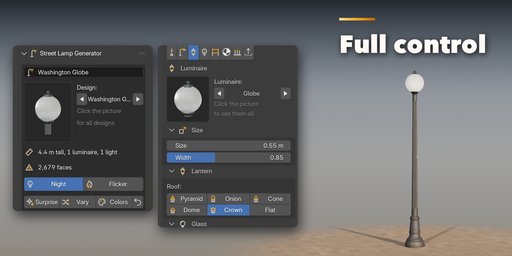
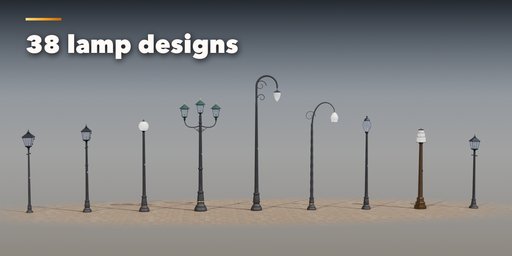
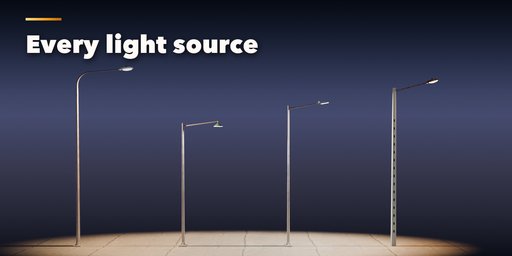
Street Lamp Generator builds complete street lights inside Blender, from a Victorian gas lantern with its ladder bar to a Paris candelabra, a Washington globe, a bishop's crook, a sodium cobra head, an LED road light, a stadium floodlight mast, a solar pole or a smart pole with camera and 5G shroud. Pick one of 38 designs, then change anything: every part is a number, a choice or a switch, and the lamp rebuilds live as you drag.
Each lamp is built from real parts: a base (flange, cast-iron bell, stone plinth, breakaway, concrete footing, Art Deco step base, Japanese stone legs), a pole (round, fluted, polygonal, square, twisted, concrete, wooden, lattice, telescopic or stone), arms (straight, davit, crook, scroll, swan neck, candelabra, truss, crossbar, ring or flood rack) and a luminaire with real glass and a glowing lamp inside.
Turn the night on and every lamp lights up: emissive bulbs, mantles and LED lenses plus real point, area or spot lights in the color of the source, from gas and candle flames to sodium orange, mercury blue-white and LED at 2700 to 5700 K. Gas lamps can flicker on a looping animation.
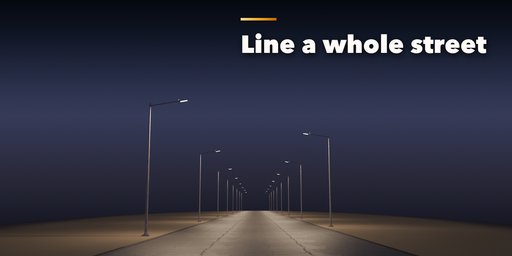
Line a whole street in one go: the Row option places copies along a straight line or any curve, on one or both sides of the road, staggered or facing each other, and they all update when you change the original.
Features
- 38 designs in 5 groups: historic, modern road lights, parks and gardens, wall and wire mounts, and lamps from around the world
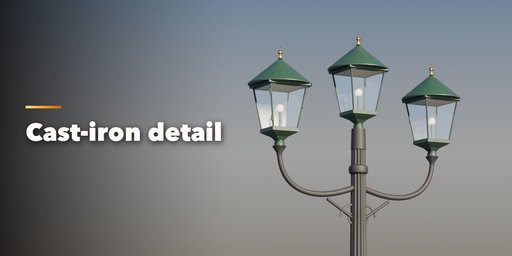
- Victorian, Georgian, Boston, Prague and Paris gas lamps, Washington globes, Twin Twenty, Philadelphia, acorn posts, bishop's crooks, Art Nouveau and Art Deco
- Cobra heads, mercury bells, shoebox and LED road lights, twin median poles, Soviet concrete poles, GDR droplets, truss poles, high masts and stadium floodlights
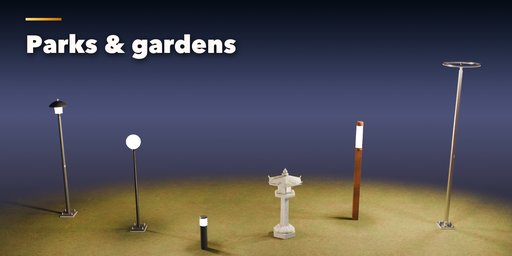
- Park mushrooms, garden globes, LED bollards, halo rings and light columns
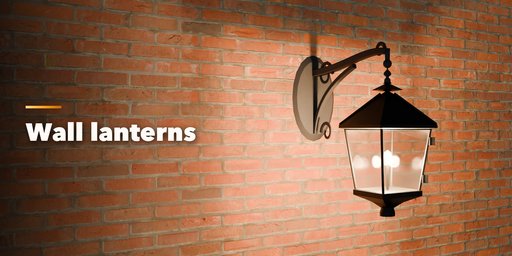
- Wall lanterns and floodlights, catenary lights on a wire between masts
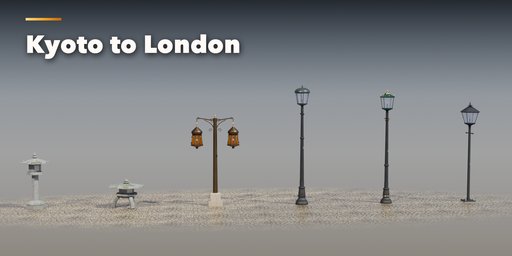
- Japanese Kasuga and Yukimi toro, Moroccan lantern posts and a festive high street pole with banners and flower baskets
- 15 luminaires: lanterns with any number of sides, globes, acorns, drops, bells, cobra, shoebox, blade, dome, cylinder, flood, ring, tulip, Art Deco and toro
- Clear, frosted, opal, amber and prismatic glass
- 11 light sources with real colors, power, glow and soft shadows, Day and Night in one click
- Extras: ladder bar, banners, flower baskets, solar panel, dome camera, antenna shroud and street sign
- Finishes: painted, cast iron, galvanized, aluminium, stainless, bronze, verdigris and Corten, gilded accents, weathering, rust and moss
- Rows along a line or a curve, both sides, staggered
- Real-world sizes in meters, origin on the ground at the pole, three detail levels and Convert to Mesh for game engines
- Surprise, Vary and Random Colors buttons for endless new lamps
- Picture-driven sidebar with eight tabs and a Shift+A menu
- Works in Cycles and EEVEE
Requires Blender 4.2 or newer. Tested on Blender 4.2, 4.5 and 5.2 LTS.
How to use
Installation
In Blender open Edit, Preferences, Get Extensions, then use Install from Disk and pick the street_lamp_generator zip.
Usage
- Open the Street Lamp tab in the 3D viewport sidebar (N). With no lamp selected, click the big picture to browse the designs, or pick a group and a design, then press Add to place it at the 3D cursor. You can also use Shift+A, Mesh, Street Lamp.
- The card at the top shows the design, its height, the number of luminaires and lights and the face count. Night switches the glowing glass and the light objects on and off; Flicker animates gas and candle lamps (press Play). Surprise makes a new random lamp, Vary changes the current one a little and Colors paints it anew.
- The icon tabs hold every setting: Pole & Base (mount, base and pole), Arms (arm type, count, reach, how the heads hang), Luminaire (head type, size, glass, roof), Light (source, color, power, glow, shadows, flicker), Extras (ladder bar, banners, baskets, solar, camera, antenna, sign), Finish (metals, paint, stone, weathering, rust, moss), Row (copies along a line or a curve) and Parts & Export (part visibility, detail level, Convert to Mesh).
- For a row along a curve, pick the curve in the Row tab; press Refresh after editing the curve.
- Convert to Mesh keeps the lamp, and its row, as plain meshes and lights; Delete removes it with all its parts.
All sizes are in meters. The root empty sits on the ground at the pole axis, and arms reach along +X, toward the street. Use Rendered view to see the light.
FAQ
Which Blender versions are supported?
Blender 4.2 and newer. It is tested on Blender 4.2, 4.5 and 5.2 LTS.
Can I use the lamps in a game engine?
Yes. Every part is UV-mapped with its origin on the ground and uses Principled BSDF materials. Pick the Low detail level and use Convert to Mesh, then export as usual (FBX, glTF). The glow is a plain emission, so it maps to an emissive texture.
Are the lamps really lit?
Yes. At night every luminaire gets a real light object (point, area or spot) in the color of its source, plus glowing glass and bulbs. You set the power, glow and shadows, and a whole row lights the street.


