
 Models
 Materials
 HDRIs
 Scenes
 Brushes
 Node Groups
 Printables
 Creators
 Creations
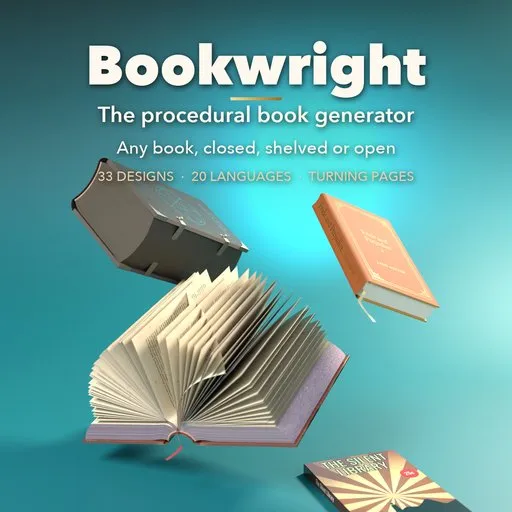
Bookwright
 add-on
Photoreal procedural books: 33 designs from paperbacks to grimoires and scrolls, real bindings, typeset pages in 20 languages, your own cover art, page-turn animation and new-to-ancient wear.
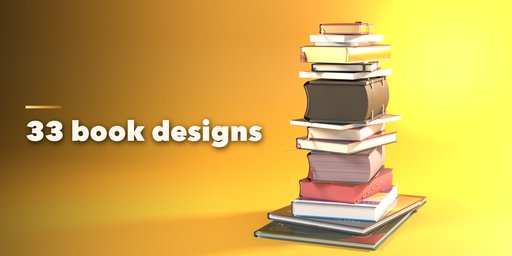


Bookwright is a procedural book generator that makes photorealistic books of every kind inside Blender: hardcover novels, paperbacks, pocket books, textbooks, coffee table books, cookbooks, atlases, leather tomes, grimoires, medieval manuscripts, ledgers, limp vellum, journals, spiral and wire-o notebooks, composition books, diaries with locks, coptic journals, magazines, comics, manga, graphic novels, board books, picture books, bibles, dictionaries with thumb index, photo albums, Japanese stab-bound books, scrolls and sheet music.
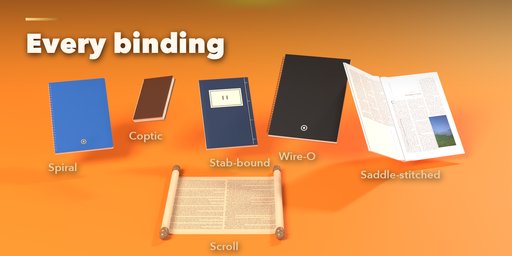
Every book is real geometry built from real bookbinding: rounded and backed spines, joints, squares, raised bands, headbands, ribbons, coils through punched holes, staples, coptic chain stitching, metal corners, clasps, bosses and elastic bands. Pages are true sheets that bend and stack, so an open book has a proper gutter, and pages turn one by one with a natural curl.
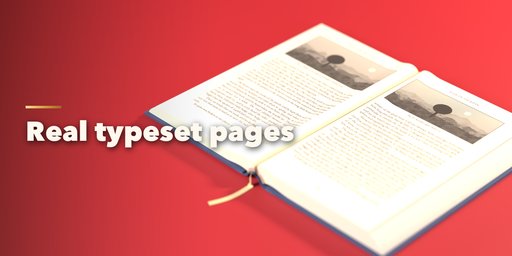
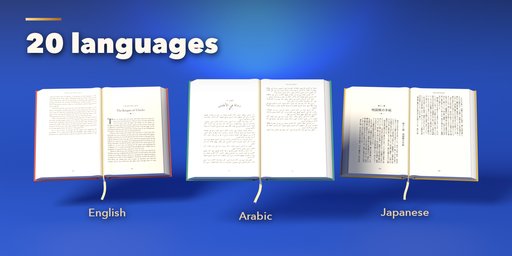
Pages are typeset for real in 20 languages, including right-to-left Arabic and Hebrew and vertical Japanese, with your own margins, columns, fonts, running heads, page numbers, chapters and illustrations. Or use lined, grid, dotted, ledger, music, comic or handwritten pages, or your own page images.
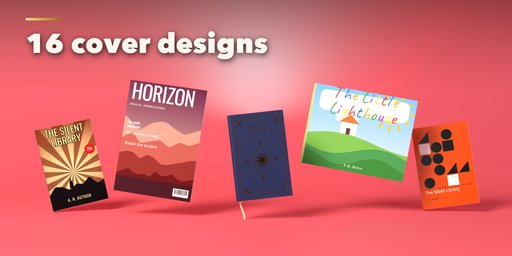
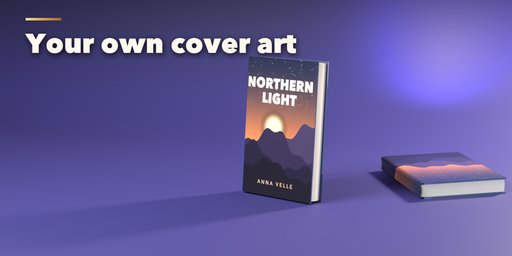
Covers come in 16 designs and 13 materials (cloth, leather, suede, vellum, velvet, wood, glossy and matte laminates and more) with gold, silver, copper, blind or embossed stamping. Put your own picture on the front, wrap a whole cover image around the book, or place just a logo. Dust jackets and slipcases are included.
Features
- 33 designs in 6 families, plus Random Book and Random Cover
- Postures: closed, face down, on a shelf, leaning, spine up, open on a table, held open, standing open, tent
- One-click animation: open the book and turn any number of pages
- 11 binding styles from hardcover to scroll, with all their hardware
- 20 languages, right-to-left and vertical text, custom text and fonts
- Your own cover picture, whole-cover wrap or logo
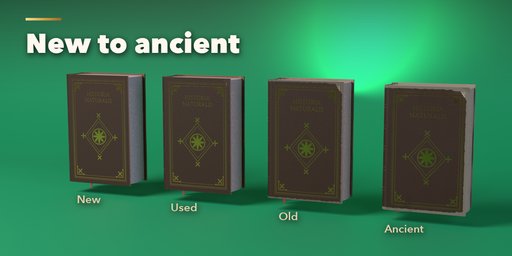
- New to ancient: age, wear, dust, stains, foxing, fading, waviness, dog ears, warp and scuffs
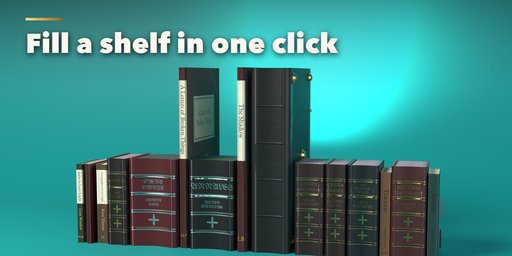
- Fill a shelf or a stack with varied books in one click
- Convert to a plain mesh for export
Requires Blender 4.2 or newer. Tested on Blender 4.2, 4.5 and 5.2 LTS.
How to use
Installation
In Blender open Edit, Preferences, Get Extensions, then use Install from Disk and pick the book_generator zip. The add-on is listed as Book Generator.
Usage
- In Object Mode press Shift+A and choose Mesh, Book, then pick a design. You can also use the Book tab in the 3D viewport sidebar (N): choose a kind of book, then a design, or press Random.
- With a book selected, the sidebar shows icon tabs: Size, Binding, Cover, Pages, Pose, Animate, Condition and Quality. Every setting rebuilds the book live.
- Cover: pick the design, material, colors, stamping and titles. Under Your Picture choose Front, Whole Cover or Logo and load an image.
- Pages: pick the content (text, illustrated, pictures, comic, lined, grid and more), the language, font, margins and columns.
- Pose: choose closed, on a shelf, open, held or standing, and set the open angle, where it opens and how many pages are turning.
- Animate: press Animate Book to keyframe opening and turning pages. The pose settings can also be keyframed by hand.
- Condition: move Age and Wear from new to ancient, or fine-tune dust, stains, foxing and dog ears.
- Fill Shelf adds a row or stack of varied books at the 3D cursor. Convert to Mesh turns a book into a plain mesh for export.
Switch the viewport to Material Preview or Rendered to see the materials and typeset pages.
FAQ
Which Blender versions are supported?
Blender 4.2 and newer. It is tested on Blender 4.2, 4.5 and 5.2 LTS.
Can I use my own cover image?
Yes. Load a picture for the front cover, a whole-cover image that wraps around the back, spine and front, or a logo. Your own fonts and text work too.
Can I animate the pages?
Yes. Animate Book keyframes the book opening and turning any number of pages, and every pose setting (open angle, page turn, cover open) can be keyframed by hand.
Can I export the books?
Yes. Convert to Mesh turns a book into a plain mesh with its materials and images, ready for FBX, OBJ or glTF export.


