
 Models
 Materials
 HDRIs
 Scenes
 Brushes
 Node Groups
 Printables
 Creators
 Creations
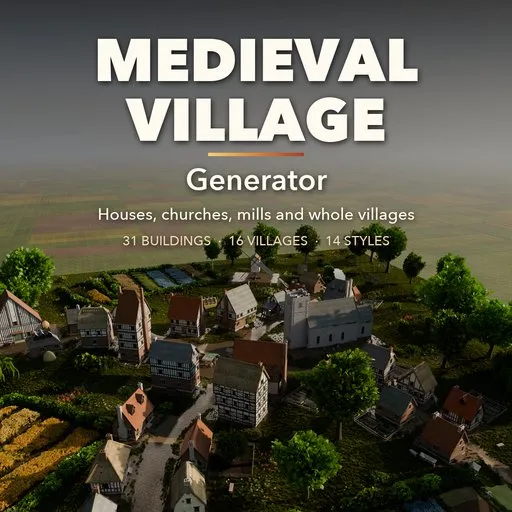
Medieval Village Generator
 add-on
Parametric medieval houses, churches, mills and whole villages in 14 regional styles, from Tudor and Fachwerk to fantasy. Live editing, game-ready UVs, PBR materials and LODs.
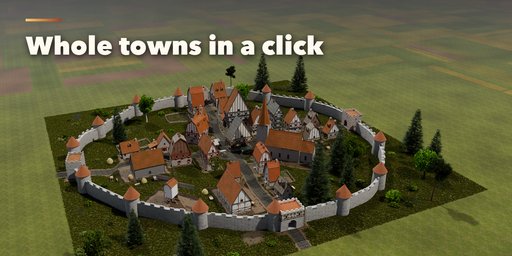
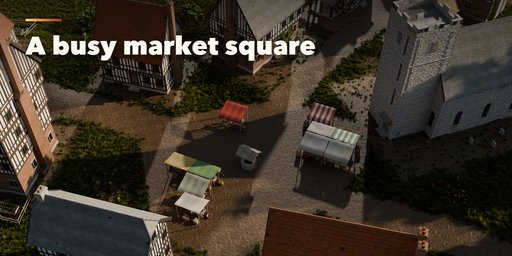
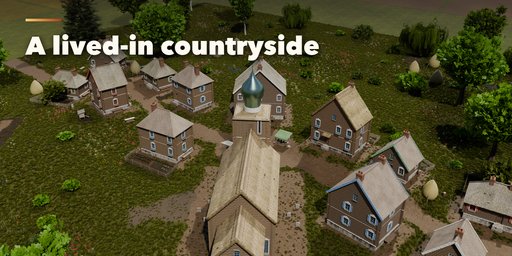
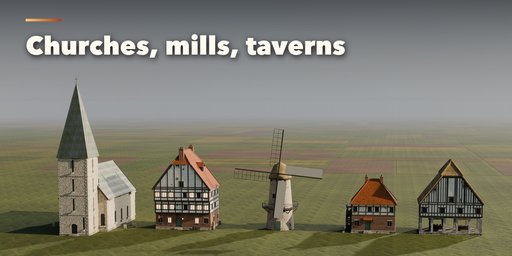
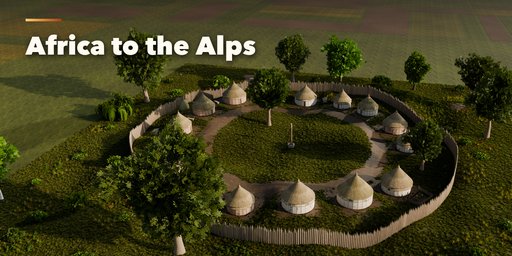
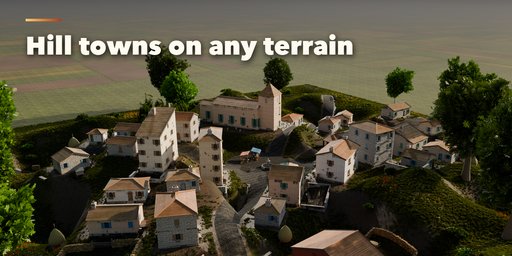
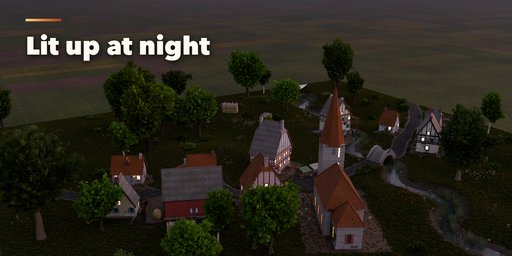
Medieval Village Generator builds whole pre-modern settlements inside Blender: timber-framed houses along winding lanes, a church and a tavern on the square, a smithy, barns, market stalls, a well, a mill by the stream and a wall or palisade with gates around it all. Pick a village or a single building, then change anything. Every house is a parametric building that rebuilds live while you drag a slider.
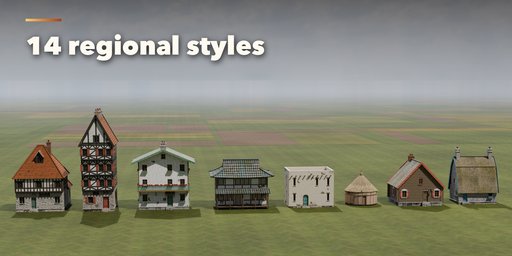
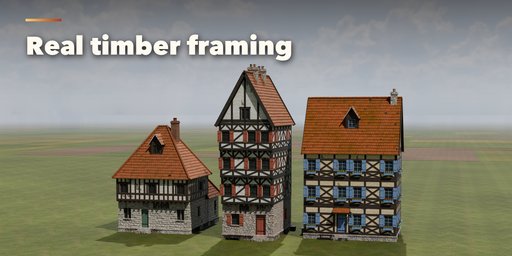
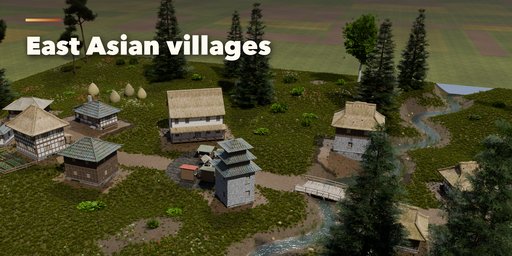
It is not only English half-timber. Fourteen regional styles cover the old world: English Tudor and thatched cottages, German Fachwerk, French colombage, Mediterranean stone villages, Scandinavian log halls with sod roofs, Slavic izbas and onion-dome churches, Alpine chalets, Japanese minka and pagodas, Chinese courtyard houses, Middle Eastern mud brick, African rondavels, Celtic roundhouses and crooked storybook fantasy.
Villages grow from real settlement forms: organic lanes, a street village, a curving lane, a village green, crossroads, a planned grid, a ring around a central space or a scattered hamlet. Houses stand on levelled ground on the hills, and density, size and defences are one slider or click away.
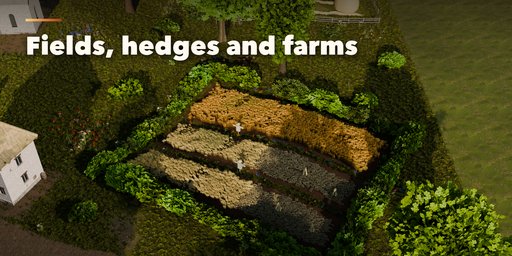
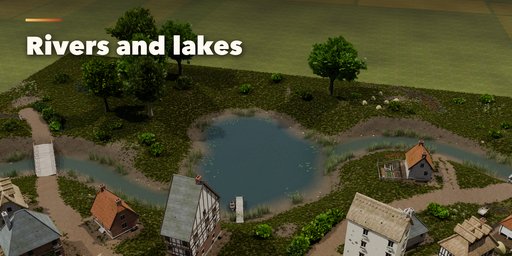
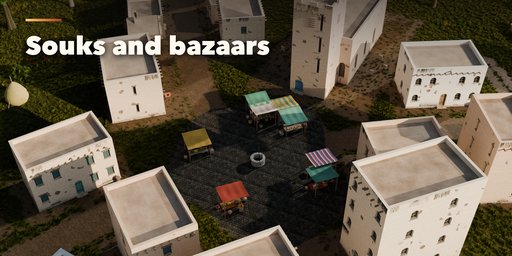
The land around the houses is generated too. Rivers and lakes are carved into the terrain with bridges, banks and reeds. Open fields are laid out in strips of standing wheat, rye, barley, oats and flax, with hay meadows and stooks at harvest. Hedgerows, fences and dry-stone walls run along fields and lanes, farmsteads get paddocks, coops, beehives and hay ricks, and wildflowers and grass grow on the open ground. The market square fills with a bazaar of detailed stalls and their goods, from European awnings to desert souks.
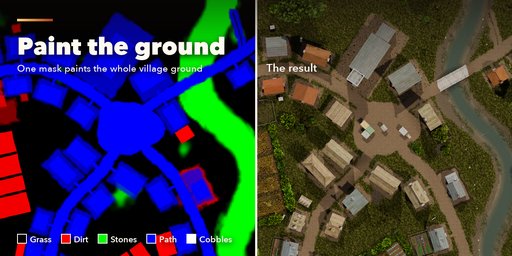
The whole ground is one PBR terrain material driven by one mask image: grass, dirt, stones, paths and cobbles. The add-on paints the mask for you from the lanes, yards, gardens and fields, and you can paint over it in Blender with five picture buttons. Grass grows wherever the mask says grass.
Features
- 31 building designs and 16 village designs, plus Randomize and Surprise Me
- 16 building types: cottages, houses, townhouses, longhouses, round huts, taverns, smithies, churches, chapels, watermills, windmills, barns, granaries, market halls, towers and gatehouses
- 14 regional styles with their own walls, timber frames, roofs and colours
- 8 village layouts, terrain hills, a green or a market square
- Rivers, lakes and streams carved into the land, with bridges and a working watermill
- Open strip fields of wheat, rye, barley, oats and flax, hay meadows, kitchen gardens with vegetables
- Countryside dressing: hedgerows, fences and dry-stone walls, farmsteads and paddocks, haystacks, wildflowers
- A bazaar of detailed market stalls in 5 regional looks, with produce, cloth, pottery, spices and rugs
- One terrain material and one editable mask image (grass, dirt, stones, path, cobbles), plus optimized grass
- 11 roof forms, 9 roof coverings, 8 timber frame patterns, jetties, dormers, chimneys, shutters, balconies and verandas
- Town walls with towers and gatehouses, or a timber palisade
- Trees, rocks, wells, fountains, carts, barrels and crates
- Lit windows for night scenes and a weathering slider for moss and grime
- Game ready: real UVs, PBR photo textures (Poly Haven, CC0), clean origins, one collection per village, and Make LODs for three detail levels
- Pick any house inside a village and edit it on its own
- Works in Cycles and EEVEE
Requires Blender 4.2 or newer. Tested on Blender 4.2, 4.5 and 5.2 LTS.
How to use
Installation
In Blender open Edit, Preferences, Get Extensions, then use Install from Disk and pick the medieval_village_generator zip.
Usage
- Open the Village tab in the 3D viewport sidebar (N). With nothing of ours selected, it shows two picture galleries: pick a building or a village and press Add. It appears at the 3D cursor.
- With a building or village selected, the picture at the top switches its design. Randomize makes a new variation of the same kind; Surprise Me also changes the style and type (Shift-click Randomize does the same). Live Update rebuilds while you drag; switch it off for big villages and press Rebuild.
- Buildings: the sub-panels hold Building (style, type, floors, detail, size, roof form, pitch, covering), Walls and Framing, Roof Details, Windows and Doors, Extras and Colours and Age.
- Villages: the sub-panels hold Village (style, seed, detail, layout, size, density, hills), Buildings (style mix, church, tavern, smithy, mill, market, barns, floors), Lanes and Square, Gardens, Trees and Props, Defences (wall or palisade, towers), Water (stream, river, lake, river and lake), Ground (paint grass, dirt, stones, path or cobbles on the mask, grass density and height, fields, countryside and fences) and Night and Age (lit windows, glow, weathering).
- Painting the ground: press one of the five ground pictures to paint that cover onto the village's mask in Texture Paint mode, then Done Painting. Your painting is kept when the village rebuilds; Regenerate Mask goes back to the automatic one.
- Select any house inside a village and press Edit as Building to copy it out as its own editable building.
- Finish: Convert to Mesh keeps plain meshes the add-on no longer changes; Make LODs writes three levels of detail (_LOD0 to _LOD2) of a building into a new collection; Delete removes the building or village with its meshes.
Every mesh has UVs and PBR materials with photo textures (Poly Haven, CC0) that export to game engines. Low detail is a game LOD; High adds chamfered timbers, hinges, lead cames and flowers.
FAQ
Which Blender versions are supported?
Blender 4.2 and newer. It is tested on Blender 4.2, 4.5 and 5.2 LTS.
Can I use the buildings in a game engine?
Yes. Every mesh has UVs and PBR materials with photo textures, origins sit on the ground, villages get their own collection, and Make LODs writes three levels of detail. Export with Blender's FBX or glTF exporter.
How big can a village get?
The Size slider sets the radius of the built area from 20 to 200 m. A 60 m village holds about 15 to 45 buildings, depending on layout and density. Place several villages side by side for bigger towns, and use Low detail for large scenes.
Can I edit one house of a village?
Yes. Select the house and press Edit as Building: it becomes its own building with every setting. Or press Convert to Mesh to keep the whole village as plain meshes and model on top.
Is it only European?
No. Besides English, German, French, Mediterranean, Scandinavian, Slavic and Alpine styles there are Japanese, Chinese, Middle Eastern, African, Celtic and fantasy styles, each with its own buildings, roofs and materials.


