
 Models
 Materials
 HDRIs
 Scenes
 Brushes
 Node Groups
 Printables
 Creators
 Creations
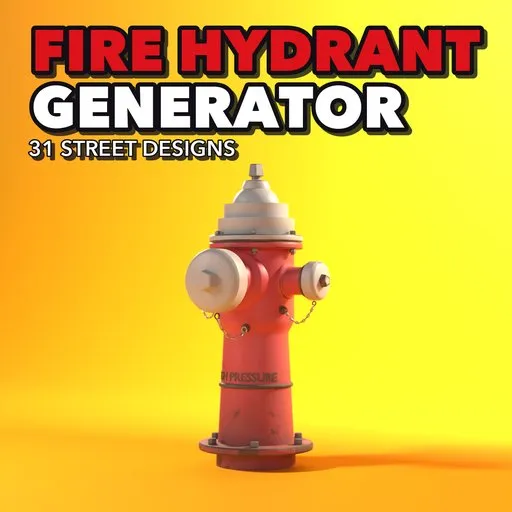
Fire Hydrant Generator
 add-on
Photoreal procedural fire hydrants: 31 real-world designs, pillar, underground, wall, PIV and dry hydrants, full live control and one-click game export with baked PBR, LODs and collision.
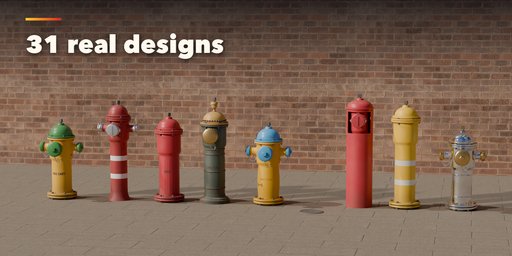
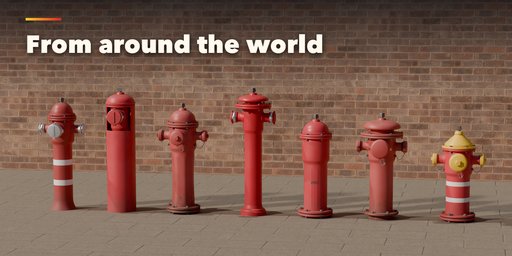

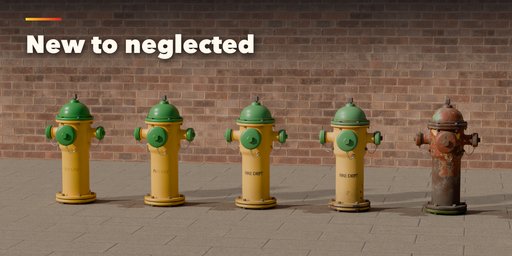
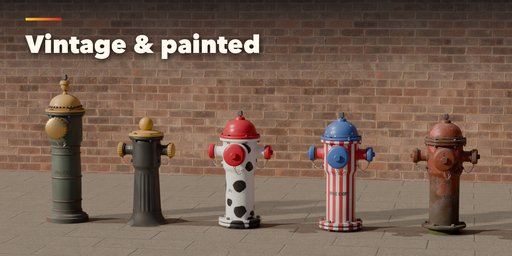
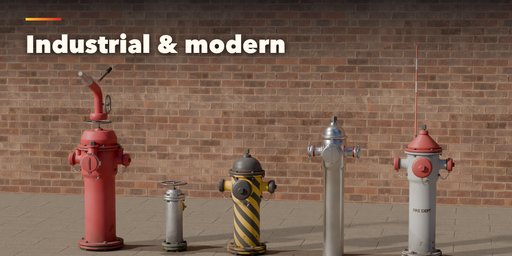
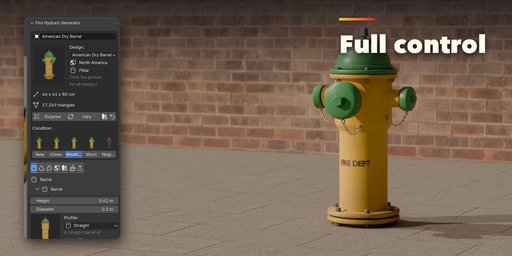
Fire Hydrant Generator builds photorealistic fire hydrants inside Blender, from the classic American dry barrel on a city sidewalk to a German underground hydrant under its cast iron lid, a Japanese pillar, a Victorian column or a rusted wharf hydrant. Pick one of 31 designs modeled on real hydrants, then change anything: every part is a number, a choice or a switch, and the hydrant rebuilds live as you drag.
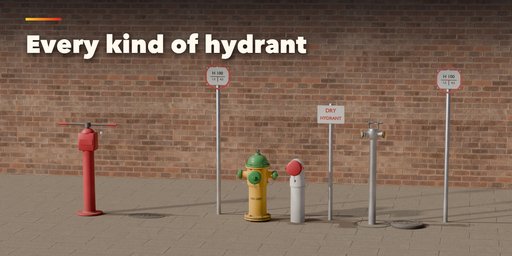
Five kinds of hydrant cover the street: pillar hydrants (dry and wet barrel, European, Asian, vintage and industrial), underground hydrants with their lid and marker sign, wall-mounted fire department connections (Siamese), post indicator valves and rural dry hydrants. Outlets come with threaded, Storz, Guillemin and instantaneous couplings, caps, chains and valves.
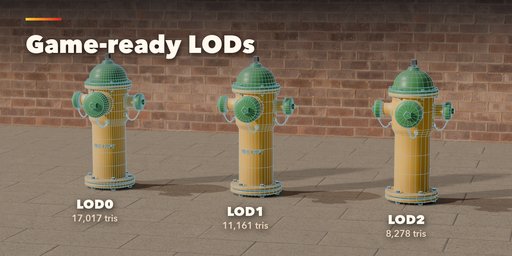
Every hydrant is game-ready. Export for Games bakes the materials into a PBR texture set packed for Unreal, Unity or Godot, builds up to four levels of detail and UCX collision hulls, and writes GLB, FBX or OBJ in one click.
Features
- 31 real-world designs in 5 regions: North America, Europe, Asia, Industrial and Vintage
- Pillar, underground, wall connection, post indicator valve and dry hydrant kinds
- Barrel profiles and sections, bonnets, operating nuts, flanges, bands, lettering and hood cases
- Pumper and hose outlets with threaded, Storz, Guillemin and instantaneous couplings
- Photoreal PBR paint, bare metals and NFPA flow class colors, plus Dalmatian, stars, stripes and hazard patterns
- Five conditions from new to neglected: sun fade, chipped paint, rust, rust streaks, dirt and moss
- Site dressing: concrete, pavers, asphalt, grass or gravel ground (real Poly Haven textures), pads, guard posts, marker flags, valve boxes and ID tags
- Game export: baked PBR textures, Unreal, Unity URP, Unity HDRP and glTF/Godot packing, LODs, UCX collision, GLB, FBX and OBJ
- Picture-driven sidebar: every choice shows a rendered preview
- Surprise and Vary buttons, Shift+A menu and Convert to Mesh
- Works in Cycles and EEVEE
Requires Blender 4.2 or newer. Tested on Blender 4.2, 4.5 and 5.2 LTS.
How to use
Installation
In Blender open Edit, Preferences, Get Extensions, then use Install from Disk and pick the fire_hydrant_generator zip.
Usage
- Open the Hydrant tab in the 3D viewport sidebar (N). With no hydrant selected, browse the designs by region and click Add Fire Hydrant to place one at the 3D cursor. You can also use Shift+A, Mesh, Fire Hydrant.
- The card at the top shows the design, its size and triangle count. Click a condition picture to age it from New to Neglected; Surprise makes a new random design and Vary changes the current one a little.
- The icon tabs hold every setting: Barrel, Bonnet & Nut, Outlets, Lid & Sign (underground), Wall Connection, Post & Pipe (indicator valve and dry hydrant), Site, Paint & Metal, Weathering and Parts & Export.
- In Parts & Export, pick the detail level, then Export for Games: choose the format (GLB, FBX, OBJ), the engine packing (Unreal, Unity URP, Unity HDRP, glTF/Godot), texture size, levels of detail and collision hulls.
- Convert to Mesh keeps the hydrant as plain meshes; Delete removes it with all its parts.
FAQ
Which Blender versions are supported?
Blender 4.2 and newer. It is tested on Blender 4.2, 4.5 and 5.2 LTS.
Can I use the hydrants in Unreal, Unity or Godot?
Yes. Export for Games bakes the materials into PBR textures packed for your engine, builds LODs and UCX collision hulls, and writes GLB, FBX or OBJ.
Can I use the models in commercial projects?
Yes. Everything you make with the add-on is yours to use in games, renders and commercial work. The ground photo textures are CC0 from Poly Haven.


