
 Models
 Materials
 HDRIs
 Scenes
 Brushes
 Node Groups
 Printables
 Creators
 Creations
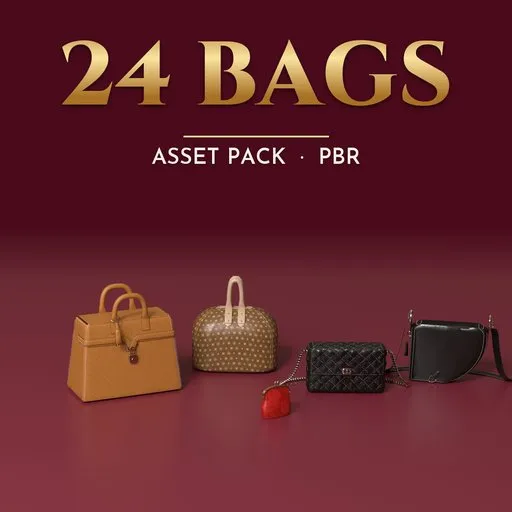
Bag Asset Pack – 24 Game-Ready PBR Handbags & Wallets
 add-on
24 game-ready PBR handbags, totes, clutches and wallets: install once, then drag them from the Asset Browser or add them with Shift+A.
Explore all my Blender addons
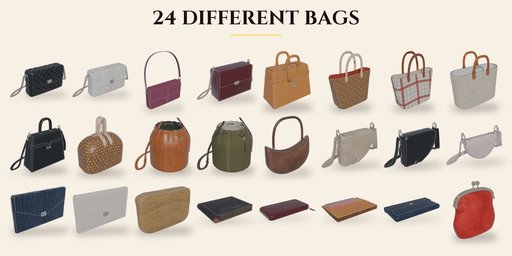
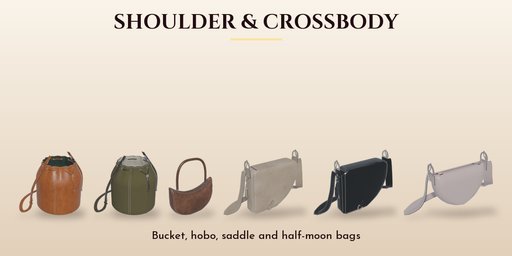
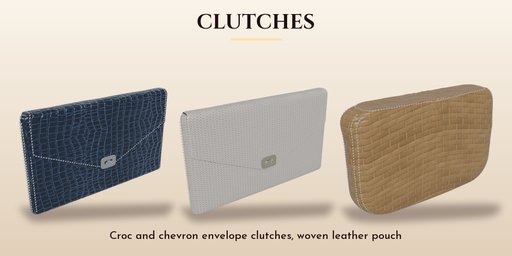
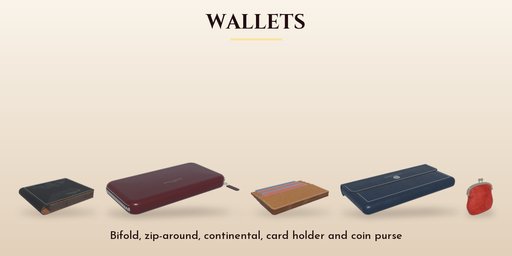
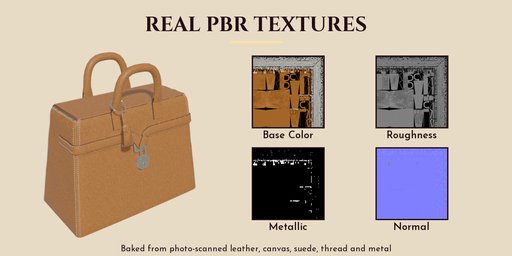
24 luxury handbags, totes, clutches and wallets, every one a different design, ready to drop into your scenes: a quilted chain flap bag, a suede baguette, a box calf structured bag, an equestrian tote, a sellier top-handle bag, a monogram shopper, a barrel satchel, a drawstring bucket bag, a crescent hobo, saddle and half-moon crossbody bags, a croc envelope clutch, a woven leather pouch, a raffia summer basket and five wallets.
Install it like any extension. The bags then show up in the Asset Browser under their own library, and in the Add menu (Shift+A > Bags), which places the picked model at the 3D cursor.
Each model is a clean, real-world scale mesh with one non-overlapping UV map and one PBR material (Base Color, Roughness, Metallic, Normal) built from packed image textures, so it also exports cleanly to game engines. The origin sits at the centre of the base on the floor.
What is inside
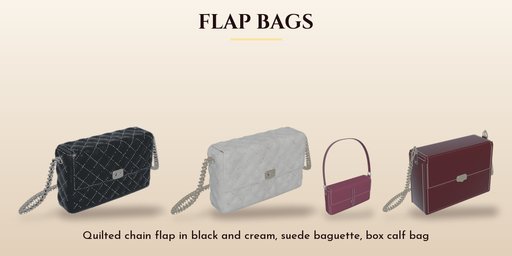
- Flap bags: Quilted Flap (black and cream), Suede Baguette, Box Calf Structured Bag
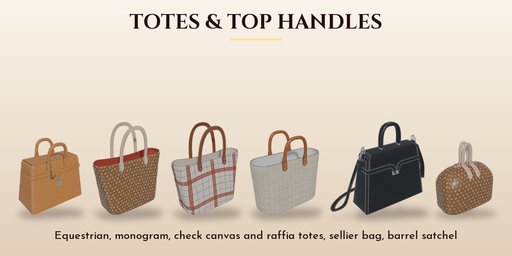
- Totes and top handles: Equestrian Tote, Monogram Shopper, Check Canvas Shopper, Summer Basket Tote, Sellier Top Handle, Barrel Satchel
- Shoulder and crossbody: Drawstring Bucket (leather and suede), Crescent Hobo, Saddle Bag (tan and black), Half Moon Crossbody
- Clutches: Croc Envelope Clutch, Chevron Envelope Clutch, Woven Leather Pouch
- Wallets: Bifold, Zip-Around, Continental, Card Holder, Kiss-Lock Coin Purse
Details
- Real photo-scanned leather, suede, canvas, raffia, woven leather, lining and metal textures, 2K, packed into the .blend
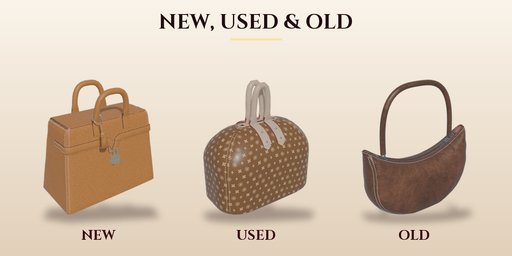
- New, used and old looks with wear baked in
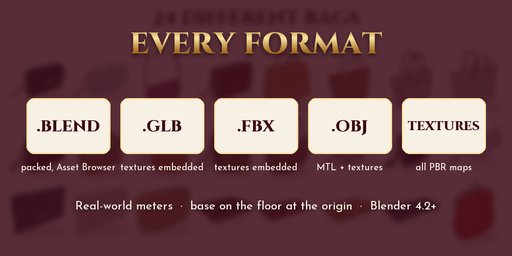
- Real-world meters, base on the floor at the origin
Works in Blender 4.2 and newer (tested on Blender 4.2, 4.5 and 5.2 LTS).
How to use
- Edit, Preferences, Get Extensions, the arrow menu at the top right, Install from Disk, and pick the downloaded zip (do not unzip it).
- Add a bag with Shift+A, Bags, or open an Asset Browser and pick the Bag Asset Pack library, then drag a model into the scene.
- Each added bag is a normal collection you own: move it, edit it, or export it to GLB/FBX for a game engine.
Disabling or uninstalling the extension removes its Asset Library entry again.
FAQ
How do I add a bag?
Shift+A, Bags, then pick one: it is placed at the 3D cursor. Or open the Asset Browser, choose the Bag Asset Pack library and drag a model in.
Can I use the bags in a commercial game or render?
Yes. Use them in personal and commercial renders, animations, games and apps. You may not resell or share the models or textures themselves as assets.
Do the materials work outside Blender?
Yes. Every model uses one standard metal/roughness PBR material built from image textures, which glTF and FBX export read directly.


