
 Models
 Materials
 HDRIs
 Scenes
 Brushes
 Node Groups
 Printables
 Creators
 Creations
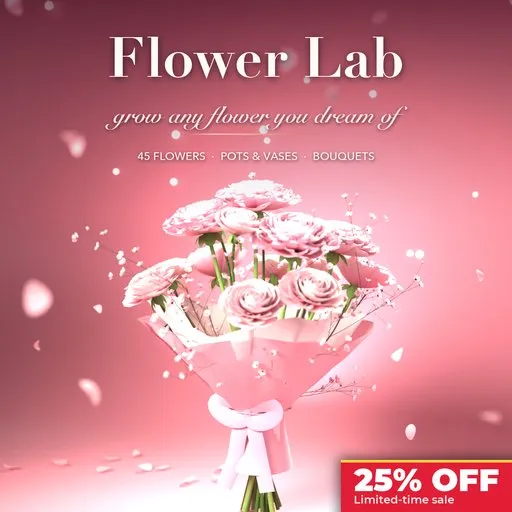
Flower Lab - Flower Generator for Blender
 add-on
Photorealistic procedural flowers in Blender: 45 species, pots, vases and wrapped bouquets, with painted PBR textures and one-click game export to GLB, FBX and OBJ with LODs.
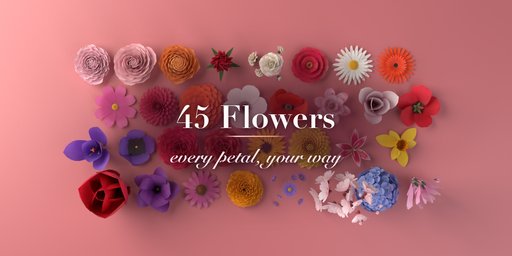

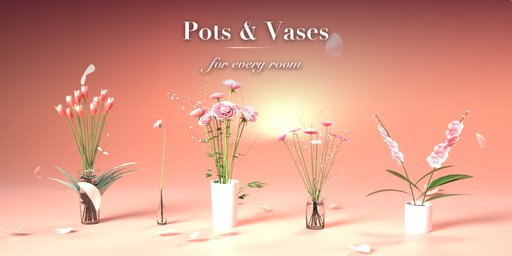
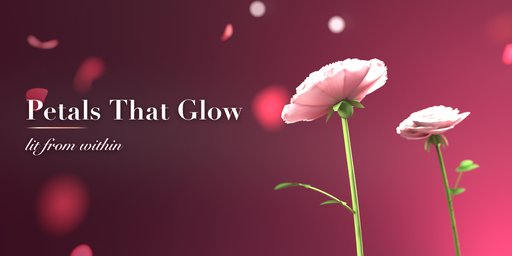
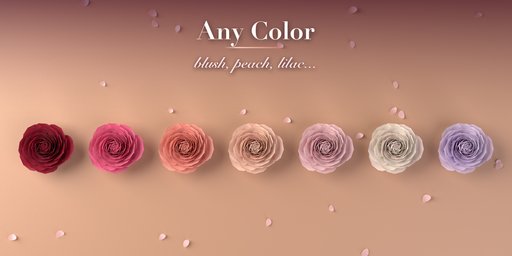
Flower Lab is a flower generator for Blender that grows photorealistic flowers: a single long-stemmed rose, tulips planted in a terracotta pot, cut peonies in a glass vase, or a hand-tied bouquet wrapped in kraft paper with a satin bow. Start from one of 45 flowers modeled on real species, from roses, peonies, ranunculus and dahlias to daisies, sunflowers, lilies, orchids, irises, lavender, hyacinths, hydrangeas and baby's breath, then change anything. Every petal, leaf and stem is built from parameters and rebuilds live as you drag.
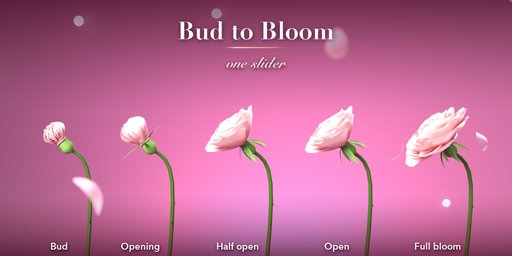
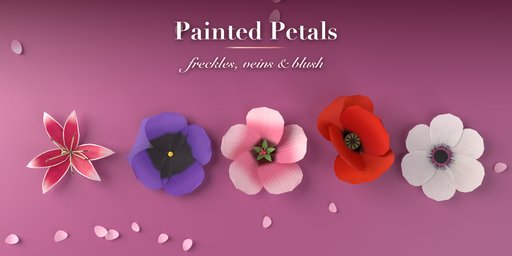
Petals are real surfaces with an outline, tip cuts, cupping, curl, recurved tips, ruffled edges and a midrib, arranged in rings or a golden spiral that closes toward the center like a real rose. Bloom takes any flower from a tight bud to wide open. Discs, seed pods, stamens, pistils and daffodil trumpets fill the middle. Spikes, umbels, clouds and sprays put many florets on one stem, and simple, compound or strap leaves dress it.
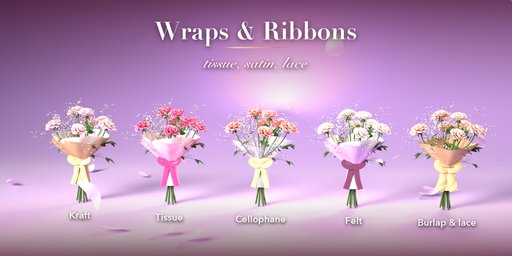
Pots and vases come in ten styles with soil, moss, pebbles or bark, or water in glass. Bouquets come in five shapes, mixing up to four flowers with greenery and fillers, wrapped in kraft, tissue, cellophane, burlap, newsprint or felt, tied with satin, velvet, lace or twine.
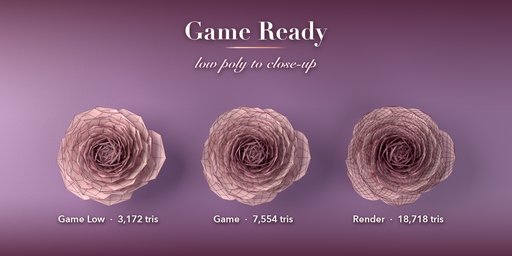
Everything is game ready: colors, veins, spots and edges are painted into packed textures with normal maps, materials are plain PBR, and one click exports GLB, glTF, FBX or OBJ with levels of detail.
Features
- 45 flowers in seven families, plus fillers and greenery
- Single stem, flowers in a pot or vase, or a wrapped bouquet
- 20 ready-made pots, vases and bouquets
- Full control of petals, centers, clusters, stems, thorns and leaves
- Painted petal textures: gradients, eyes, veins, freckles and picotee edges
- Four detail levels from low poly for games to close-up renders
- Game export to GLB, glTF, FBX and OBJ with LODs and triangulation
- Surprise, Vary, Random Colors and Shuffle buttons
- Photo Studio with a backlight that makes petals glow
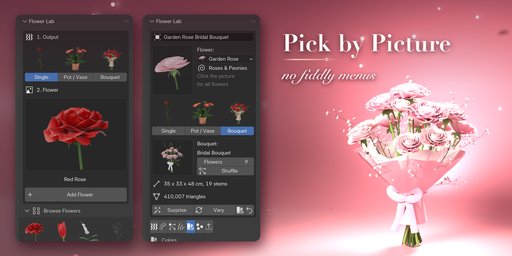
- Picture-driven sidebar, Shift+A menu and Convert to Mesh
- Works in Cycles and EEVEE
Requires Blender 4.2 or newer. Tested on Blender 4.2, 4.5 and 5.2 LTS.
How to use
Installation
In Blender open Edit, Preferences, Get Extensions, then use Install from Disk and pick the zip.
Usage
- Open the Flower tab in the 3D viewport sidebar (N).
- Pick an output (Single, Pot / Vase or Bouquet), click the big picture to choose a flower, then Add. Or use Shift+A, Flower.
- With the flower selected, change it in the tabs: Petals, Petal Shape, Center, Stem & Leaves, Colors, Pot / Bouquet.
- Surprise, Vary and the color button make new variations; Shuffle rearranges a pot or bouquet.
- In Parts & Export choose a detail level, then Export for Games (GLB, glTF, FBX or OBJ with optional LODs), Photo Studio, or Convert to Mesh.
FAQ
Which Blender versions are supported?
Blender 4.2 and newer. It is tested on Blender 4.2, 4.5 and 5.2 LTS.
Can I use the flowers in Unity, Unreal or Godot?
Yes. Export for Games writes GLB, glTF, FBX or OBJ with plain PBR materials, the painted color and normal textures, triangulated meshes and optional _LOD0, _LOD1 levels of detail.
Do I need internet or extra assets?
No. Every flower, pot and wrap is generated and its textures are painted by the add-on and packed into the .blend file.


