
 Models
 Materials
 HDRIs
 Scenes
 Brushes
 Node Groups
 Printables
 Creators
 Creations
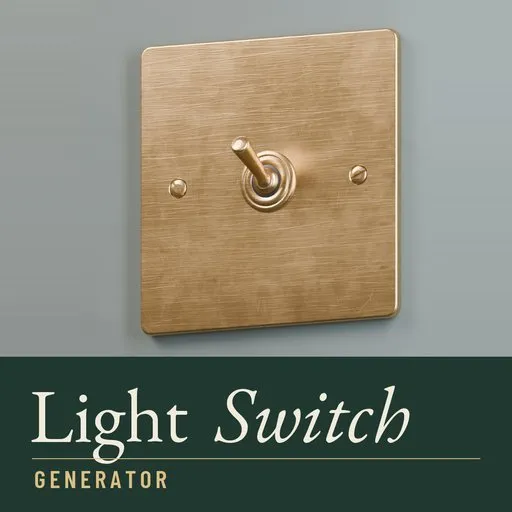
Light Switch Generator – Architectural Wall Switches for Blender
 add-on
Generate eight wall switch families, from pearl-inset push buttons and Bakelite tumblers to dimmers and glass touch panels. Choose one to four gangs, a hardware finish and a surface condition.
Explore all my Blender addons
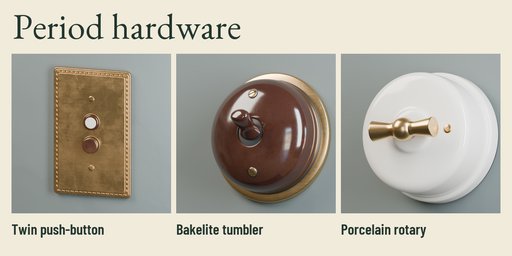
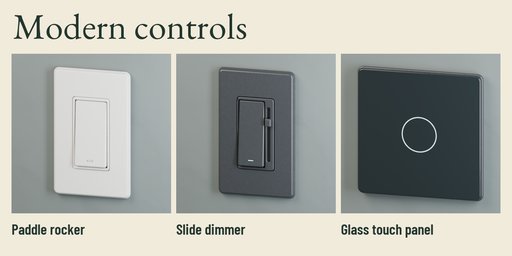
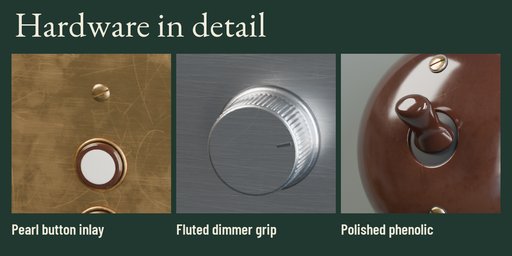
A pearl-inset push button can place a room in a different era from a glass touch panel. Light Switch Generator gives you eight wall-mounted mechanisms to match the building you are furnishing. The period fittings have moulded housings, stepped porcelain feet and slotted screws. The contemporary fittings have narrow paddle reveals, a separate dimmer track or a flush glass face with a locator ring.
Choose a mechanism
- Twin push-button, Bakelite tumbler and porcelain rotary for period interiors
- Metal toggle and fluted rotary dimmer for traditional and contemporary plates
- Paddle rocker, slide dimmer and glass touch panel for modern rooms
Match the installation
Choose white, graphite, brass or steel for the plate or trim. Select New, Used or Aged independently of the mechanism. A restored period fitting can have fresh brass, while a modern fitting can show scratches and handling. The UV-mapped finishes use packed image textures for brushed grain, fingerprints and scuffs.
Place a switch at the 3D cursor, set one to four gangs and adjust its size. Use Power to position a switch or Dimmer level to set a slider or dial. Select the object later to revise it in place, or use Surprise me to try another combination at the same location.
Requires Blender 4.2 or newer. Tested on Blender 4.2, 4.5 and 5.2 LTS.
How to use
Install and add a switch
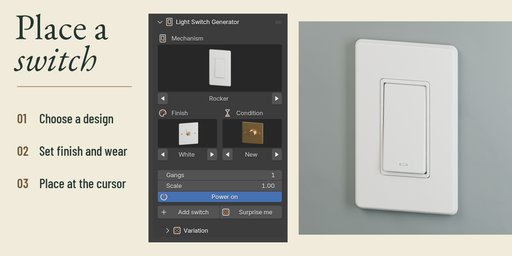
In Blender Preferences choose Install from Disk, select the extension ZIP and enable Light Switch Generator. Open the 3D Viewport sidebar with N and select the Switches tab.
- Place the 3D cursor at the mounting point. With no switch selected, click the mechanism picture to open the gallery and choose a design.
- Choose Finish and Condition, set the number of gangs and scale, then click Add switch. You can also add a switch from Add > Mesh > Light Switch.
- The switch backs onto local Y = 0 and faces local negative Y. Rotate the object to align it with your wall.
- Select the switch to adjust its settings. Power changes a switch position. Dimmer level changes the dial or slider. Surprise me changes the selected switch in place, or adds one at the cursor when no switch is selected.
FAQ
Can I make a new-looking period switch?
Yes. The mechanism and its condition are independent. Choose a period design such as the porcelain rotary switch, then set its condition to New.
Can I change one switch after duplicating it?
Yes. Select the switch you want to revise in Object Mode. The sidebar rebuilds its mesh while preserving its object transform and the geometry of its duplicates.
How do the switches sit against a wall?
Each fitting starts at real-world scale. The mounting surface is the local Y = 0 plane and the front faces local negative Y. Rotate the switch to match the wall.


