
 Models
 Materials
 HDRIs
 Scenes
 Brushes
 Node Groups
 Printables
 Creators
 Creations
Playground Generator for Blender
 add-on
Photoreal procedural playgrounds in one click: 16 presets, 80 equipment designs, safety surfaces and fences, and a New, Used or Old condition with rust, fading and graffiti. Game-ready image PBR.
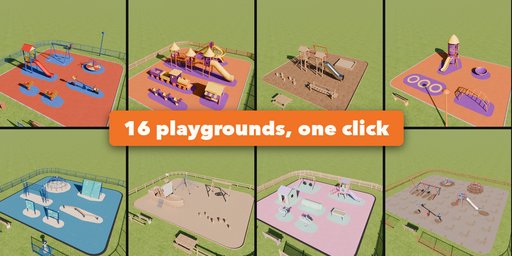
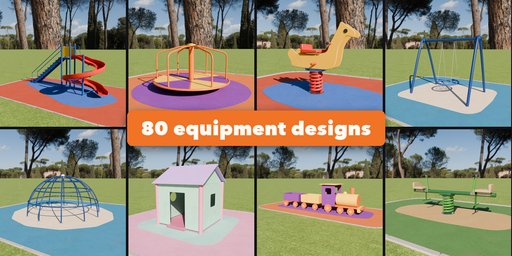
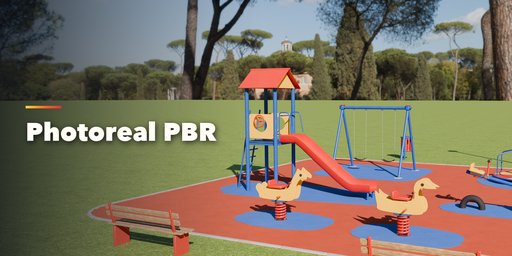
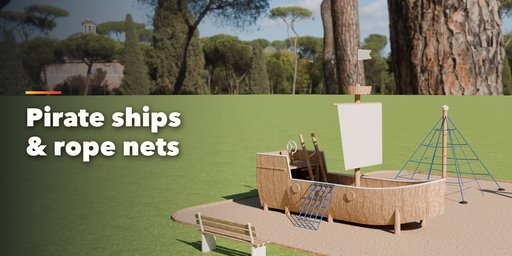
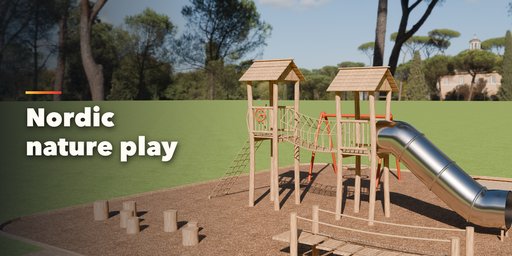
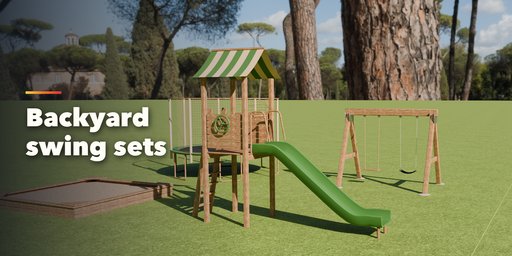
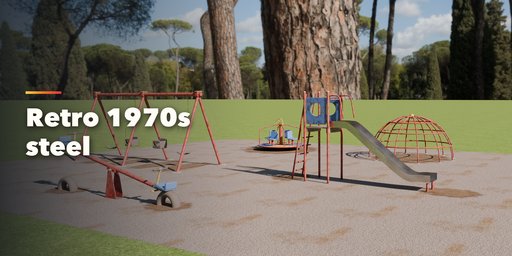
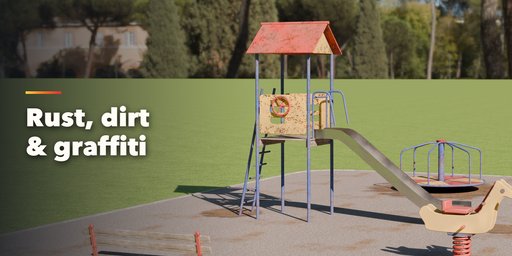
Playground Generator builds complete, photorealistic children's playgrounds in one click: play towers with slides, swings, spring riders, carousels, seesaws, climbing nets, sandpits, playhouses, themed ships and rockets, benches and shade sails, all standing on a fitted safety surface with color patches, a curb, a lawn and a fence. Every piece stays live, so you can change any setting at any time and it rebuilds instantly.
Start from 16 playgrounds modeled on the kinds you find around the world: a classic city park, a Nordic nature playground of robinia logs and ropes, a backyard swing set with a fort, a schoolyard, a rope park, a toddler corner, a pirate cove, a space park, a retro 1970s steel playground, an adventure park, a castle kingdom, an inclusive playground, a village green, a beach playground, an urban courtyard and a forgotten old park.
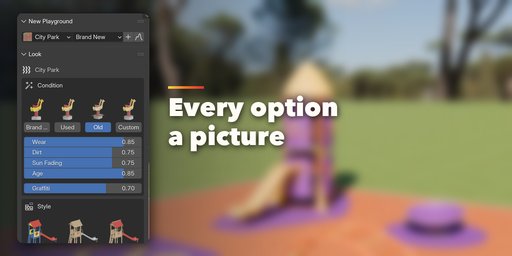
Then add or change any piece from a catalog of 80 equipment designs. Every choice is a picture you can click, every size is a slider.
Condition
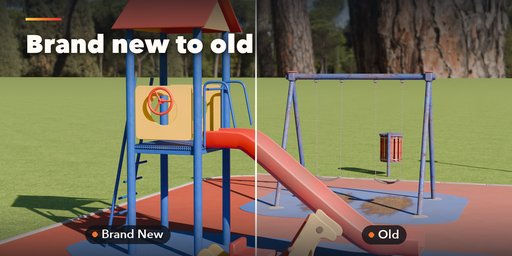
- Brand New, Used or Old in one click, or Custom with wear, dirt, sun fading and age sliders
- Chipped paint, rust, scuffed and chalky faded plastic, grey weathered wood, moss, worn spots under swings and graffiti
- Give single pieces their own condition, so one new slide can stand in an old park
Features
- 80 designs in 16 kinds: towers, slides, climbers, balance, swings, seesaws, spring riders, carousels, trampolines, zip lines, sandpits, playhouses, themed play, tunnels, play panels and park furniture
- 5 construction styles (modern, nature, backyard, vintage, urban) and 10 color palettes, or your own colors per piece
- Safety surfaces: poured rubber, rubber tiles, sand, wood chips, grass and pea gravel, with curbs, lawn and fences
- The ground fits itself to the equipment; move a piece and the surface and color patches follow
- Photo-scanned Poly Haven textures (CC0), image-only PBR materials (base color, roughness, normal) that export cleanly to game engines
- Texture size and detail settings from light game assets to close-up renders
- Random Playground, randomize a piece, arrange, duplicate and vary in one click
Requires Blender 4.2 or newer. Tested on Blender 4.2, 4.5 and 5.2 LTS.
How to use
Installation
In Blender open Edit, Preferences, Get Extensions, then use Install from Disk and pick the zip.
Usage
- Open the sidebar (N) in the 3D Viewport and choose the Playground tab, or use Add, Playground.
- Click a playground picture, choose Brand New, Used or Old and press Add. Random Playground rolls a completely new one.
- Select the playground to change its condition, style, colors, safety surface, curb, lawn and fence.
- Add more equipment from the catalog; select any piece to pick another design, change its sizes and options, or give it its own colors and condition.
- Move pieces freely: the ground and color patches refit once you let go. Arrange lays everything out again.
FAQ
Which Blender versions are supported?
Blender 4.2 and newer. It is tested on Blender 4.2, 4.5 and 5.2 LTS.
Can I use the playgrounds in a game engine?
Yes. Every material is an image-based PBR material (base color, roughness and normal images into a Principled BSDF), so it exports to Unreal, Unity and Godot. Set Texture Size to 512 px and Detail to Low for light game assets.
Does it work in EEVEE and Cycles?
Yes. The materials render in both engines and in the viewport's Material Preview.


