
 Models
 Materials
 HDRIs
 Scenes
 Brushes
 Node Groups
 Printables
 Creators
 Creations
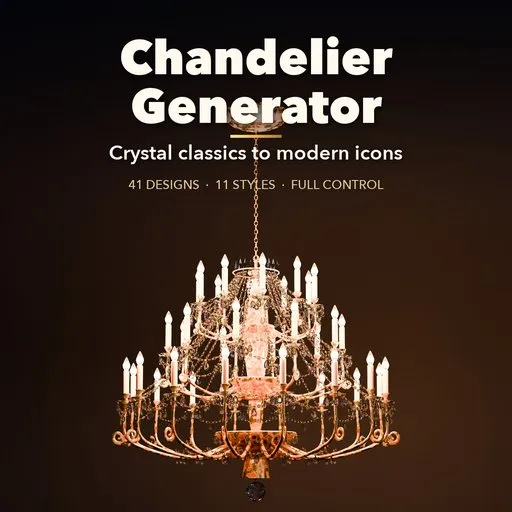
Chandelier Generator
 add-on
Photoreal procedural chandeliers: 41 real-world designs in 11 styles, from crystal classics and Empire baskets to Sputniks, glass globes and rustic rings, with full live control.
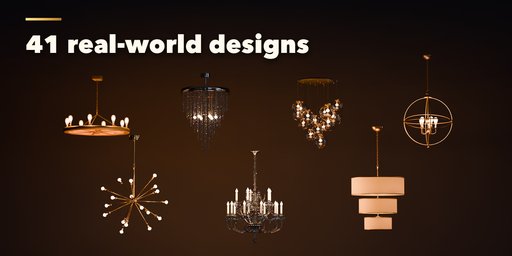
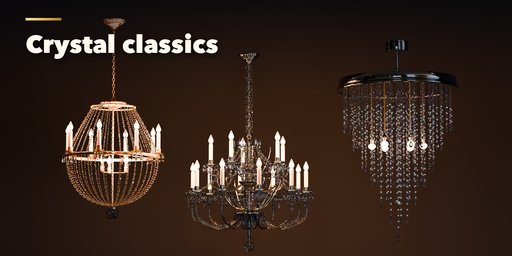
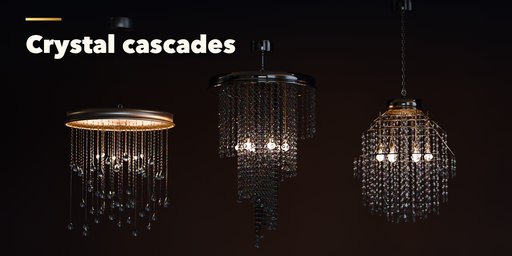
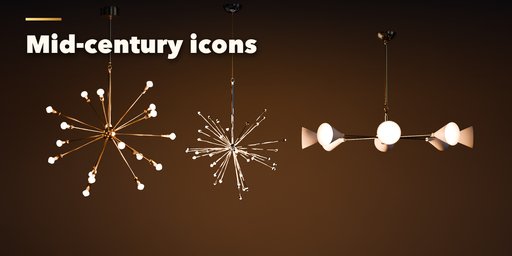
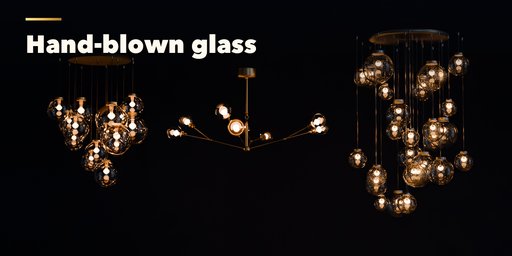
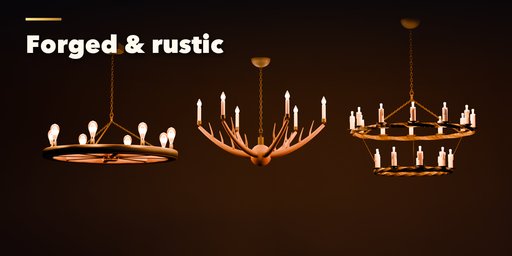
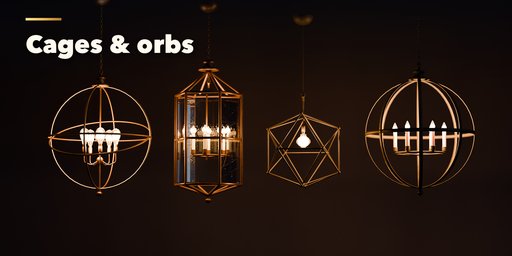
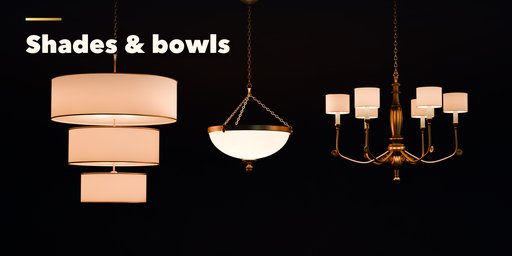
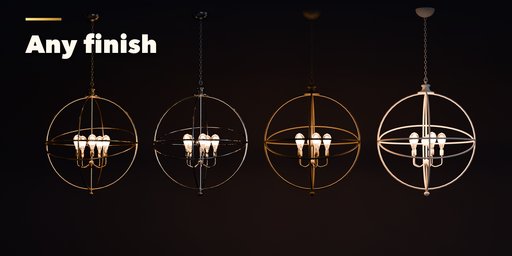
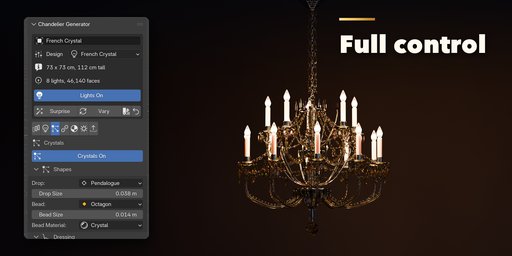
Chandelier Generator builds photorealistic chandeliers inside Blender, from a gilded ballroom piece dripping with crystal to a mid-century Sputnik, a rustic wagon wheel or a cloud of hand-blown glass bubbles. Pick one of 41 designs modeled on real chandeliers, then change anything: every part is a number, a choice or a switch, and the chandelier rebuilds live as you drag.
Eleven structure styles cover the real world of chandeliers: classic arms, Empire baskets, crystal cascades, rings and wagon wheels, Sputniks, pendant clusters, branching designs, orbs and lanterns, drum shades, alabaster bowls and linear bars. Each style has its own controls for tiers, arm shapes, ring profiles, cage shapes, cluster arrangements and more.
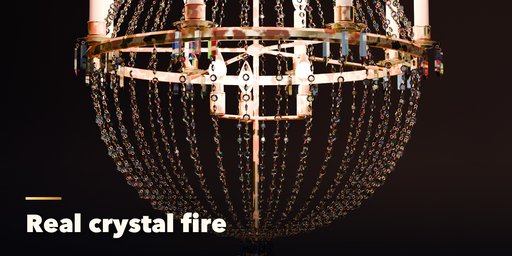
Crystal is cut, not faked: pendalogues, almonds, octagons, prisms, icicles, stars and eight more cuts hang on pinned strands, swags and curtains, with rainbow fire in Cycles. Candles, candle sleeves, Edison and globe bulbs with real filaments, LEDs and twelve kinds of shade light it, and real light objects light your room with optional candle flicker.
Features
- 41 real-world designs and 11 structure styles, each fully editable
- Classic, Maria Theresa, Empire, cascade, Sputnik, globe cluster, branching bubble, antler, armillary, lantern, drum, bowl and linear designs
- 14 crystal cuts and bead shapes on strands, swags and curtains, 12 crystal colors
- Candles, sleeves, 7 bulb shapes, 5 filaments, LEDs and 12 shade types
- 19 frame finishes (brass, gold leaf, chrome, nickel, bronze, iron, painted, wood, glass) with tarnish and dust
- Canopies, chains, rods, cables and crystal chains for hanging
- Real light objects, color temperature and candle flicker
- Surprise, Vary and Random Finish buttons for endless new designs
- Icon-driven sidebar with seven tabs, Shift+A menu and Convert to Mesh
- Works in Cycles and EEVEE
Requires Blender 4.2 or newer. Tested on Blender 4.2, 4.5 and 5.2 LTS.
How to use
Installation
In Blender open Edit, Preferences, Get Extensions, then use Install from Disk and pick the chandelier_generator zip.
Usage
- Open the Chandelier tab in the 3D viewport sidebar (N). With no chandelier selected, pick a style or one of the real-world designs to add it at the 3D cursor. You can also use Shift+A, Mesh, Chandelier.
- The card at the top shows the design, its size and light count. Lights On switches every bulb, flame and LED; Surprise makes a new random design, Vary changes the current one a little and the palette button picks a random finish.
- The icon tabs hold every setting: Structure (style, frame, arms, rings, column), Light Points (cups, bobeches, candles, bulbs, shades), Crystals (cuts, strands, swags, beads), Hanging (canopy, chain, rod, cables), Finish (metal, crystal, glass, fabric, candles), Lighting (glow, light objects, temperature, flicker) and Parts & Export (part visibility, detail, scale, Convert to Mesh).
- Convert to Mesh keeps the chandelier as plain meshes; Delete removes it with all its parts.
Use Rendered view to see the glow. Crystal fire (rainbow dispersion) shows in Cycles.
FAQ
Which Blender versions are supported?
Blender 4.2 and newer. It is tested on Blender 4.2, 4.5 and 5.2 LTS.
Does it light the scene?
Yes. Bulbs, flames and LEDs glow, and the Lighting tab adds real light objects, one per light or a single one, with power, size, color temperature and an optional candle flicker.
Can I edit the result as a normal mesh?
Yes. Convert to Mesh in the Parts & Export tab turns the chandelier into plain mesh objects, joined or one per part, ready to edit or export.
Does it work in EEVEE?
Yes, in both Cycles and EEVEE. Cycles gives the most realistic crystal, with rainbow fire from dispersion.


