
 Models
 Materials
 HDRIs
 Scenes
 Brushes
 Node Groups
 Printables
 Creators
 Creations
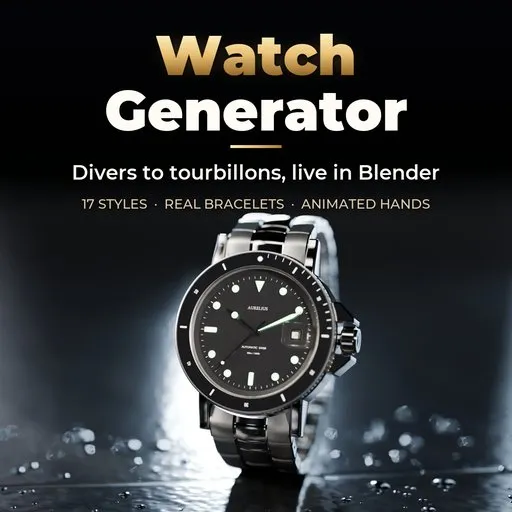
Watch Generator
 add-on
Photoreal procedural watches: 17 presets from dress, diver and chronograph to smartwatch, digital and pocket watch, with real bracelets, applied indices, sapphire crystal and animated hands.
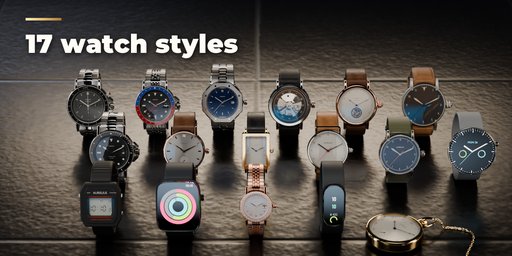
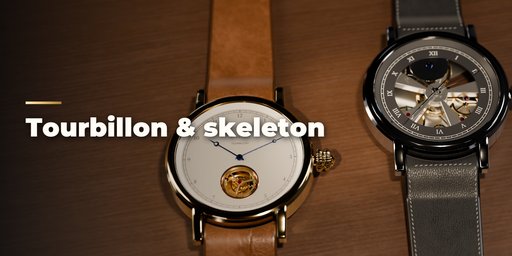
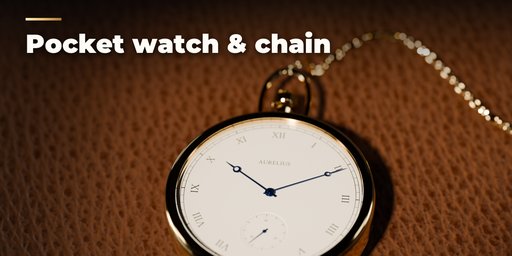
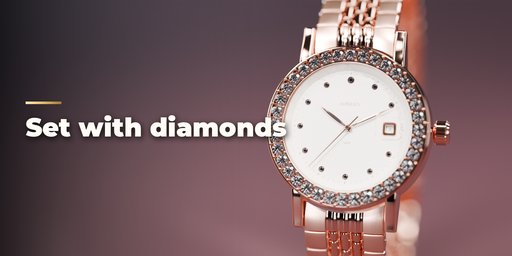
Watch Generator builds photorealistic watches inside Blender, ready for a macro close-up. Pick one of 17 presets modeled on real watch families, from a slim dress watch and a ceramic-bezel diver to a pilot's Flieger, a panda chronograph, a GMT, a skeleton, a tourbillon, a resin digital, two smartwatches, a fitness band, a ladies' diamond watch, a rectangular dress watch, a luxury sport watch with an integrated bracelet, a Bauhaus watch and an open-face pocket watch with its chain. Then change anything: the watch rebuilds live as you drag.
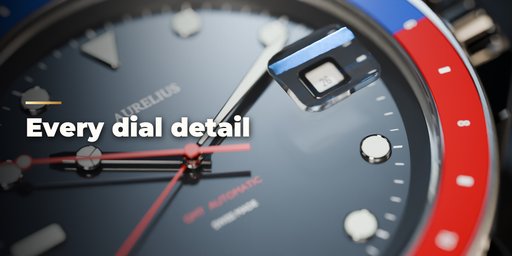
Every part is modeled like the real thing. Cases have lugs, polished chamfers, brushed flats and a knurled or fluted crown; the sapphire crystal has a bevel, real thickness and reflections. Dials get sunburst, matte, lacquer, enamel or guilloché finishes, crisp printing, applied indices with lume, date and day windows, subdials and a moonphase. Hands come in ten styles with faceted roofs or framed lume, and show the time you set, the current time, or tick and sweep when you play the timeline.
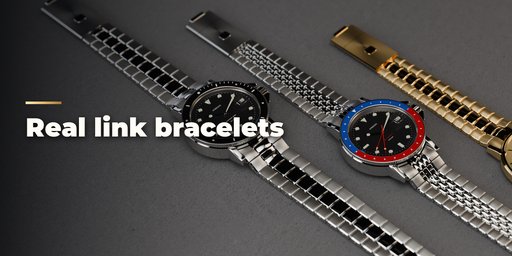
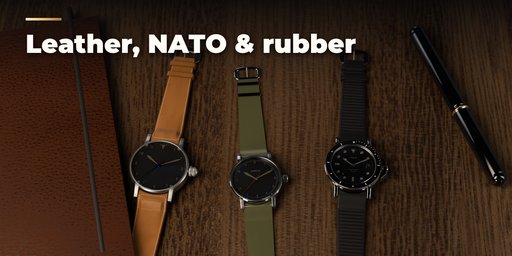
Straps cover stitched leather with a tang buckle or deployant, NATO, rubber, sport bands and real link bracelets: Oyster, Jubilee, President and Milanese mesh, worn on the wrist or laid flat for product shots.
Features
- 17 presets: dress, diver, pilot, field, chronograph, GMT, skeleton, tourbillon, digital, square and round smartwatch, pocket watch, ladies, fitness band, rectangular dress, luxury sport and Bauhaus
- Round, cushion, square, rectangle, tonneau and octagon cases with six lug styles
- Ten bezels: dive, GMT two-tone, tachymeter, fluted, coin edge, gem set, octagon screws and more
- Six dial finishes, ten marker styles, four track styles, chronograph, GMT, moonphase and tourbillon complications
- Ten hand styles, four seconds hands, set time, current time and animated sweep or tick
- Open dials and display backs show a modeled movement with bridges, jewels, blued screws and a rotor
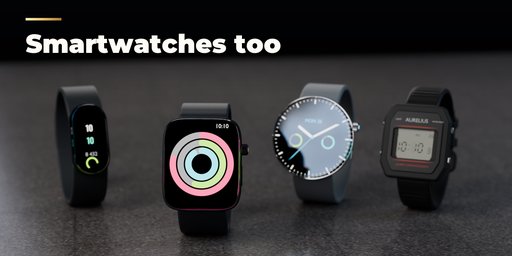
- Smartwatch screens with activity rings and LCD digits for the digital watch
- Leather, NATO, rubber, sport band, Oyster, Jubilee, President and mesh straps, on the wrist or laid flat
- Ten case metals including steel, golds, titanium, DLC, bronze and ceramic
- Surprise Me and Variation buttons, preset gallery with pictures, live rebuild
- PBR materials that also work in game engines; Cycles and EEVEE
Requires Blender 4.2 or newer. Tested on Blender 4.2, 4.5 and 5.2 LTS.
How to use
Installation
In Blender open Edit, Preferences, Get Extensions, then use Install from Disk and pick the watch_generator zip.
Usage
- Open the Watch tab in the 3D viewport sidebar (N). With no watch selected, click the picture to choose a preset and press Add Watch; it appears at the 3D cursor. You can also use Shift+A, Mesh, Watch.
- With a watch selected, the preset gallery switches the whole design. Surprise Me makes a new random watch, Variation changes the current one a little and Reset restores the preset.
- The main choices (type, case shape, metal, dial color, strap) sit at the top. The closed sub-panels hold every detail: Case, Bezel & Crystal, Dial, Hands & Time, Strap, Movement and Screen.
- Hands & Time: set the time shown, use the current time, or pick Sweep or Tick and play the timeline to animate the hands.
- Strap: choose On Wrist or Laid Flat. Laid Flat suits product shots on a table.
- Delete removes the watch with all its parts.
The watch is built at real size (a 40 mm case is 0.04 m), so frame it with a long lens and a close focus distance for macro shots.
FAQ
Which Blender versions are supported?
Blender 4.2 and newer. It is tested on Blender 4.2, 4.5 and 5.2 LTS.
Is the watch built at real size?
Yes. Cases are built in real millimeters (a 40 mm diver is 0.04 m wide), so it fits real scenes and wrists. Use a long lens and a short focus distance for close-ups.
Can I animate the hands?
Yes. In Hands & Time pick Sweep for a mechanical sweep or Tick for a quartz step, and play the timeline. The hands start from the time you set or from the current time.


