
 Models
 Materials
 HDRIs
 Scenes
 Brushes
 Node Groups
 Printables
 Creators
 Creations
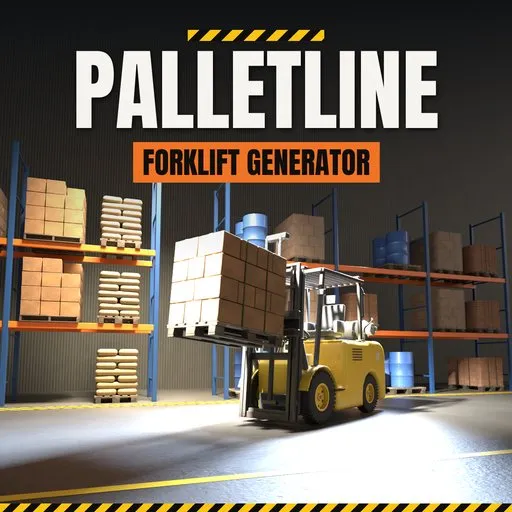
Palletline – Forklift Generator for Blender
 add-on
Rigged forklifts, reach trucks, telehandlers and pallet jacks with loaded pallets: 50 designs whose masts, chains and cylinders follow every pose, with liveries and wear.
Explore all my Blender addons
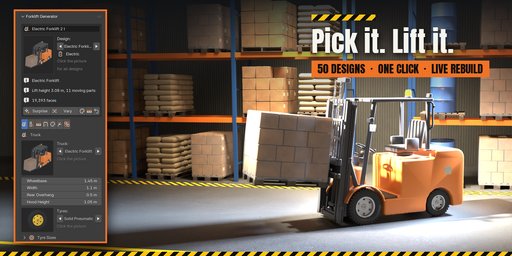
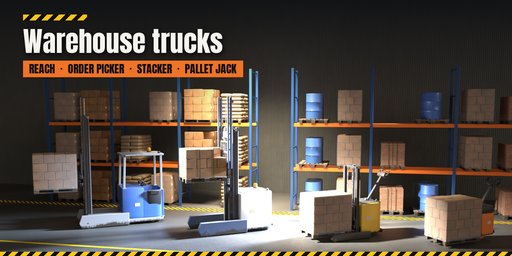
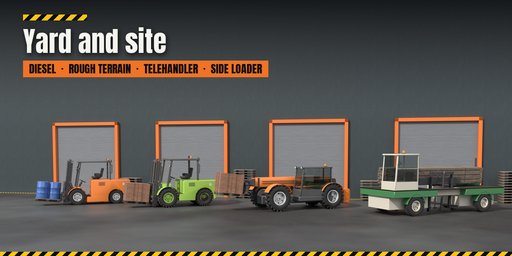
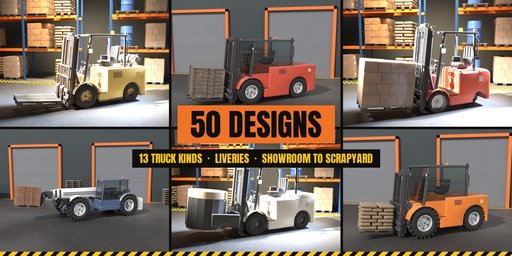
Palletline builds forklifts and everything they carry inside Blender: LPG, electric and diesel counterbalance trucks, three-wheel warehouse forklifts, rough terrain forklifts, telehandlers, reach trucks, order pickers, stackers, side loaders, electric and hand pallet jacks, and loaded pallets on their own. Pick one of 50 designs modeled on the trucks working in real warehouses, yards and building sites, from a 1.2 t pedestrian stacker to a 16 t container-yard diesel, then change anything and watch it rebuild live.
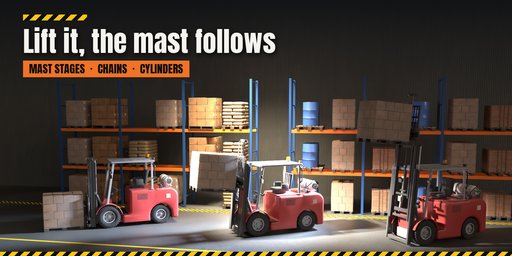
Every truck comes rigged. Lift, tilt, reach, sideshift, fork spread, rotator, clamp, boom, telescope, steering and tiller each have one slider: mast stages telescope in order after the free lift, the chains run over their sheaves, tilt and lift cylinders follow every pose, and the pallet stays on the floor until the forks pick it up. One click sets a pose (Travel, Pick, Stack, Reach, Park), and Key Pose turns it into an animation.
Drive Rig
Switch on Drive Rig when you add a truck and it gets a production armature rig with clean control shapes and no bones in the way: a floor outline to move and turn the truck, a ring on the steering wheel, a wheel ring, a mast arc and a fork bracket (plus boom, telescope and stabilizer controls on telehandlers). Every control is locked and limited to the real truck's range, every one is also a slider in the sidebar, and the whole truck animates from one action, ready to export as a skeleton. Pick a curve and the truck drives along it; Wheels from Motion keys the rolling wheels and the steering, steering wheel included.
Loads
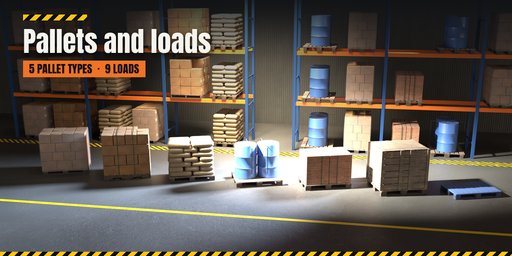
Put EUR, US 48x40, industrial, half or plastic pallets on the forks, loaded with stretch-wrapped cartons, boxes, sacks, drums, crates, bricks, paper rolls, lumber or pipes. The forks spread to fit the pallet, and attachments include sideshifters, fork positioners, rotators, carton clamps, paper roll clamps, carpet poles and fork extensions.
Finish
Choose a livery (signal red, yellow, orange, blue, green, white, graphite, lime and more, or your own colors) and a condition from showroom clean to daily use, worn or scrapyard: chipped edges, grime rising from the floor, dust and rust, with Poly Haven photo textures on wood, cardboard, tyres and steel and PBR materials that also export to game engines.
Features
- 50 designs in 9 families, 13 truck kinds
- Rigged mast, boom, reach and attachments: cylinders and chains follow every pose
- One-click poses and keyframing for animation
- Optional production armature rig: control shapes for driving, steering wheel, wheels, mast and forks; follow a curve
- Simplex, duplex, triplex and quad masts; open guards and closed cabs
- Cushion, pneumatic, solid, lug, polyurethane and non-marking tyres
- 5 pallet types and 9 loads, also as standalone loaded pallets
- Liveries and wear: edge chipping, grime, dust, rust and faded paint
- Picture-driven sidebar, Surprise and Variation buttons, Shift+A menu
- Works in Cycles and EEVEE
Requires Blender 4.2 or newer. Tested on Blender 4.2, 4.5 and 5.2 LTS.
How to use
Installation
In Blender open Edit, Preferences, Get Extensions, then use Install from Disk and pick the forklift_generator zip.
Usage
- Open the Forklift tab in the 3D viewport sidebar (N). With nothing selected, click the picture to choose one of the 50 designs, or browse the nine families, and add it at the 3D cursor. You can also use Shift+A, Mesh, Forklift.
- Select any part of a truck to edit it. The card at the top shows the design; Surprise makes a new random truck, Variation changes the current one a little, Random Finish picks a livery and wear, Random Load swaps the pallet and load, and Reset returns to the design.
- The tabs hold every setting: Truck (kind, size, tyres), Mast & Forks (mast, forks, attachment), Pallet & Load, Body & Guard (counterweight, guard or cab, lights, details), Finish (livery, colors, condition, wear), Pose (one-click poses, sliders, Key Pose) and Parts (detail, seed, rebuild, delete).
- To animate, set a pose, press Key Pose, move to another frame and repeat. The pose values live on the truck's root object.
FAQ
Which Blender versions are supported?
Blender 4.2 and newer. It is tested on Blender 4.2, 4.5 and 5.2 LTS.
Can I animate the forklift?
Yes. Every truck is rigged with drivers: lift, tilt, reach, sideshift, fork spread, rotator, clamp, boom, steering and tiller are sliders you can keyframe, and Key Pose keys them all at once.
Can I use the models in a game engine?
Yes. Materials are PBR with image textures and every part has UVs, so you can bake and export to Unity, Unreal or Godot.
Does editing one forklift change my copies?
No. Each truck owns its meshes and materials; Shift+D and Alt+D copies stay independent when you edit either one.


