
 Models
 Materials
 HDRIs
 Scenes
 Brushes
 Node Groups
 Printables
 Creators
 Creations
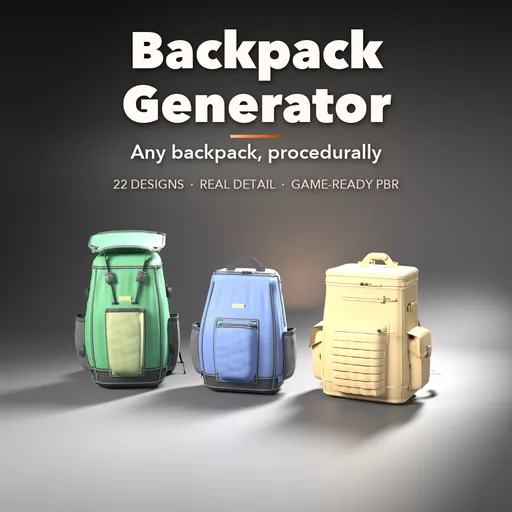
Backpack Generator
 add-on
Photoreal procedural backpacks: 22 designs from daypacks and hiking packs to roll-tops, rucksacks, tactical and slings, with real zippers, straps, pockets, webbing and game-ready PBR fabrics.
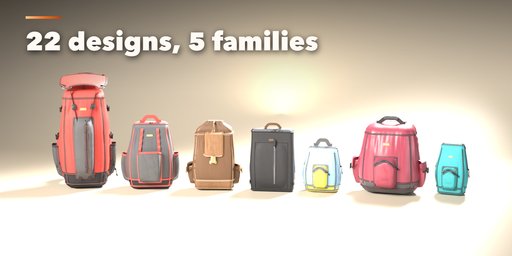
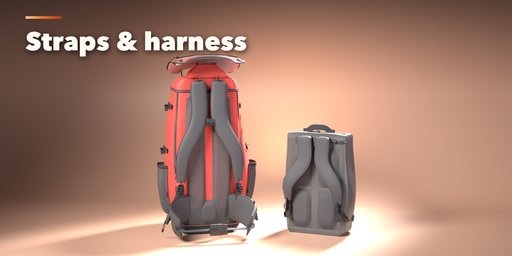
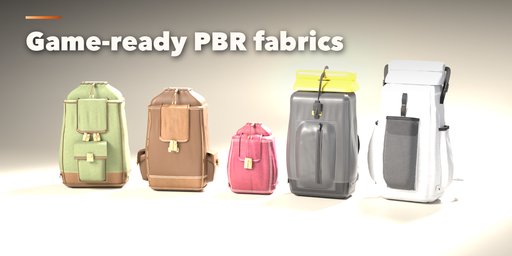
Backpack Generator builds photorealistic backpacks inside Blender: daypacks and school packs, hiking and trekking packs with floating lids and hip belts, roll-top commuters, canvas and leather rucksacks, tactical PALS packs, laptop and travel packs, slings, cinch sacks and minis. Pick one of 22 designs modeled on the packs sold in outdoor and fashion shops, then change anything: every part is a number, a choice or a switch, and the pack rebuilds live as you drag.
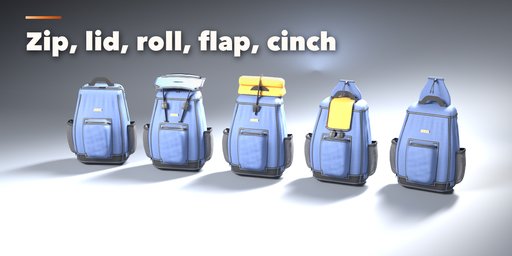
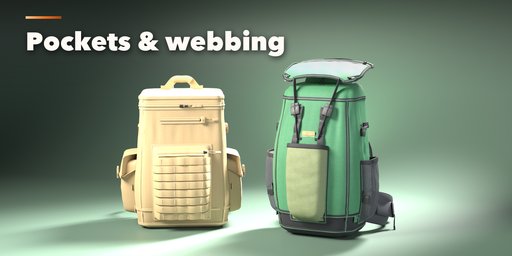
The body is a stuffed, creased fabric shell with a reinforced base, bound or piped seams and topstitching. Close it with a wrap-around, top-line or clamshell zipper with real coil or metal teeth, sliders and pulls, a drawcord collar under a floating lid, a roll-top with its strap, a buckled flap or a drawstring. Add puffed zip pockets, stretch mesh kangaroo and bottle pockets, bellows pockets with flaps, a laptop sleeve, a quick-access top pocket and a logo patch. Carry it with padded shoulder straps, a sling or cords, a sternum strap, load lifters, a haul handle (webbing, padded or leather) and a webbing or padded hip belt with wing pockets. Dress it with compression straps, daisy chains, PALS webbing and a padded air-mesh back panel.
Every surface is a PBR Principled material usable in any game engine: ripstop, Cordura, ballistic nylon, canvas, waxed cotton, leather, suede, TPU and neoprene, plus webbing, mesh, elastic, zipper tapes, plastic and metal hardware in nickel, brass, gunmetal, copper or black. Three detail levels go from game-ready to close-up renders.
Features
- 22 designs in five families: daypacks, hiking, urban and travel, heritage, tactical and small
- Body shape with taper, teardrop profile, rounding, stuffing, creases and slouch
- 5 closures: zipper (3 paths), lid and drawcord, roll-top, flap, drawstring
- Front, side, quick and laptop pockets in zip, stretch mesh, flap and bellows styles
- Padded straps, sling or cords, sternum strap, load lifters, handles and hip belts
- Compression straps, daisy chains, PALS webbing and back padding
- 10 fabrics and full color control for shell, accents, base, padding, webbing and trim
- Plastic or metal hardware, coil or metal zippers, contrast stitching
- Surprise, Vary and Random Finish buttons for endless new packs
- Photo Studio adds a backdrop, lights and a camera in one click
- Picture-driven sidebar with seven tabs, Shift+A menu and Convert to Mesh
- Game-ready PBR materials, works in Cycles and EEVEE
Requires Blender 4.2 or newer. Tested on Blender 4.2, 4.5 and 5.2 LTS.
How to use
Installation
In Blender open Edit, Preferences, Get Extensions, then use Install from Disk and pick the backpack_generator zip.
Usage
- Open the Backpack tab in the 3D viewport sidebar (N). With no pack selected, click the picture to choose one of the 22 designs, or browse the five families, and add it at the 3D cursor. You can also use Shift+A, Mesh, Backpack.
- The card at the top shows the design, its size in cm, its rough volume in liters and its face count. Surprise makes a new random pack, Vary changes the current one a little, the palette button picks a random finish and the arrow resets the design.
- The icon tabs hold every setting: Shape (size, profile, rounding, stuffing, base, seams), Closure (zipper, lid, roll-top, flap, drawstring), Pockets (front, side, quick, laptop, logo), Carry (shoulder straps, sternum, handle, hip belt), Webbing (compression, daisy chains, PALS, back padding), Finish (fabrics, colors, hardware, stitching) and Parts & Export (part visibility, detail, seed, Photo Studio, Convert to Mesh, Delete).
- Every picture choice opens a gallery: click the picture next to a setting to see all its options.
Low detail is game-ready; High detail is for close-up renders. Photo Studio adds a seamless backdrop, softboxes and a camera ready to render.
FAQ
Which Blender versions are supported?
Blender 4.2 and newer. It is tested on Blender 4.2, 4.5 and 5.2 LTS.
Are the materials usable in game engines?
Yes. Every material is a single Principled BSDF with image textures (color, roughness, normal), so it bakes and exports cleanly. Low detail keeps the face count modest.
Can I edit the result as a normal mesh?
Yes. Convert to Mesh in the Parts & Export tab turns the pack into plain mesh objects, ready to edit, rig or export.
Does it work in EEVEE?
Yes, in both Cycles and EEVEE.


