
 Models
 Materials
 HDRIs
 Scenes
 Brushes
 Node Groups
 Printables
 Creators
 Creations
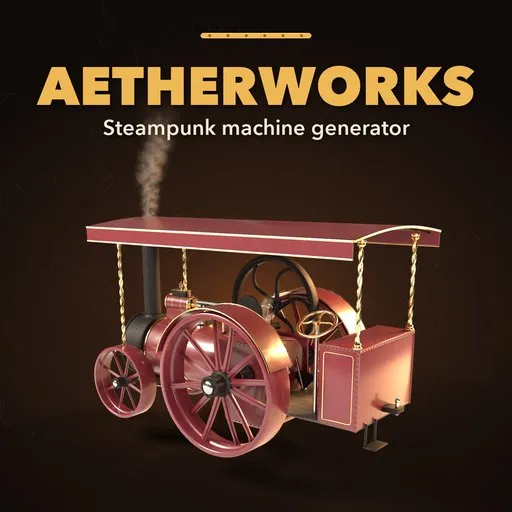
Aetherworks – Steampunk Machine Generator for Blender
 add-on
Steampunk boilers, steam engines, airships, gear works, Tesla coils, telescopes and gauges: 51 animated designs in photoreal brass, copper and iron that tarnish, grow verdigris and catch soot.
Explore all my Blender addons
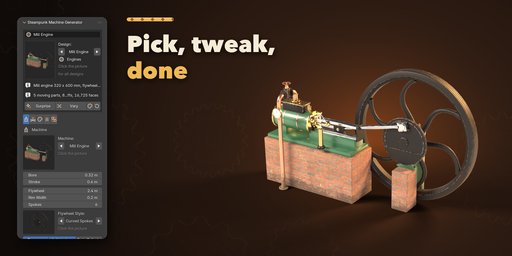
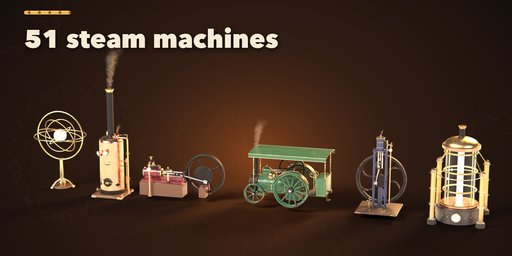

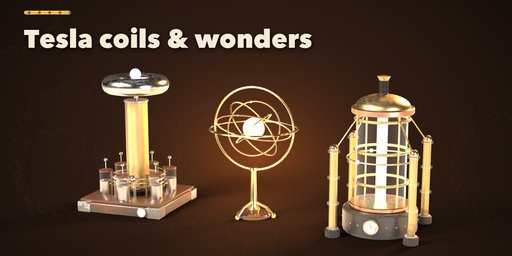
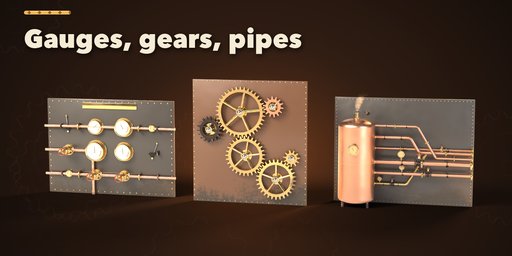
Aetherworks builds Victorian steam machinery inside Blender: vertical and locomotive boilers, mill engines with big flywheels, vertical column and A-frame engines, traction engines, airships, gauge panels, pipe works, gear works, Tesla coils, armillary spheres, aether reactors, brass telescopes, and single fittings such as pressure gauges, gate and globe valves, whistles, sight glasses and safety valves. Pick one of 51 designs, then change anything and watch it rebuild live.
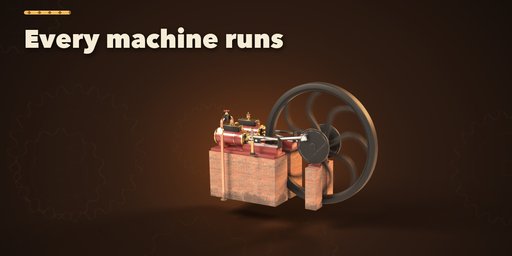
Every machine runs. Press play and flywheels turn, crankshafts drive connecting rods and pistons, meshing gears spin at the right ratios, propellers whirl, gauge needles tremble, and steam puffs rise from chimneys and whistles. It all runs on plain drivers, with no scripts to allow and no baking, and one Speed slider sets the pace.
Materials
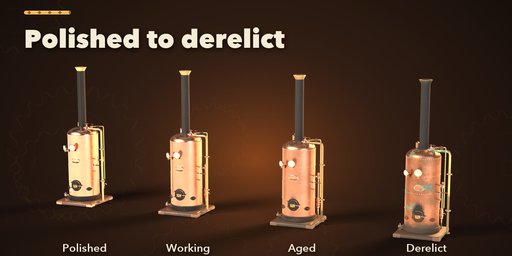
Brass, copper, cast iron, blued steel and enamel paint are photoreal PBR materials with Poly Haven textures on wood, leather, canvas, rope, brick and stone. One Condition slider ages a machine from showroom polish to working, aged or derelict: brass tarnishes, copper grows verdigris in the crevices, soot gathers around fireboxes and chimneys, rust creeps into iron and grime rises from the floor.
Features
- 51 designs in 12 machine kinds and 7 families
- Animated flywheels, pistons, gears, needles, propellers and steam puffs
- Real proportions, bevelled edges and riveted seams
- Six gauge dials: cream enamel, ivory, black, brass, thermometer and clock face
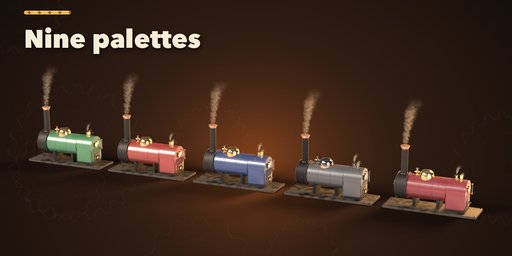
- Nine palettes (brass and iron, copper, Victorian green, oxblood, navy, gunmetal, nickel and walnut, gilded) or your own colors
- Four conditions: polished, working, aged and derelict
- Picture-driven sidebar, Surprise, Variation and Random Finish buttons, Shift+A menu
- Editing one machine never changes another, even Shift+D and Alt+D copies
- Works in Cycles and EEVEE
Requires Blender 4.2 or newer. Tested on Blender 4.2, 4.5 and 5.2 LTS.
How to use
Installation
In Blender open Edit, Preferences, Get Extensions, then use Install from Disk and pick the steampunk_machine_generator zip.
Usage
- Open the Steampunk tab in the 3D viewport sidebar (N). With nothing selected, click the picture to choose one of the 51 designs, or browse the seven families, and add it at the 3D cursor. You can also use Shift+A, Mesh, Steampunk Machine.
- Select any part of a machine to edit it. Surprise makes a new random machine, Variation changes the current one a little, Random Finish picks a palette and wear, and Reset returns to the design.
- The tabs hold every setting: Machine (kind and its shape), Fittings (chimney, gauges, valves, base), Finish (palette, condition, tarnish, patina, soot, rust), Motion (speed, steam) and Parts (seed, rebuild, delete).
- Press Play in the Motion tab or play the timeline: flywheels, pistons, gears, needles and steam run on drivers, so render any frame range.
FAQ
Which Blender versions are supported?
Blender 4.2 and newer. It is tested on Blender 4.2, 4.5 and 5.2 LTS.
Is the animation baked or scripted?
Neither. The moving parts use simple drivers on the timeline, so nothing needs auto-run scripts and every frame renders the same on a render farm.
Can I use the machines in a game engine?
Yes. Materials are PBR with image textures and every part has UVs, so you can bake and export to Unity, Unreal or Godot. Moving parts are separate objects you can animate there.
Does editing one machine change my copies?
No. Each machine owns its meshes and materials; Shift+D and Alt+D copies stay independent when you edit either one.


