
 Models
 Materials
 HDRIs
HDRIs
 Scenes
 Brushes
 Node Groups
 Printables
 Creators
 Creations
wk_PowerPin
 add-on
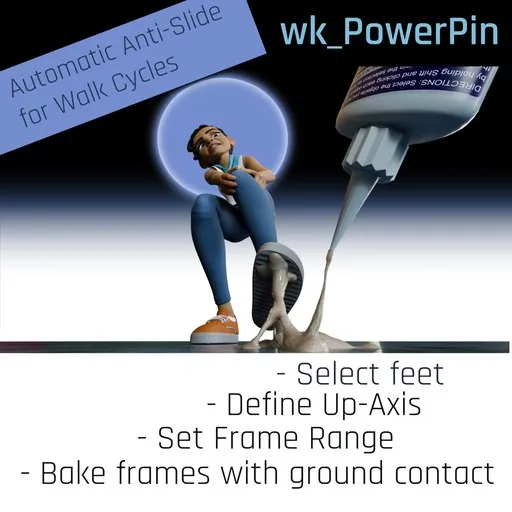
PowerPin helps animators lock feet cleanly during walk cycles.
It detects ground contact along a chosen local axis, bakes a non-destructive Combine overlay with 'Extrapolation: Nothing', and pins contact phases frame by frame.
wk_PowerPin
When animating characters with WalkCycles and let the characters walk around curves, it's very likely the feet slide more or less during turning.
wk_PowerPin automates the process of pinning down feet when they reach local Z=0 (or whatever axis you define as "up").
Even if you let your character walk up a hill, as long as you move the character's global controller, the feet will still have a local zero position during feet-down.
Tested with Blender 5.1!
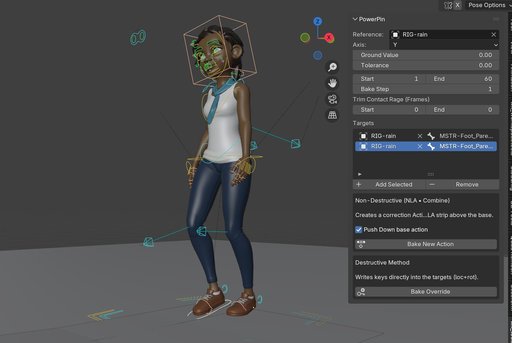
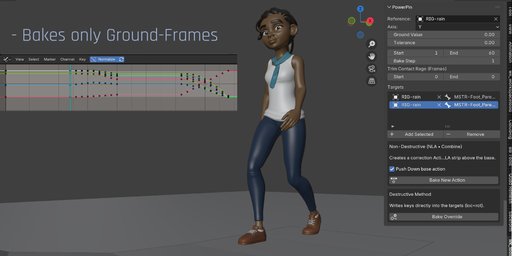

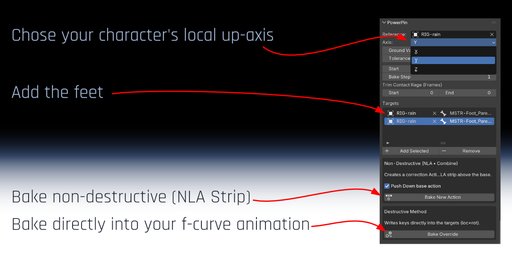

Just pick the character's armature as reference and the feet as targets. set start and end frame, back step and hit "Bake".
In Non-Destructive mode, PowerPin will key all pinning-animation in a NLA strip and adds it in the NLA editor. It's so easy to do changes in your walk animation: Just delete the new NLA strip, edit your animation, bake the feet again.
How it Works
You pick a Reference (usually the armature or a control object that defines the local up axis) and one or more Target feet/bones. wk_PowerPin finds ground-contact segments (local axis near the Ground Value within Tolerance), creates a Combine overlay action, and pins the foot across each segment. Outside contact frames, nothing is keyed.
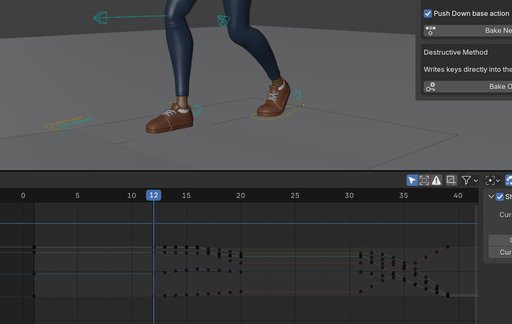
Key Features
Automatically pins feet in global position during ground contact (e.g. z=0)
Set tolerance, in case your walk cycle animation doesn't have precise flat ground-keys
Set start and end frame for frame range to bake
Trim the baked segments: If your walk cycle animation has keys close to the ground frames, the pinned animation might cause jumps from pinned range back to original animation. Stealing a frame or two might end up in smoother transitions.
Chose between non-distructive mode (adding a NLA strip) or destructive mode (baking the pinning directly into your f-curves).
Typical Workflow
- Select your Reference (armature) and Targets (feet).
- Pick Axis, set Ground Value (0.0 for most rigs), adjust Tolerance if needed.
- Define Frame Range and Bake Step.
- If you see pops at contact boundaries, set Trim Contact Range (e.g., Start=1, End=1).
- Click Bake. Base action is pushed to NLA if needed; a Combine overlay is created and pinned per contact.
Un-Push NLA Action
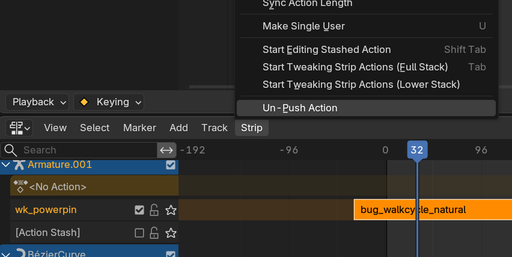
Accidentally pushed an Action to the NLA — or simply want it back?
Un-Push Action restores the selected NLA Strip’s Action as the active Action, ready for normal editing in the Dope Sheet and Graph Editor. No baking, no resampling, and no additional keyframes — your original F-Curves and keys stay intact.
A simple counterpart to Blender’s Push Down Action.
Instalation
- In Blender go to Edit > Preferences > Add-ons
- Click Install, then choose the wk_powerpin_1.0.0.zip file
- Enable wk_PowerPin in the list
- Access it from the Sidebar (N) > WK Tools
UI Parameters Reference (Documentation)
Menu Items
-
Reference
The object that defines the local space and up axis (typically the armature). Contact segments are measured in this space. -
Axis
Local up-axis used for contact detection (e.g., Z). -
Ground Value
Local value that counts as “on the ground”. Default 0.0. -
Tolerance
Allowed deviation from Ground Value for detection. Default 0.001.
Increase value if keys are not precisely on a flat curve. -
Targets
One or more bones/objects to pin (e.g., foot.L, foot.R). Each target is processed independently. -
Frame Range
Start/End frames to bake. -
Bake Step
Key spacing inside detected contact segments (detection itself still scans per frame). Default = 1. -
Trim Contact Range
Start: drop N frames at the beginning of each contact segment. End: drop N frames at the end of each contact segment. Note: trimming may slightly increase sliding within the trimmed tails/heads but reduces visible pops.
Shorten pinned segments to soften transitions if the source walk has keys right at the boundary or slides on entry/exit. -
Mode
Non-Destructive: Creates a new overlay action (Combine, Extrapolation Nothing). Base stays untouched in NLA.
Destructive: Writes keys directly to the target (use when you need final, baked data).


![AnimTex - Animate Texture Transitions [BETA]](https://public.blenderkit.com/thumbnails/assets/b4b2eba28e0741768c4faa3072aa5363/files/thumbnail_8c69b4bc-abf4-432d-81d3-d88d138f8e1c.png.1024x1024_q85_crop-%2C.jpg.webp?webp_generated=1767519976)


