
 Models
 Materials
 HDRIs
 Scenes
 Brushes
 Node Groups
 Printables
 Creators
 Creations
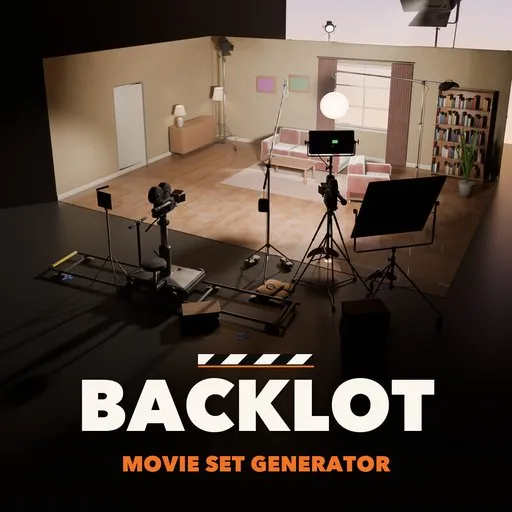
Backlot – Movie Set Generator for Blender
 add-on
Complete film sets in one click: soundstage or location, cameras, lights, grip, power and crew. Swap any piece of gear, set gels and Kelvin, and make it clean, used or dirty.
Explore all my Blender addons
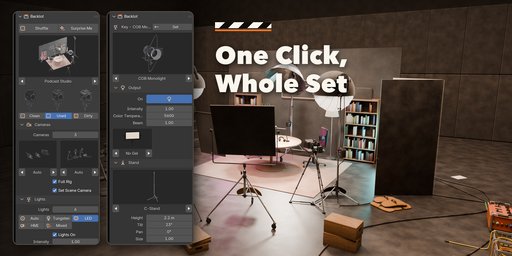
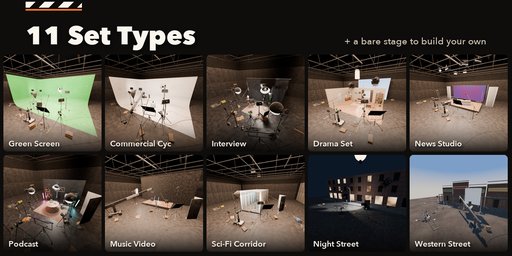
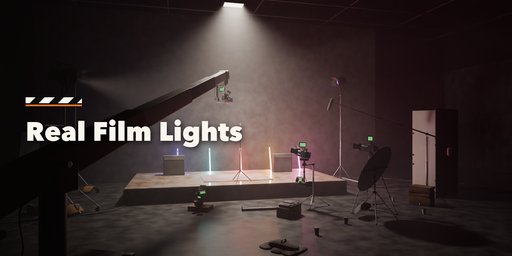
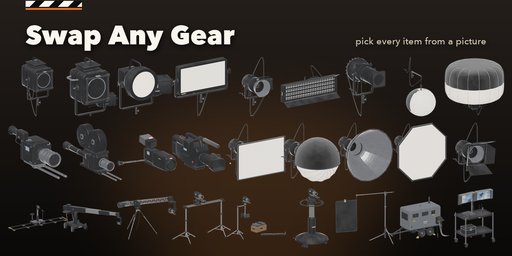
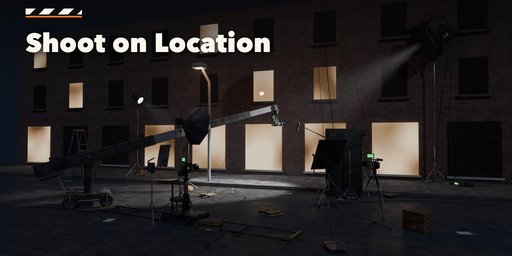
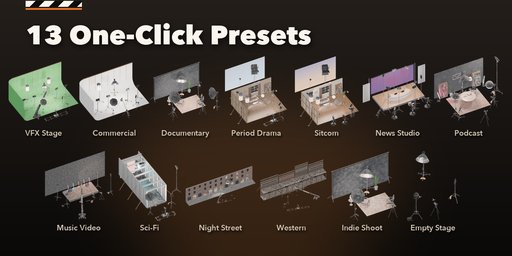
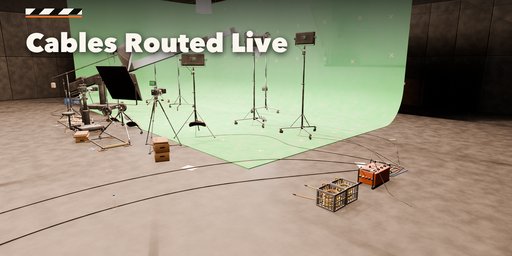
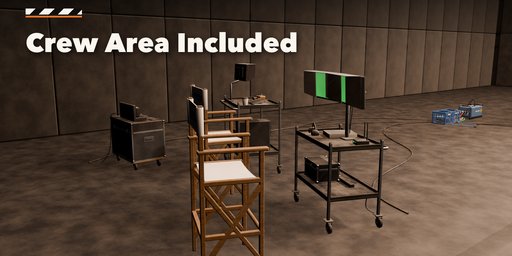
Backlot builds complete film sets in one click: a soundstage or a location, the set itself, and every piece of gear a real crew would bring. Each set is different. Pick a green screen stage, a commercial cyc, an interview, a drama living room, a news studio, a podcast, a music video, a sci-fi corridor, a wet night street or a western backlot, and Backlot places the cameras, lights, stands, grip, power and crew area where a gaffer, a key grip and a camera team would put them.
Everything stays editable. Click any camera, light or cart and swap it for another model from a picture gallery: a different cinema camera, a dolly instead of a tripod, an HMI instead of a tungsten fresnel, a softbox, an octa or barndoors, another stand. Change the height, tilt, gel, Kelvin and brightness of every light; the real Blender light follows, so your renders are lit like the set. Your edits survive when you rebuild the set.
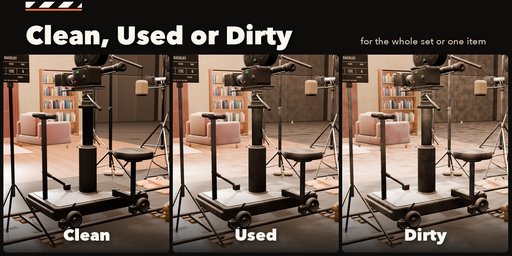
Clean, used or dirty
One switch sets the condition of the whole set or of a single item: rental-fresh gear on a swept floor, a normal shooting day with scuffs and tape marks, or the end of a long shoot with dust, grime, chipped paint, cups and call sheets on the floor.
Features
- 11 set types and 13 one-click presets, each a different kind of production
- Cinema, film, broadcast, ENG and mirrorless cameras on tripods, dollies, sliders, jibs, cranes, Steadicams and pedestals
- Fresnels, HMIs, PARs, LED panels and tubes, Kino Flos, COB monolights, china balls, space lights, lekos and balloon lights
- Real Blender lights with Kelvin, gels, intensity and beam; real Blender cameras you can look through
- Flags, frames, V-flats, reflectors, apple boxes, sandbags, ladders and carts
- Generator, distro boxes and power cables routed to every light, rerouted live when you move gear
- Video village, director's chairs, DIT and sound carts, boom, slate and craft services
- Photoreal PBR materials from real photo textures that also work in game engines
- Colors for gear, stands, fabrics, sandbags, tape, walls, cyc and screens
Requires Blender 4.2 or newer. Tested on Blender 4.2, 4.5 and 5.2 LTS.
How to use
Installation
In Blender open Edit, Preferences, Get Extensions, then use Install from Disk and pick the zip.
Usage
- Open the sidebar (N) and the Backlot tab, or use Shift+A, Movie Set.
- Pick a preset picture and click Add Movie Set.
- With the set selected: change the set type, condition, number of cameras and lights, light family, colors. Shuffle gives a new layout.
- Click any camera, light or piece of gear to swap its model, stand, support or modifier from the picture galleries and set its height, tilt, gel, Kelvin and brightness. Look Through makes a camera the scene camera.
- Move gear freely; cables reroute. Keep Position pins an item, Remove from Set keeps it removed when the set rebuilds.
FAQ
Which Blender versions are supported?
Blender 4.2 and newer. It is tested on Blender 4.2, 4.5 and 5.2 LTS.
Are the lights real Blender lights?
Yes. Every film light carries real spot, area or point lights matched to the fixture, with its Kelvin color, gel, intensity and beam, so a render is lit the way the set is.
Do my edits survive when I change the set?
Yes. Items you edit keep their choices when the set rebuilds, pinned items keep their place and items you remove stay removed until you restore them.


