
 Models
 Materials
 HDRIs
 Scenes
 Brushes
 Node Groups
 Printables
 Creators
 Creations
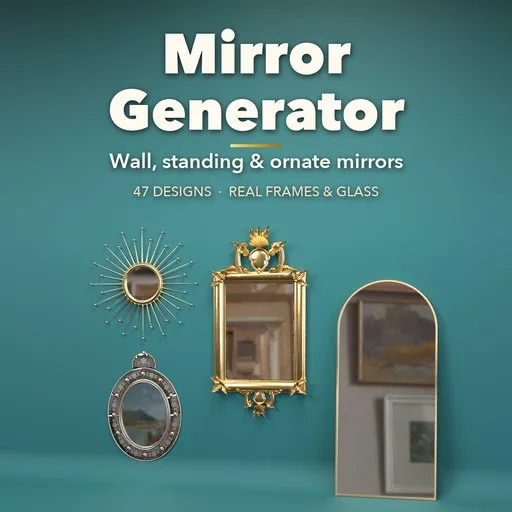
Mirror Generator
 add-on
47 photoreal mirror models in one click: wall, standing and ornate mirrors with real frames, bevelled or antique glass, stands, hanging hardware and carved gilt ornament.
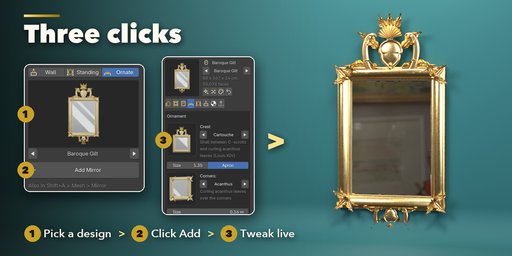
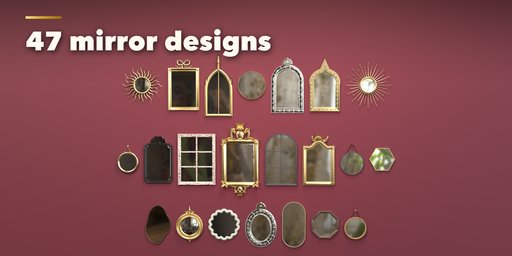
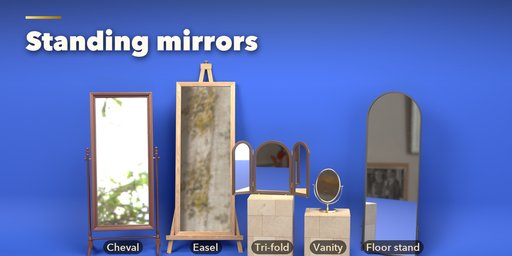
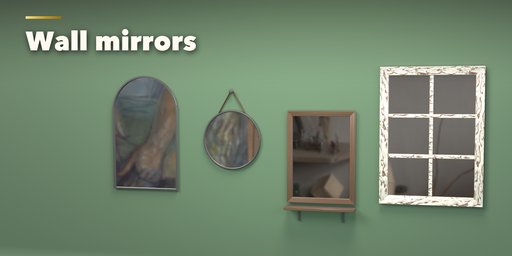
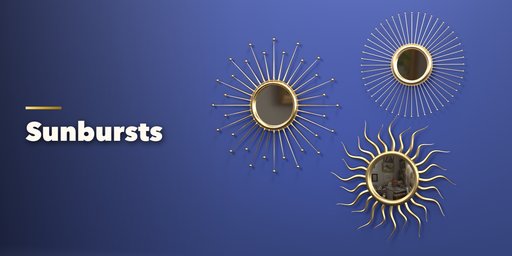
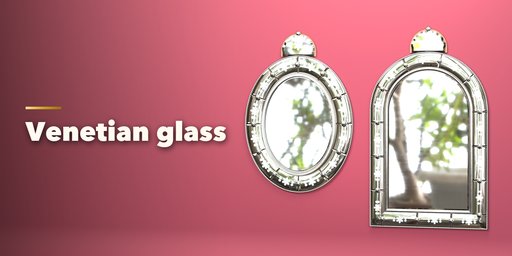
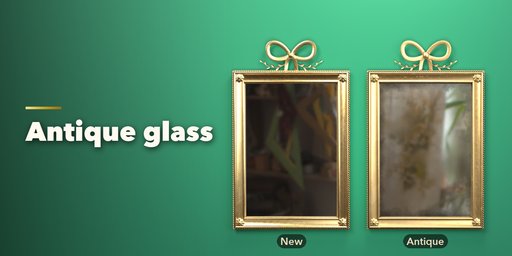
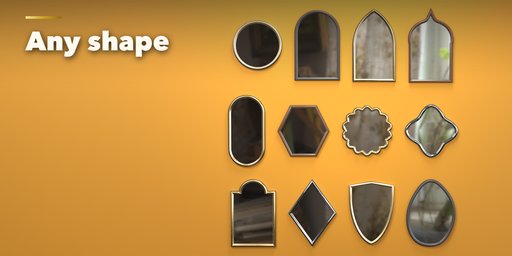
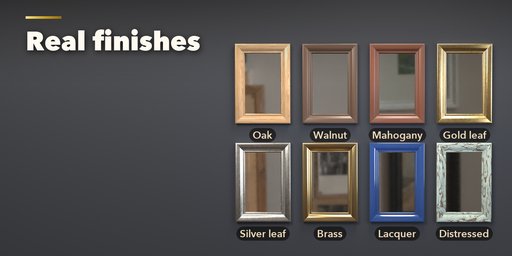
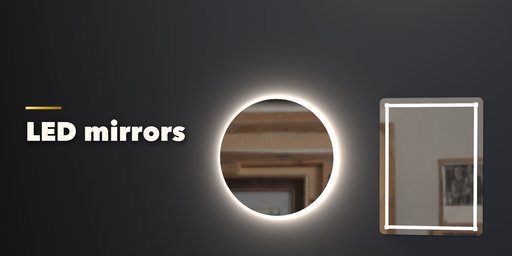
Mirror Generator builds photorealistic mirror models inside Blender: wall mirrors, standing mirrors and ornate antique mirrors, each with a real frame, real glass and the hardware that holds it. Pick one of 47 designs from a picture gallery and press Add, then change anything you like. Every edit rebuilds the mirror live.
Wall mirrors come in 16 outlines, from rectangle, round and arch to Gothic, Moorish, scalloped, pill, hexagon and organic shapes, framed by 12 molding profiles, rope, a thin metal band or no frame at all. Hang them on a picture wire, a French cleat, a leather strap over a peg, a chain or chrome rosettes, add a shelf, window bars, an LED band or a backlight.
Standing mirrors stand on real stands: floor leaners, cheval mirrors on turned uprights, easels, metal floor stands, pole stands, vanity mirrors on a yoke, double-sided magnifiers, ring stands, a Georgian dressing box with drawers and a tri-fold vanity.
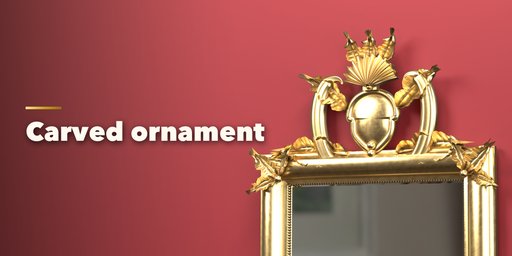
Ornate mirrors carry carved 3D ornament: baroque cartouche crests, rococo shells, Louis XVI ribbon bows, acanthus corners, pearl beads, rope moldings, sunburst rays, Venetian etched-glass borders, Federal convex glass with balls, Art Deco fans, Gothic pinnacles, Moroccan studs and overmantel pediments.
Features
- 47 designs in three families: 22 wall, 12 standing and 13 ornate mirrors
- 16 outlines, 12 molding profiles, bevelled and convex glass
- 9 stand kinds and 5 hanging methods, shelf, LED band and backlight
- Crests, corners, edge carvings, sunbursts, Venetian borders, finials and columns
- 23 finishes: scanned oak, walnut, cherry, ash, mahogany and rosewood, paint, distressed paint, gilt, silver leaf, brass, chrome, black metal and more
- 7 glass tints and an Antique slider for aged silvering with dark edges and foxing
- One click for EEVEE reflections or a ready room with a camera and light
- Picture galleries for every visual choice, randomize, presets and Make Real
- Works in Cycles and EEVEE
Requires Blender 4.2 or newer. Tested on Blender 4.2, 4.5 and 5.2 LTS.
How to use
Installation
In Blender open Edit, Preferences, Get Extensions, then use Install from Disk and pick the mirror_generator zip.
Usage
- Open the Mirror tab in the 3D viewport sidebar (N). Pick a family (Wall, Standing or Ornate), click the picture to choose a design from the gallery or step through them with the arrows, then press Add Mirror. You can also use Shift+A, Mesh, Mirror.
- With a mirror selected, the picture at the top swaps the design, and the buttons beside it randomize the whole mirror, only its proportions, or only its finish, or reset it.
- The icon tabs hold every setting: Shape (outline and size), Frame (profile, width, depth, window bars), Glass (tint, bevel, convex, antique), Ornament (crest, corners, carvings, sunburst, Venetian border, finials), Stand, Hanging and Extras (hanging, shelf, lights), Finish (frame, ornament, stand and hardware materials) and Parts.
- Mirrors need something to reflect. In the Parts tab, Reflections turns on EEVEE raytracing and adds a planar probe, and Add Room builds a simple room with a camera and light.
- Make Real keeps the mirror as plain meshes; Delete removes it with all its parts.
FAQ
Which Blender versions are supported?
Blender 4.2 and newer. It is tested on Blender 4.2, 4.5 and 5.2 LTS.
Why does my mirror look grey in EEVEE?
A mirror shows what is around it. Press Reflections in the Parts tab to turn on EEVEE raytracing and add a planar probe, or render in Cycles, and give the scene something to reflect (Add Room builds one).
Can I use the mirrors in a game engine?
Yes. Make Real turns the mirror into plain meshes with UVs and standard PBR materials (wood scans, metals and glass) that export to FBX or glTF.


