
 Models
 Materials
 HDRIs
 Scenes
 Brushes
 Node Groups
 Printables
 Creators
 Creations
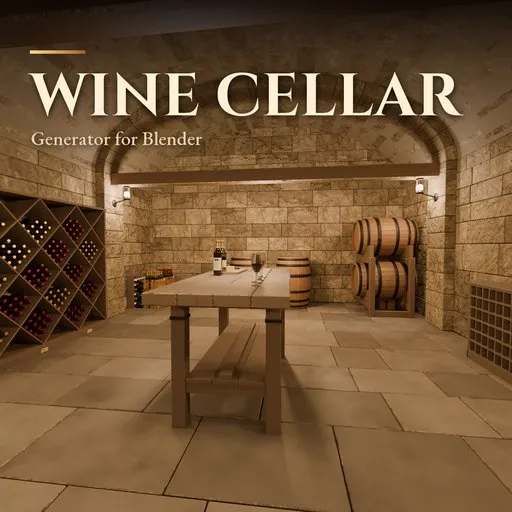
Vintner – Wine Cellar Generator for Blender
 add-on
Photoreal wine racks, drawer cabinets, oak barrels, crates and a vaulted stone or brick cellar with lanterns. New, Used and Old looks with dust and cobwebs.
Explore all my Blender addons
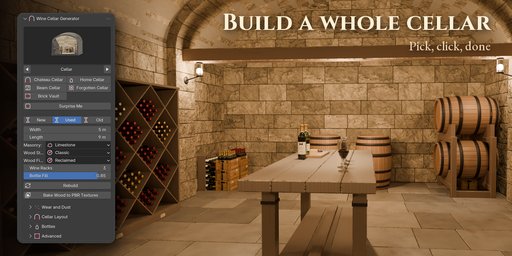
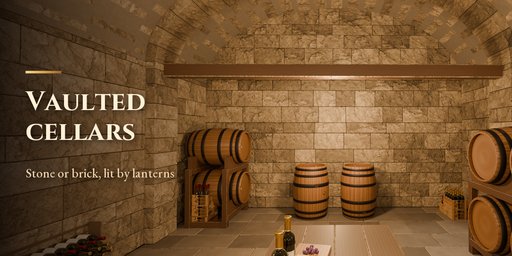
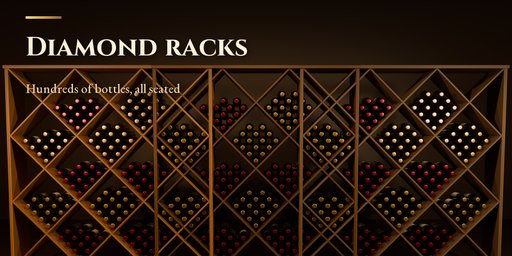
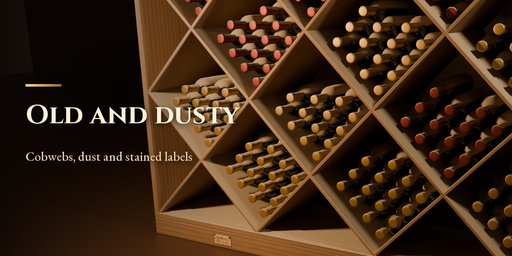
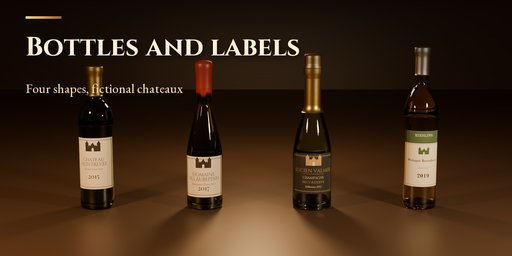
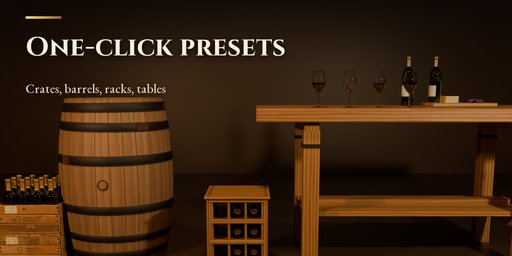
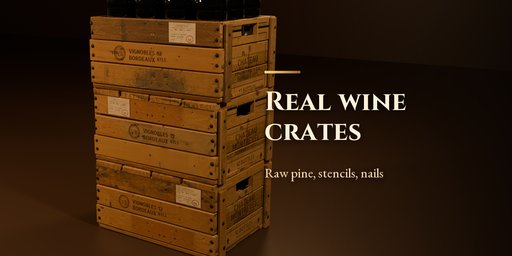
Vintner Wine Cellar Generator builds a complete, photorealistic wine cellar inside Blender: bottles, racks, oak barrels, a tasting table, wooden crates and the vaulted stone or brick room around them. Pick a design from the gallery, choose a preset, and every part is built at real-world scale from fitted geometry with PBR materials that export to game engines.
Bottles come in the four classic shapes, Bordeaux, Burgundy, Champagne and Riesling, each with thick glass, wine inside at an adjustable fill level, a cork, foil capsule, wax seal or wire cage, and a paper label printed with fictional chateau artwork. Every bottle rests on its rack: diamond bins are packed by gravity, so nothing floats or intersects.
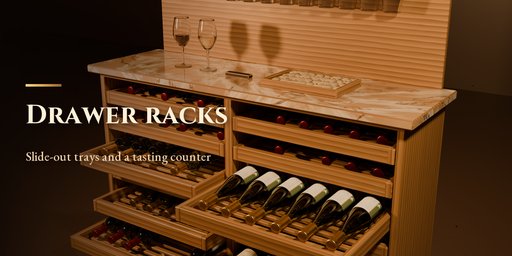
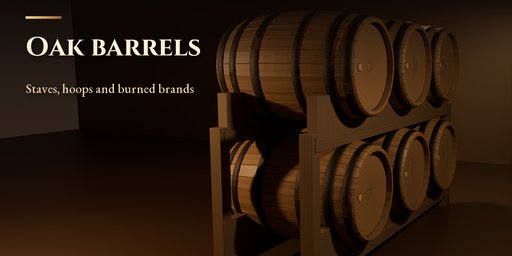
Racks come as diamond bins, shelf racks, wall-mounted cradles and a new drawer rack with sliding slatted trays, metal runners and a marble tasting counter with glasses and a stemware rack. Barrels have individual oak staves, riveted iron hoops, a bung and burned brand heads, alone or stacked on cradle racks. Crates are hand-nailed raw pine with burned stencils, handholes, paper labels and iron nails.
The cellar room lays real limestone blocks or clay bricks in courses with mortar joints, a barrel vault with stone arch ribs, an arched oak door, wall lanterns with warm point lights, racks, barrel racks, standing barrels, crate stacks and a tasting table. Choose the size, the rack count and how full the bottle racks are.
Features
- Seven designs: wine bottle, wine rack, oak barrel, barrel rack, tasting table, wine crates and a full cellar room
- Diamond, shelf, wall and drawer racks in oak, pine, walnut, black iron or steel
- Two wood styles: procedural Classic grain or Poly Haven photo textures, plus a Bake to PBR Textures button for export
- Glass with real volume absorption, wine inside, cork, foil, wax and label decals
- New, Used and Old conditions with dust, wine stains, rust, mould and cobwebs
- Surprise button that randomizes the selected design in place
- Edits stay isolated on Shift+D and Alt+D copies
- Works in Cycles and EEVEE
Requires Blender 4.2 or newer. Tested on Blender 4.2, 4.5 and 5.2 LTS.
How to use
Installation
In Blender open Edit, Preferences, Get Extensions, then use Install from Disk and pick the wine_cellar_generator zip.
Usage
- Open the Wine tab in the 3D viewport sidebar (N). With nothing selected, click the picture to choose a design, then press one of the preset buttons to add it at the 3D cursor.
- With a design selected, the same panel edits it live: presets, the New, Used and Old buttons, and the main choices for that design such as bottle shape, rack type, rack size, barrel size or the room size and rack count.
- The Wear and Dust, Bottles, Cellar Layout and Advanced sections hold the rarer options. The cellar takes a few seconds to build, so it starts with Live Update off: change sliders, then press Rebuild.
- Surprise Me randomizes the selected design in place and keeps its position. Apply as Static Mesh removes the generator controls and keeps the geometry and lights.
Use Rendered view (Cycles or EEVEE) to see the glass, wine and lantern light.
FAQ
Which Blender versions are supported?
Blender 4.2 and newer. It is tested on Blender 4.2, 4.5 and 5.2 LTS.
Are the bottle labels real brands?
No. All labels show fictional chateaux and are shipped as image decals, so you can replace them with your own artwork.
Do the bottles float or intersect the racks?
No. Bottles sit on recorded support surfaces and diamond bins use gravity packing; a test checks every rack type for contact within 2 mm.
Can I export the wood to a game engine?
Yes. The Bake to PBR Textures button turns the procedural Classic wood into color, roughness and normal images, or switch Wood Style to Photo for image-based wood.


