
 Models
 Materials
 HDRIs
 Scenes
 Brushes
 Node Groups
 Printables
 Creators
 Creations
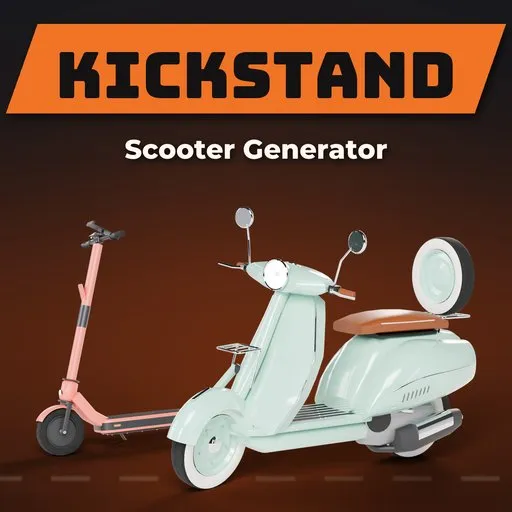
Kickstand – Scooter & E-Scooter Generator for Blender
 add-on
Photoreal e-scooters, rental, stunt and kids' scooters, Vespa-style scooters, mopeds and mobility scooters: 45 designs, a one-click animation rig, wear and live settings.
Explore all my Blender addons
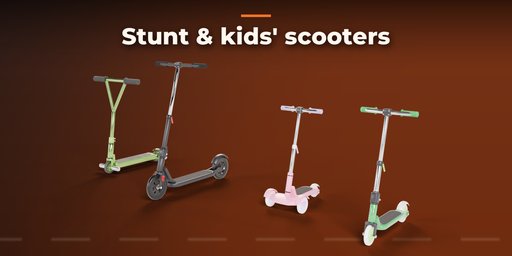
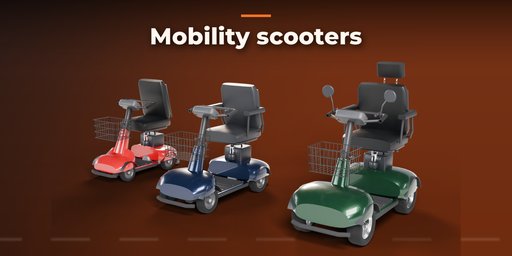
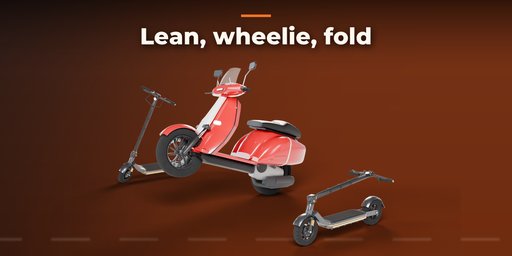
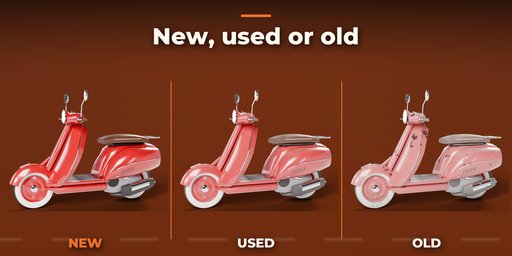
Kickstand builds photoreal scooters of every kind for street scenes, archviz and games: electric kick scooters, shared rental scooters with a QR plate and cable lock, off-road dual-motor scooters, kids' and stunt scooters, Vespa-style motor scooters and mopeds, maxi scooters, electric mopeds and mobility scooters. Pick one of 45 designs modeled on real products, then change anything: every part is a number, a picture or a switch, and the scooter rebuilds live while you drag.
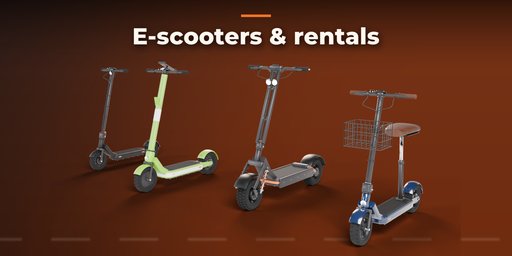
Electric scooters come as folding commuters with a bar display and hub motor, shared rental fleet scooters with a wide deck, phone holder and QR plate, off-road dual-motor scooters with knobby tires and suspension, seated cruisers with a saddle and basket, and minis. Fold the stem down with one slider, turn the bars, or park it leaning on its kickstand.
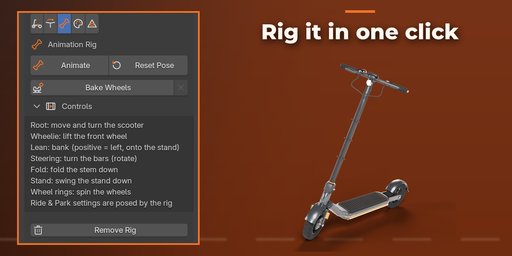
Animate it with one click: Add Animation Rig builds a full scooter rig with custom-shape controls in colored bone collections. Move and turn the whole scooter with Root, steer about the real steering axis, lean into turns, pop a wheelie, fold the stem and swing the kickstand or center stand down. Every control has locked channels and Limit Rotation constraints for its real travel, the wheels spin from their own controls or Bake Wheel Rotation keys them from your animation so they roll without sliding, and Reset Pose puts everything back. Mobility scooters steer the tiller and both front wheels together.
Kick scooters cover adult big-wheel scooters, stunt scooters with T-bars, pegs and solid cores, and three- and two-wheel kids' scooters with light-up wheels.
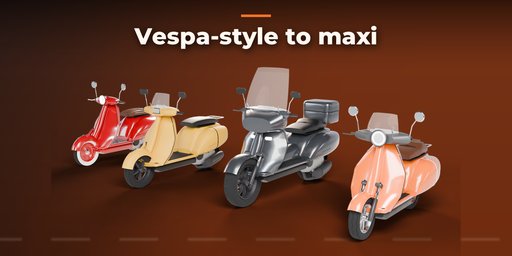
Motor scooters are step-throughs with a leg shield, floorboard and rounded side cowls: classic steel scooters with split rims and white walls, modern, sport and maxi scooters, and electric mopeds, with plain, piped, step or quilted seats, fly or tall windscreens, racks, top boxes, spare wheels and crash bars. Mobility scooters come as travel, mid-size and road models with a captain's seat, tiller, basket and flag.
Features
- 45 real-world designs in 4 kinds and 17 styles: e-scooters, kick and stunt scooters, motor scooters and mopeds, mobility scooters
- Real proportions: 8.5 and 10 inch e-scooter wheels, 110 mm stunt wheels, 12 inch scooter rims
- One-click animation rig: root, steering, lean, wheelie, fold, stand and wheel spin controls with real limits
- Bake Wheel Rotation: wheels roll exactly as far as the scooter travels, forward or backward
- Fold slider for folding scooters, steer the front end, park on the kickstand or center stand
- Rental fleet details: QR plate, cable lock, phone holder, fenders, livery stripes
- Motor scooter rims: split steel, five spoke, multi spoke, disc and wire, with white-wall tires
- Solid, two-tone, stripe and racing liveries; gloss, metallic, matte or plastic paint
- Lights that glow: headlamps, tail lights, displays and light-up kids' wheels
- New, Used and Old condition: dust, grime, faded paint, scuffs and rust on old steel bodies
- Photoreal PBR materials with image textures, made for Cycles, EEVEE and game engines
- Game friendly: one clean mesh per design, real-world scale, UVs, Low, Medium and High detail
- Picture-driven sidebar: every visual choice shows a rendered preview
- Surprise, Vary and Random Colors buttons, Shift+A menu and Convert to Mesh
- Editing one scooter never changes another, also after Shift+D or Alt+D
Requires Blender 4.2 or newer. Tested on Blender 4.2, 4.5 and 5.2 LTS.
How to use
Installation
In Blender open Edit, Preferences, Get Extensions, then use Install from Disk and pick the scooter_generator zip.
Usage
- Open the Kickstand tab in the 3D viewport sidebar (N). With nothing selected, click the big picture to browse every design or pick one under Browse by Kind, then click Add to place it at the 3D cursor. You can also use Shift+A, Mesh, Scooters.
- The card at the top shows the design, its size and triangle count. Click a condition picture for New, Used or Old; Surprise makes a new random scooter of the same kind, Vary changes its shape and the palette button gives it new colors.
- The icon tabs hold every setting: the kind's own tab (E-Scooter, Kick, Motor Scooter or Mobility), Ride & Park (steer, fold, kickstand, lights), Colors & Wear and Detail & Mesh.
- Click a picture to choose a look; the arrows beside a picture step through the options.
- Animation Rig tab: Add Animation Rig rigs the selected scooter. Click Animate to enter Pose Mode: rotate Steering, Lean, Wheelie, Fold and Stand (each stops at its real limit), move and turn Root, spin the wheel rings, or key Root and click Bake Wheels so the wheels roll with the motion. Reset Pose puts every control back; Remove Rig deletes the rig and its animation.
- Convert to Mesh keeps the design as a plain mesh for editing; Delete removes it with its materials.
FAQ
Which Blender versions are supported?
Blender 4.2 and newer. It is tested on Blender 4.2, 4.5 and 5.2 LTS.
Can I use the scooters in games?
Yes. Each design is one clean mesh at real-world scale with UVs and three detail levels. Convert to Mesh, then export it as FBX or glTF like any Blender object.
Is the QR code on the rental scooters a real code?
No. It is a generated pattern that looks like a QR code but links nowhere, and no brand names or logos are used, so the scooters are safe to show in any scene.
If I duplicate a scooter and change the copy, does the original change?
No. Every design keeps its own mesh and materials, also after Shift+D or Alt+D, so editing one never changes another.
Can I use the models in commercial projects?
Yes. Everything you make with the add-on is yours to use in renders, games and commercial work. All textures are CC0 (Poly Haven scans and our own image textures).
Can I animate the scooters?
Yes. One click adds an animation rig with controls for driving, steering, leaning, wheelies, folding the stem and the stand, all with real limits. Bake Wheel Rotation makes the wheels roll with your animation, and you can still change the design after rigging: the rig and its animation stay.


