
 Models
 Materials
 HDRIs
 Scenes
 Brushes
 Node Groups
 Printables
 Creators
 Creations
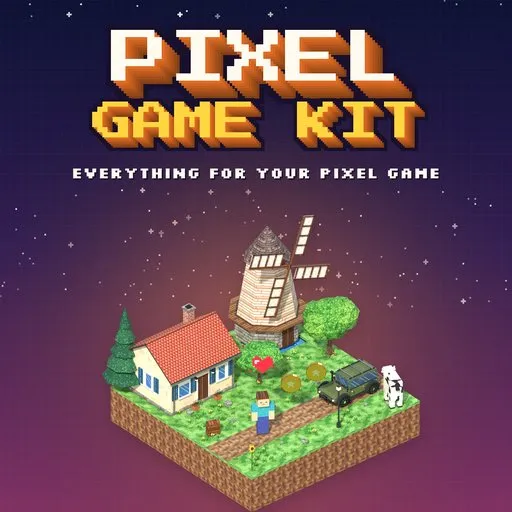
Pixel Game Kit – Pixel Art Game Asset Generator for Blender
 add-on
Everything for a pixel art game: 426 designs in 25 categories (worlds, buildings, heroes, vehicles, dungeons, loot) with crisp textures at one pixel size. Atlas export for Unity, Unreal and Godot.
Explore all my Blender addons
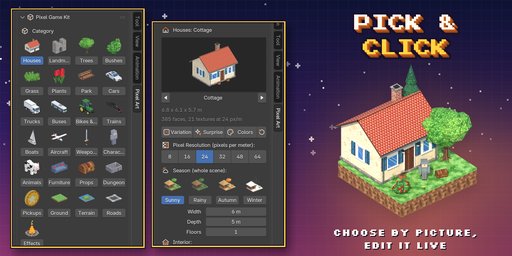
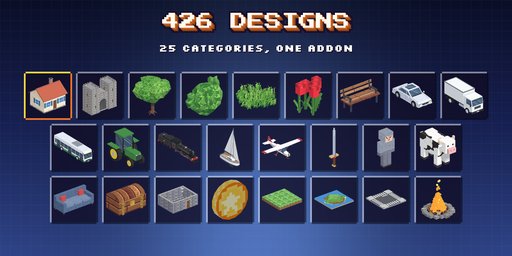
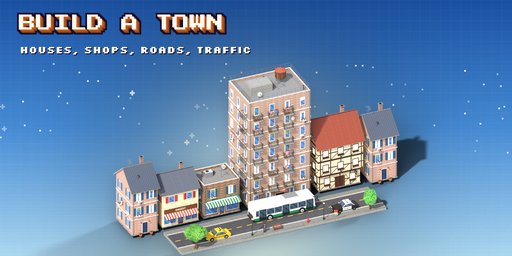
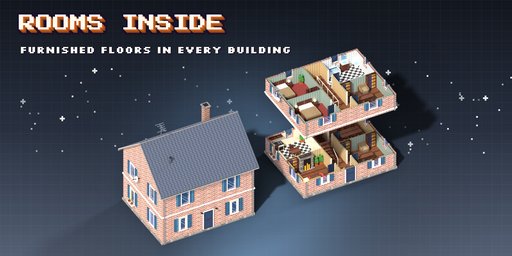
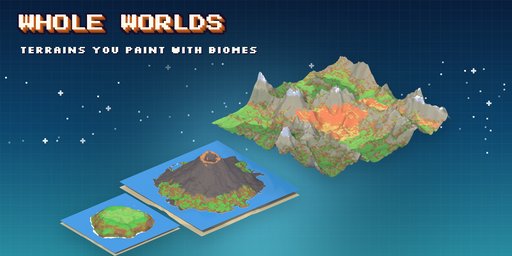
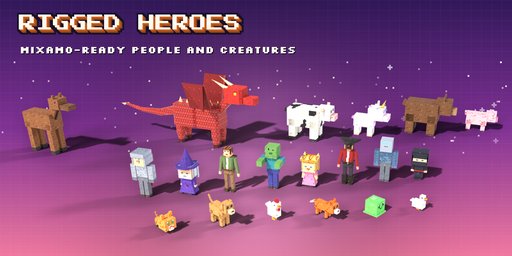
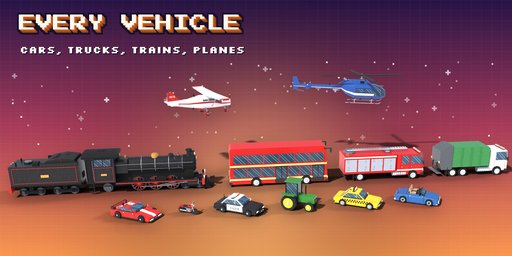
Pixel Game Kit is everything you need to build a pixel art game inside Blender: 426 designs in 25 categories, a terrain generator, roads and a dungeon generator, all painted at the same pixel size. A hero, a dragon, a bus, a castle and a coin placed side by side look like they came from the same game, because they did.
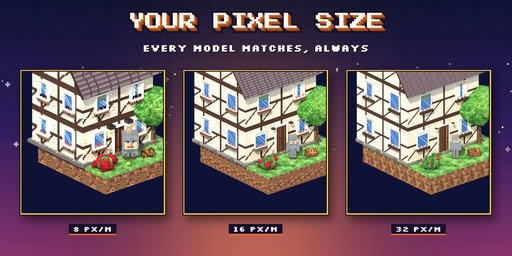
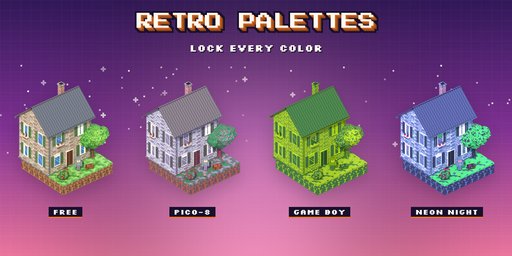
You pick one pixel density for the scene (8 to 64 pixels per meter) and every surface of every model shows exactly that many pixels per meter: walls, roof slopes, tree trunks, wheels and sprites alike. Pixels never stretch on slanted faces, edges fall on whole pixels, and textures use nearest filtering so they stay crisp. Change the density, the palette, the season or the shading once and every model in the scene repaints to match.
Pick a design by its picture, then change anything: every part is a setting on the first page. Surprise gives a random design in one click, Variation a new take on the current one, Colors a new paint job.
What is inside
- Worlds: terrain generator (islands, volcanoes, mountains, canyons, dunes and more), ground tiles, cliffs, roads, roundabouts, bridges and rail tracks
- Buildings: houses, village houses, modern villas, skyscrapers, mansions, castles, churches, shops, farms, lighthouses, windmills, with optional furnished interiors (homes, shops, taverns, offices, apartments)
- Nature: trees, bushes, grass, flowers, plants and vegetables
- Heroes and creatures: blocky, chibi and low poly characters with a Mixamo rig, animals, dragons, unicorns and slimes
- Vehicles: cars with interiors, trucks, buses, bikes, tractors, trains, boats, planes and helicopters
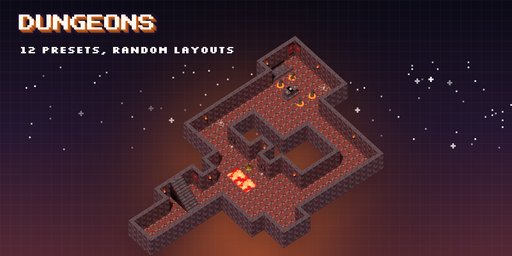
- Dungeon generator: 12 presets, 6 layouts and 10 themes with doors, traps, liquids, torches and props
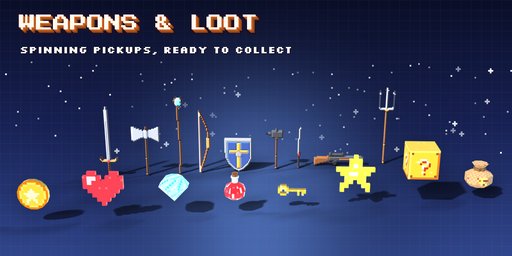
- Weapons and loot: swords, axes, bows, staffs, guns, coins, hearts, gems, potions and keys
- Props, furniture, park and street items, and effects like campfires, clouds, rain, snow and explosions
Style
- One scene-wide pixel density: 8, 16, 24, 32, 48 or 64 px per meter
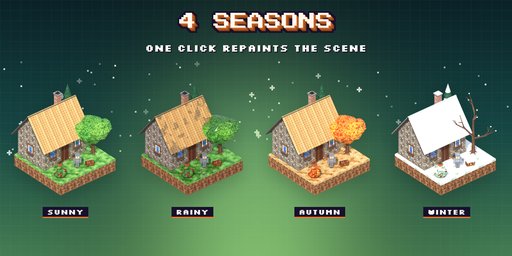
- Four seasons: sunny, rainy, autumn and winter
- Palette lock to PICO-8, Sweetie 16, Endesga 32, Resurrect 64, Game Boy or Neon Night
- Ramp, two-tone or flat shading, contrast, lit or unlit (emission) look
Game ready
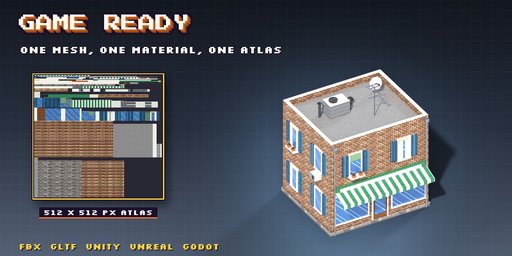
- Bake Game Atlas makes a copy with one mesh, one material and one pixel-exact texture atlas
- Low face counts and clean UVs that export to FBX and glTF for Unity, Unreal and Godot
- Convert to a plain mesh at any time
Requires Blender 4.2 or newer. Tested on Blender 4.2, 4.5 and 5.2 LTS.
How to use
Installation
In Blender open Edit, Preferences, Get Extensions, then use Install from Disk and pick the pixel_art_environment_generator zip.
Usage
- Open the Pixel Art tab in the 3D viewport sidebar (N). With nothing selected, pick a category, click the picture to choose a design and press Add to Scene. You can also use Shift+A, Pixel Art.
- Select a model to edit it: the main sizes and look are on the first page, rarer options in the collapsible sections below. Randomize makes a surprise design, a variation or new colors.
- Scene Pixel Style sets the pixel density, palette, shading and lighting for every model in the scene at once.
- Game Export bakes a copy with one material and one texture atlas, or converts the model to a plain mesh.
FAQ
Which Blender versions are supported?
Blender 4.2 and newer. It is tested on Blender 4.2, 4.5 and 5.2 LTS.
Do all models really have the same pixel size?
Yes. Every face is unwrapped so one meter shows exactly the scene's pixel density, and sizes snap to whole pixels. Changing the density repaints every model in the scene.
Can I use the models in a game engine?
Yes. Bake Game Atlas makes a copy with a single material and texture atlas, ready to export as glTF or FBX to Unity, Unreal or Godot. Use nearest (point) filtering on the texture in the engine.
Are the textures images I can edit?
Yes. Textures are small packed images; after converting to a mesh you can paint over them in any image editor.


