
 Models
 Materials
 HDRIs
 Scenes
 Brushes
 Node Groups
 Printables
 Creators
 Creations
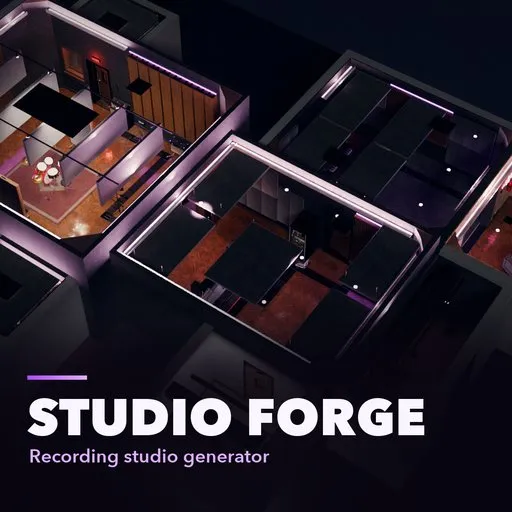
Studio Forge – Recording Studio Generator for Blender
 add-on
Generate whole recording studios: layouts, acoustics, lighting, cable routing and gear, with a picture gallery of ready-made studios.
Explore all my Blender addons
A Blender add-on that plans the whole studio
STUDIO FORGE
Recording studio generator
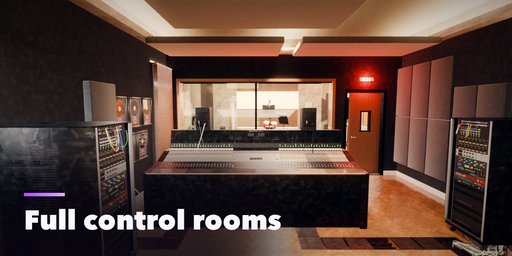
Build a complete professional recording studio from a layout, not from a single model: rooms, doors and glass, acoustic treatment, lighting, cable routing and every piece of gear that belongs in each room.
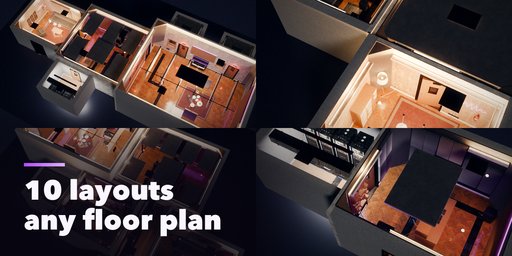
10 layouts, any floor plan
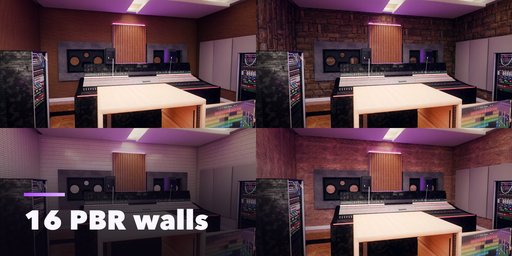
16 PBR wall finishes
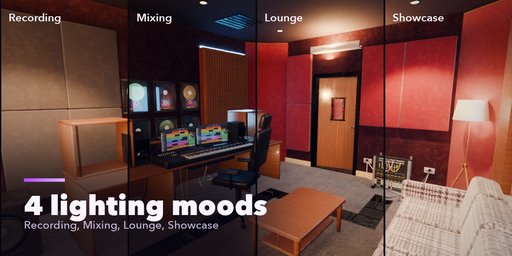
4 lighting moods
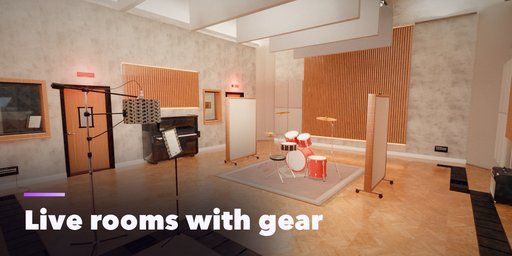
70+ gear and furniture models
Meet Studio Forge
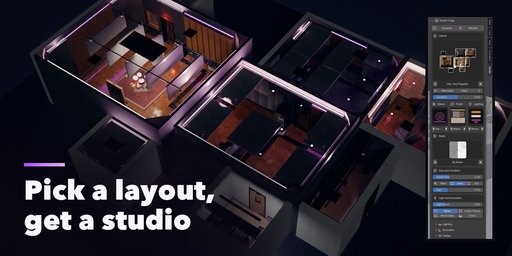
Pick a picture. Get a studio.
Choose a layout from the picture gallery: a hip-hop flagship with control room, live room, vocal booth, producer room, lounge and machine room, a tracking studio, a mastering suite, a podcast room, an Atmos mix stage or a whole studio complex. Then change anything. Every seed plans a new studio.
01 / THE LAYOUT ENGINE
Any floor plan, one click.
Rooms attach to each other by side and alignment, so any plan can be described. Doors, splayed view windows, glass walls, open arches and cable passes are derived from the room kinds, and every room stays reachable.
02 / LIGHTING
Four moods, every fixture planned.
Indirect cove LEDs, downlights, track spots, LED panels, accent strips behind the slats, pendants, neon and the red on-air lamp are all dimmed by the lighting mood: Recording, Mixing, Lounge and Showcase.
03 / LOOKS AND PBR WALLS
Six finishes, sixteen walls.
Oak, black-out, industrial, walnut, white and velvet looks, with plywood, concrete, tile, stone, planks and more on the walls. Photo textures from Poly Haven (CC0) with full PBR maps, ambient occlusion, dust and smudges, and a New, Used and Old slider.
04 / SURPRISE
A new studio every time.
Press Surprise and the layout, rooms, gear, acoustics and cable runs are planned again from a new seed. With nothing selected it creates a new studio; with one selected it re-rolls that studio in place and keeps where you put it.
Under the hood
Everything a real studio needs.
Automatic acoustics
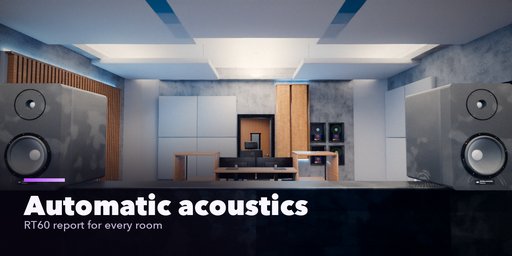
Corner bass traps, first-reflection absorbers by the mirror method, a ceiling cloud over the listening position, QRD and skyline diffusers, slat walls, foam booths, curtains and baffles, with a Sabine RT60 report per room.
Real wiring
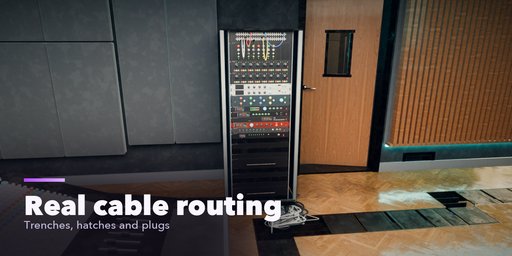
Floor trenches with steel lids and separate audio, power and data lanes, cable passes through the double walls, outlets with conduit risers, tie-line wall boxes and hanging cables whose plugs drop into open hatches.
Gear and furniture
Large-format consoles, controllers, flush mains, nearfields, racks with patchbays, microphones on stands, workstations, grand and upright pianos, drum kits, amps, sofas, plaque walls and plants. Brands are invented and modeled on real gear types.
Full control
Edit each room: size, ceiling, floor, walls, connection, console, monitors, racks, instruments and treatment. Add any piece by hand. Every gear item and treatment element is its own selectable object.
Good to know. All brand names and logos on the gear are invented, so no real manufacturer marks appear. Gear is modeled for believable layout and renders, not as exact replicas. Rebuilding a studio resets pieces you moved by hand.
Made for Blender. Requires Blender 4.2 or newer. Tested on Blender 4.2, 4.5 and 5.2 LTS.
More details
Studio Forge builds a complete professional recording studio in Blender from a layout, not from a single model: rooms, doors and windows, acoustic treatment, lighting, cable routing, and every piece of gear that belongs in each room. Pick a layout from the picture gallery, a hip-hop flagship with control room, live room, vocal booth, producer room, lounge and machine room, a tracking studio, a mastering suite, a podcast room, an Atmos mix stage or a whole studio complex, then change anything.
The layout engine
- Rooms attach to each other by side and alignment, so any floor plan can be described; doors, splayed view windows, glass walls, open arches and cable passes are derived from the room kinds
- Ten layout templates, six finishes, six genres and four lighting moods; every seed gives a new studio
- Edit each room: size, ceiling, floor, walls, connection to its neighbour, console size, monitors, racks, couch, instruments, treatment
Automatic acoustics
- Corner bass traps, first-reflection absorbers calculated by the mirror method, a ceiling cloud over the listening position, quadratic-residue and skyline diffusers, slat walls, foam booths, curtains and baffles
- A reverberation report per room (Sabine RT60 at 500 Hz against the target of the room kind)
Real wiring
- Floor trenches with steel lids and separate audio, power and data lanes, cable passes through the double walls, wall outlets with conduit risers, tie-line wall boxes, hanging cables with plugs that lie on the floor and drop into open hatches
- A power and circuit estimate from the gear that is in the studio
Lighting
- Indirect cove LEDs, downlights, track spots, LED panels, accent strips behind the slats, pendants, neon and red on-air lamps, all dimmed by the lighting mood
Gear and furniture (invented brands modeled on real gear types)
- Large-format consoles, controllers, flush mains, nearfields, subwoofers, racks with patchbays, tube and dynamic microphones on stands, workstations, grand and upright pianos, drum kits, amps, sofas, desks, plaque walls and plants
- PBR photo textures from Poly Haven (CC0)
Requires Blender 4.2 or newer. Tested on Blender 4.2, 4.5 and 5.2 LTS.
How to use
Installation
In Blender open Edit, Preferences, Get Extensions, then use Install from Disk and pick the zip.
Usage
- Open the sidebar (N) and the Studio tab.
- Pick a layout picture, genre, finish and lighting.
- Edit rooms, add items, tune cables and acoustics; press Surprise for a new studio.
FAQ
Which Blender versions are supported?
Blender 4.2 and newer. It is tested on Blender 4.2, 4.5 and 5.2 LTS.


