
 Models
 Materials
 HDRIs
 Scenes
 Brushes
 Node Groups
 Printables
 Creators
 Creations
Plumage – Feather Generator for Blender
 add-on
Photoreal feathers in one click: 63 designs, 12 feather types, real species patterns, wings, tail fans, quill pens and dream catchers, with game-ready alpha cards and PNG texture export.
Explore all my Blender addons
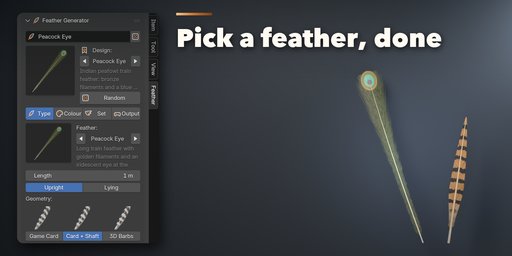
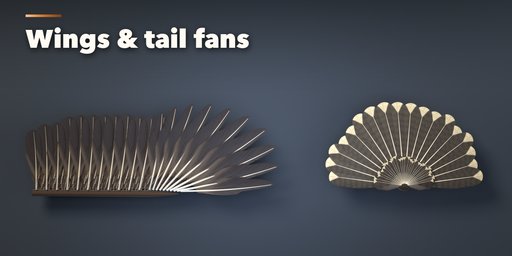
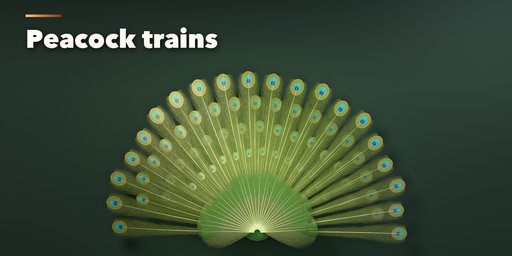
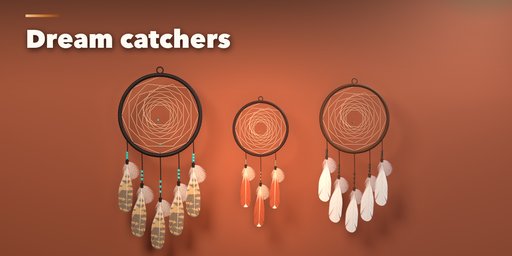
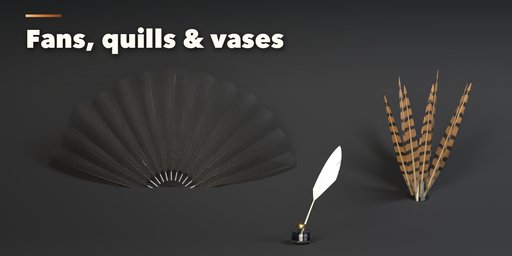
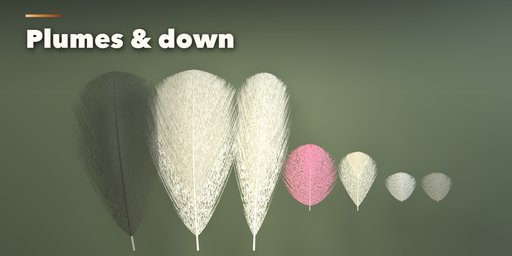
Plumage makes real feathers in one click: flight feathers, tail feathers, soft body feathers, fluffy down, ostrich plumes, marabou, peacock eyes, swords and rooster hackles. Every feather is painted by the addon itself at the resolution you choose, with real species patterns, a fine barb texture, a normal map and true iridescence, so it looks right up close in Cycles and EEVEE.
Feathers are not only single props. The same sidebar builds whole bird wings with coverts, secondaries and slotted primaries, turkey tail fans, peacock trains, hand fans on bamboo or walnut sticks, dream catchers with beads, quill pens with an inkwell, vase bouquets and scattered feathers on the ground.
What you get
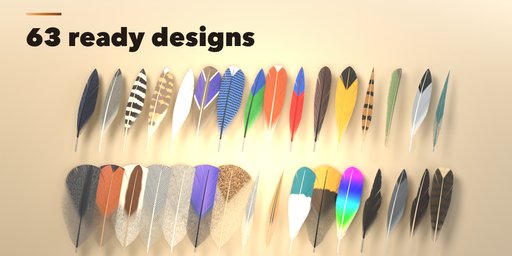
- 63 ready-made designs: eagle, owl, crow, goose, swan, turkey, pheasant, guinea fowl, jay, mallard, macaw, peacock, flicker, dyed and craft feathers, wings, fans, dream catchers and bouquets
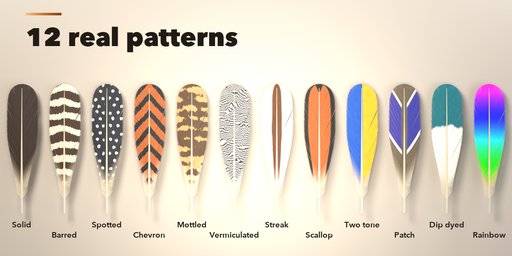
- 12 feather types and 12 real patterns: barred, spotted, chevron, mottled, vermiculated, streak, scallop, two tone, patch, dip dyed, rainbow and solid
- Picture pickers in the sidebar and a Random button that always gives a believable feather
- Splits, frayed edges, wear and stripped barbs for used or old feathers
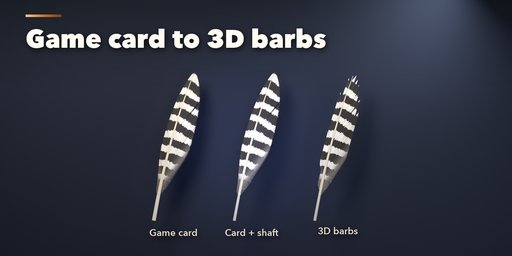
- Three geometry modes: a light alpha card for games (about 600 triangles), card plus a 3D shaft and quill, or full 3D barbs for close-ups
- Save Textures writes the colour with alpha, normal and roughness maps as PNG files for Unity, Unreal and Godot
- Every copy is independent: Shift+D a feather and change it without touching the original
Requires Blender 4.2 or newer. Tested on Blender 4.2, 4.5 and 5.2 LTS.
How to use
Installation
In Blender open Edit, Preferences, Get Extensions, then use Install from Disk and pick the zip.
Usage
- Open the sidebar (N) in the 3D Viewport and click the Feather tab.
- Pick a design in the picture gallery and click Add, or click Add a Random Feather. It is also in Shift+A, Mesh, Feather.
- With the feather selected, change it in the Type, Colour, Set and Output tabs: feather type, length, curve, splits and wear, colours and pattern, or the arrangement (single, wing, tail fan, hand fan, dream catcher, quill pen, bouquet, scatter).
- For games pick Game Card geometry, then Output, Save Textures to write the colour with alpha, normal and roughness PNG files.
- Make Static keeps the result as a plain mesh; Delete removes it with its materials and textures.
FAQ
Which Blender versions are supported?
Blender 4.2 and newer. It is tested on Blender 4.2, 4.5 and 5.2 LTS.
Can I use the feathers in a game engine?
Yes. Pick Game Card geometry (about 600 triangles per feather), export the mesh as FBX or glTF and use Save Textures for the colour with alpha, normal and roughness PNG maps. Use alpha clip or alpha blend in the engine.
Does it need an internet connection or other addons?
No. Everything is painted by the addon itself; the wood and leather textures are bundled (CC0 from Poly Haven).


