
 Models
 Materials
 HDRIs
 Scenes
 Brushes
 Node Groups
 Printables
 Creators
 Creations
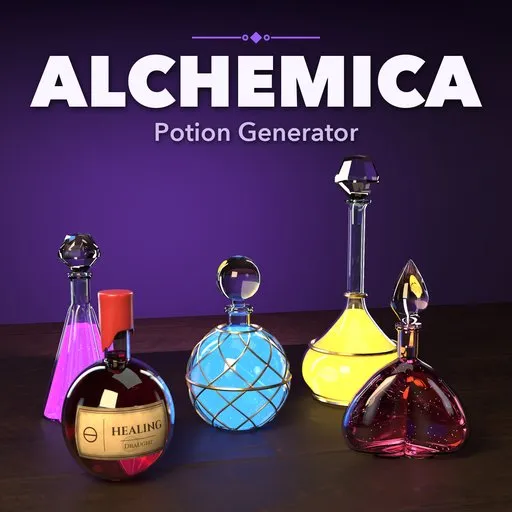
Alchemica – Potion Generator for Blender
 add-on
Potion bottles, cauldrons, ingredient jars and dressed alchemy tables in one click: 42 designs, 12 bottle shapes, glowing liquids, labels and photoreal glass. Randomize and edit live.
Explore all my Blender addons
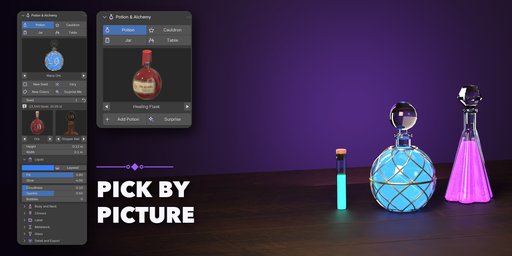
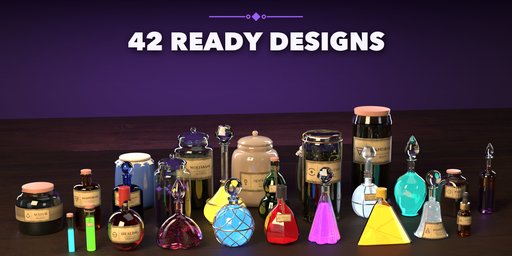
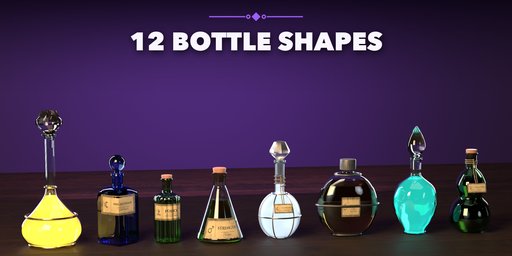
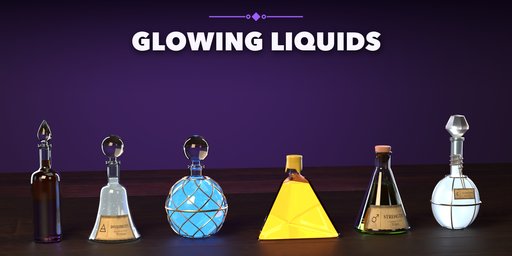
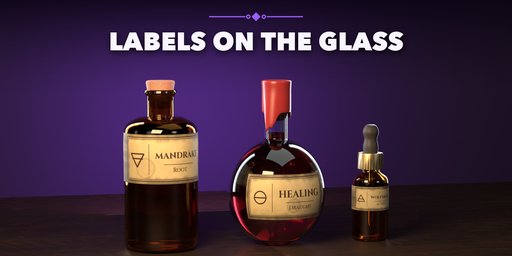
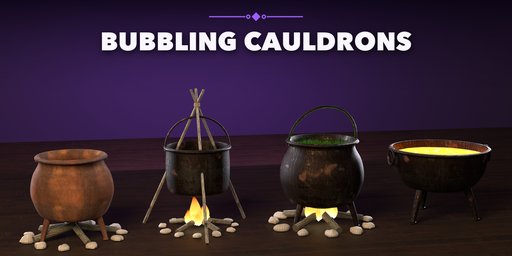
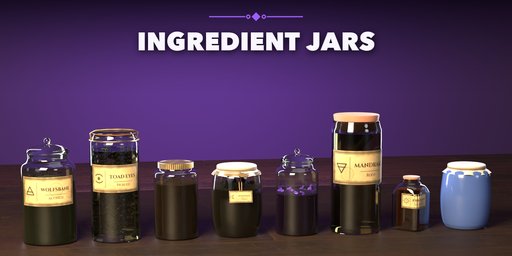
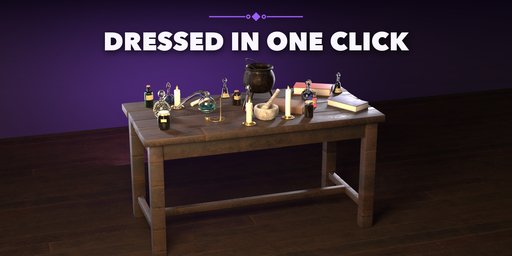
Fill your fantasy scenes with potions in one click: glowing bottles, bubbling cauldrons, jars of strange ingredients and fully dressed alchemist tables, right inside Blender.
Alchemica builds every piece as real thick-walled glass with liquid inside, so bottles read correctly in close-ups: a rounded lip, an inner wall, a liquid surface with a meniscus and air bubbles. Corks, wax seals with drips, ground stoppers, droppers and metal caps sit in the neck, and parchment labels and tags follow the curve of the glass.
What you get
- 42 ready-made designs in four kinds: potions, cauldrons, ingredient jars and alchemy tables or shelves
- 12 bottle shapes (round flask, orb, Erlenmeyer, vial, apothecary, genie, gourd, teardrop, bell...) with round, square, hex, octagon, triangle, star, fluted and heart sections, twist and flattening
- Liquids with color, fill, glow, cloudiness, sparkles, bubbles and two layers that don't mix
- 8 closures, 16 hand-lettered parchment labels, brass, copper, iron, silver or gold cages and bands
- Cast-iron cauldrons with legs, handles, lids, rust, bubbling brew, log fires, flames, stone rings and a hanging tripod
- Ingredient jars with eyes, herbs, powder, seeds, mushrooms, crystals or pickled roots, under glass, cork, clamp, screw, cloth or ceramic lids
- Tables and shelves dressed with potions, jars, candles, books, scrolls, a mortar, a retort and a small cauldron
- One-click randomize: new seed, vary, new colors or Surprise Me
- Photoreal PBR materials (photo-scanned wood, iron, rust, cork, leather and stone) that look right in EEVEE and Cycles
- Picture pickers for every visual choice, live editing in the sidebar; one mesh per design, ready for game engines
Requires Blender 4.2 or newer. Tested on Blender 4.2, 4.5 and 5.2 LTS.
How to use
Installation
In Blender open Edit, Preferences, Get Extensions, then use Install from Disk and pick the zip.
Usage
- Open the sidebar (N) and pick the Potion tab.
- Choose Potion, Cauldron, Jar or Table, pick a design picture and click Add (or Surprise).
- With the object selected, click New Seed, Vary, New Colors or Surprise Me, or change the shape, size, liquid and closure pictures and sliders.
- Open Detail and Export to lower the detail for games or convert the design to a plain mesh.
You can also add designs from Add, Mesh, Potion & Alchemy.
FAQ
Which Blender versions are supported?
Blender 4.2 and newer. It is tested on Blender 4.2, 4.5 and 5.2 LTS.
Does the glass look right in EEVEE?
Yes. Glass has its own EEVEE output, so bottles stay clear and tinted without any scene setup, and Cycles uses real refraction.
Can I use the props in game engines?
Yes. Each design is one mesh with PBR materials; colors are stored as vertex attributes, and the Detail setting lowers the polygon count.
Are the labels real text?
The labels are an image texture on a curved parchment patch that follows the glass, so they export and render cleanly anywhere.


