
 Models
 Materials
 HDRIs
 Scenes
 Brushes
 Node Groups
 Printables
 Creators
 Creations
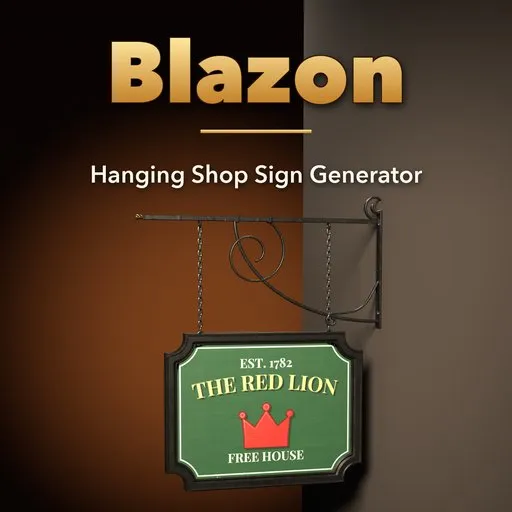
Blazon – Hanging Shop Sign Generator for Blender
 add-on
Hanging shop signs in one click: 57 pub boards, cut-out trade symbols, enamel plates and lightboxes on wrought-iron brackets, with your own text, images and real weathering.
Explore all my Blender addons
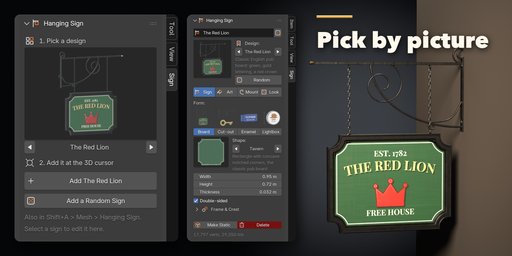
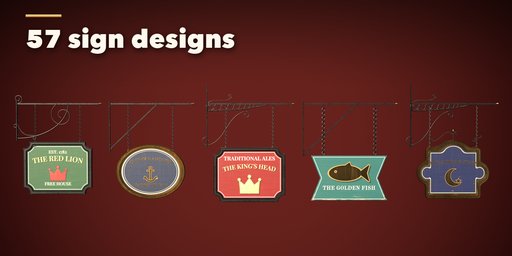
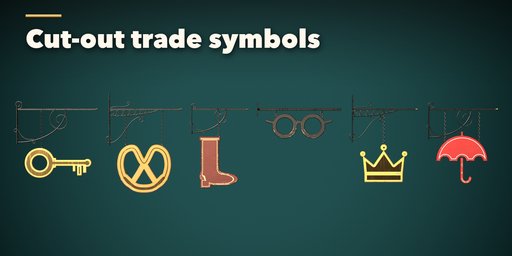
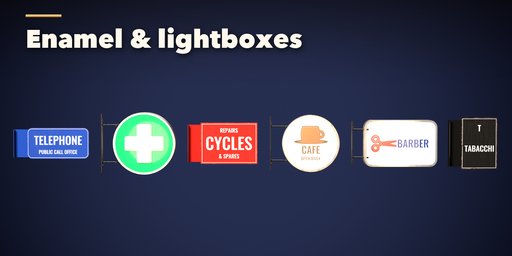
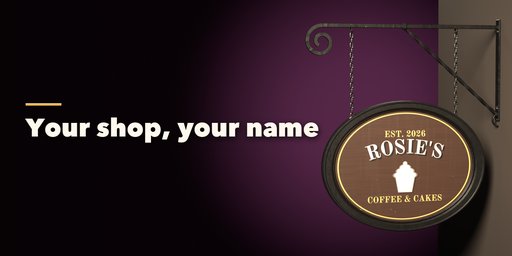
Blazon builds hanging shop signs inside Blender: a painted pub board on a wrought-iron scroll bracket, a cut-out golden key over a locksmith, an enamel telephone plate, a glowing cafe lightbox. Pick one of 57 ready-made designs from the picture gallery, type your own shop name, and every board, bracket and chain rebuilds live.
The lettering and pictures are painted straight onto the board like a real signwriter would: arched names, drop shadows, outlines, gold leaf or carved letters, borders, painted panels and 32 trade pictures from the crown and the anchor to the pretzel, the boot and the pawnbroker's three balls. Load your own image as the picture or as the whole face, and any font from your disk.
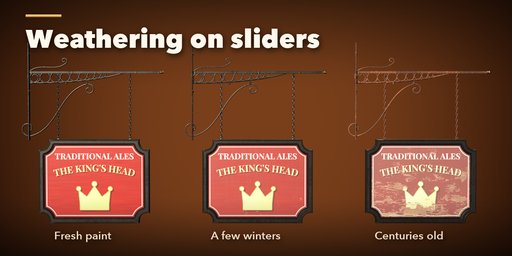
Weathering is one slider each: paint wear peeling at the edges, sun fade, grime with rain streaks, rubbed gold leaf and rust on the iron, with a new pattern a click away.
Features
- 57 designs: pubs and inns, trade boards, cut-out trade symbols, enamel plates, lightboxes and lit signs
- 4 sign forms, 15 board shapes and 32 cut-out shapes, all double-sided
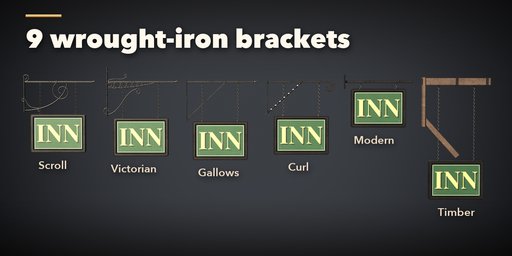
- 9 brackets: scroll, Victorian, gallows, curl, modern, timber, post, ceiling and flange
- Chains, rings, S-hooks, rods or fixed straps; ball, spear, acorn and curl finials; square, round, flat or twisted bar
- Your text on three lines, 9 sign fonts or your own, your own image
- Photoreal PBR from Poly Haven scans: wood, planks, gilt, enamel, rusty iron
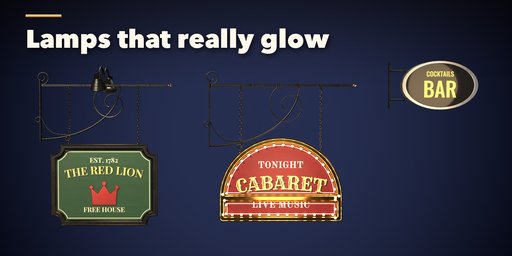
- Swan-neck lamps and marquee bulbs with real lights, glowing lightboxes
- One mesh per sign with clean UVs, ready for game engines
- Random button for a new believable sign every click
Requires Blender 4.2 or newer. Tested on Blender 4.2, 4.5 and 5.2 LTS.
How to use
Installation
In Blender open Edit, Preferences, Get Extensions, then use Install from Disk and pick the hanging_shop_sign_generator zip.
Usage
- Open the Sign tab in the 3D viewport sidebar (N). With nothing selected, click the picture to choose a design from the gallery, then press Add. You can also use Shift+A, Mesh, Hanging Sign, or Add a Random Sign.
- Select a sign to edit it. The tabs hold every setting: Sign (form, board shape or cut-out, size), Art (your text, font, letter style, layout, picture, border and colors), Mount (bracket, hanging, reach, drop, bar and finial) and Look (surface, weathering, lamps and art resolution).
- Click any picture to open its gallery, or step through the choices with the arrows.
- Load Image puts your own picture on the sign, or covers the whole face with it. Load Font uses any font file.
- Make Static keeps the sign as a plain mesh; Delete removes it with its lamps, materials and art.
Each sign is one mesh with its own materials and painted art images, packed into the .blend. Copies made with Shift+D or Alt+D become independent signs as soon as you edit them.
FAQ
Which Blender versions are supported?
Blender 4.2 and newer. It is tested on Blender 4.2, 4.5 and 5.2 LTS.
Can I use my own shop name, logo and font?
Yes. Type up to three lines of text, load any image as the picture or as the whole face, and load any .ttf or .otf font.
Can I export the signs to a game engine?
Yes. Each sign is one mesh with UVs and standard PBR materials; the painted art is two image textures (color and roughness/metal/relief) that you can save next to your export.
Does it work in EEVEE?
Yes, in both Cycles and EEVEE. Lamps can add real spot lights, and lightbox faces glow in both engines.


