
 Models
 Materials
 HDRIs
 Scenes
 Brushes
 Node Groups
 Printables
 Creators
 Creations
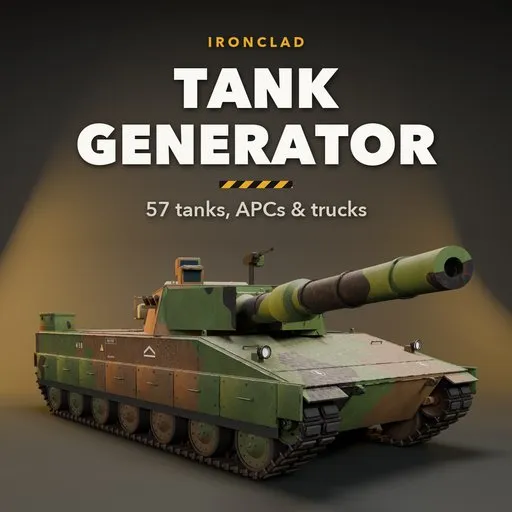
Ironclad – Tank Generator for Blender
 add-on
Procedural tanks, APCs, IFVs, self-propelled guns, military trucks and jeeps: real tracks, turrets, guns, reactive armour, camouflage and wear. 57 designs.
Explore all my Blender addons
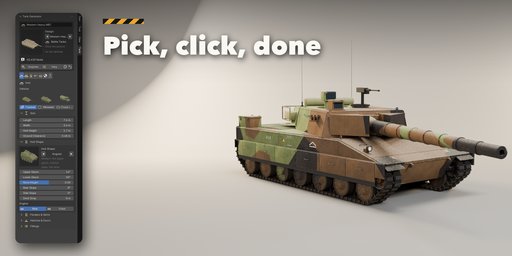
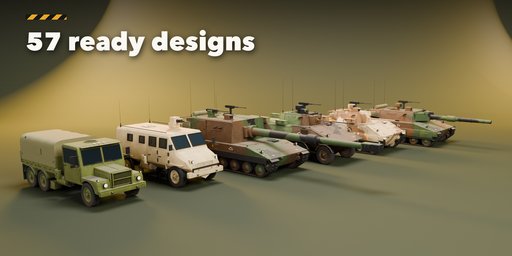
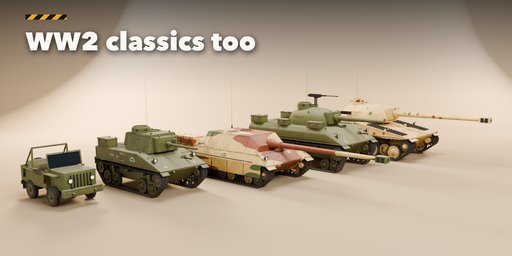
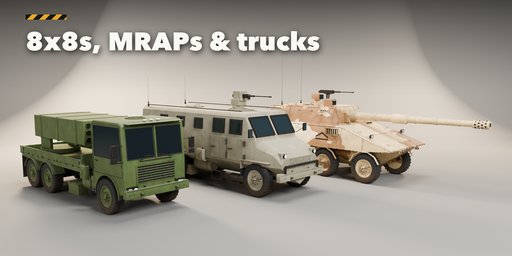
Ironclad builds complete military vehicles in Blender with one click: modern and WW2 main battle tanks, light tanks, tank destroyers, self-propelled guns, anti-aircraft vehicles, tracked and wheeled APCs and IFVs, military trucks and jeeps. Every vehicle is fully procedural, so you can change the hull, running gear, turret, gun and armour and watch it rebuild live.
Pick one of 57 ready designs from a picture gallery, or press Surprise for a new vehicle every time. Then reshape it with clear picture choices in the sidebar instead of long menus.
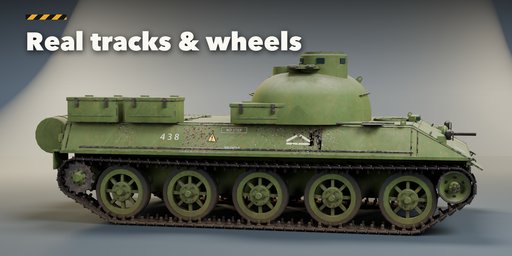
Real tracks and wheels
- Tracks are wrapped around the sprocket, idler, road wheels and return rollers, with single pin, double pin, cast or rubber band links and a natural sag
- Torsion bar, bogie, interleaved, Christie and hydropneumatic suspension, four road wheel styles
- Wheeled 4x4, 6x6 and 8x8 vehicles and trucks with off-road tyres, dual rear wheels and beadlock hubs
Turrets, guns and armour
- Cast, welded, wedge, dome, IFV, open top, artillery, casemate and anti-aircraft turrets, plus remote weapon stations
- Smoothbore, rifled, howitzer, autocannon, twin cannon and heavy machine gun barrels with muzzle brakes, evacuators and thermal sleeves
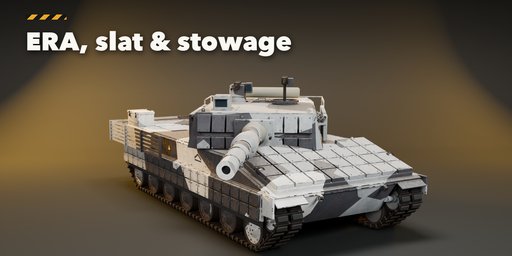
- Side skirts, reactive armour blocks, slat cages, add-on plates, spare track links, sandbags, stowage bins, jerry cans, dozer blades and mine plows
Trucks and jeeps
- Conventional, cab-forward, armoured MRAP and open jeep cabs with canvas, flatbed, box, crate, tanker, rocket launcher and towed-howitzer beds
Paint and wear
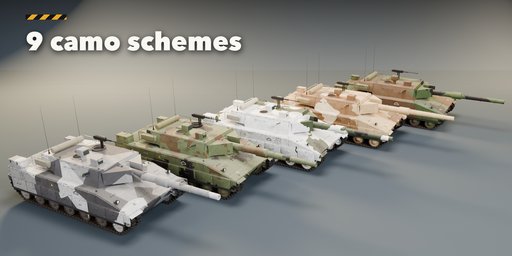
- Woodland, desert, winter, digital, splinter, urban, stripes and spots camouflage that stays continuous across hull, turret and gun
- Edge wear, rust, dust and mud from the ground up, with PBR materials that also export to game engines
Animation ready
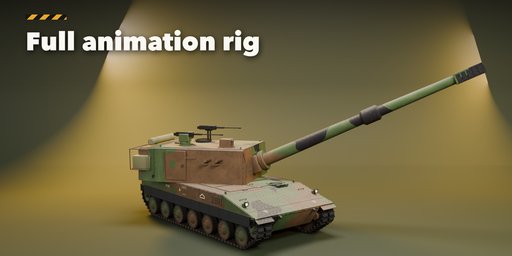
- A full animation rig comes with every vehicle: turret traverse, gun elevation, recoil, auto-aim, hull bounce, per-wheel suspension, steering, and tracks and wheels that run by themselves when you move or turn the Root control
- Convert to Mesh makes a plain copy for export or editing
Requires Blender 4.2 or newer. Tested on Blender 4.2, 4.5 and 5.2 LTS.
How to use
Installation
In Blender open Edit, Preferences, Get Extensions, then use Install from Disk and pick the zip.
Usage
- Press N in the 3D viewport and open the Tank tab, or use Shift+A, Mesh, Military Vehicle.
- Click a design picture to add it at the 3D cursor, or press Surprise.
- Select the vehicle and use the tabs (Hull, Running Gear, Turret, Gun, Armour & Stowage, Paint, Parts & Export) to change it. It rebuilds live.
- Use Variation or Random Paint for quick alternatives, and Reset to go back to the design.
- Every vehicle comes rigged: select the rig in the Parts tab (Select Rig) and move the Root, Turret, Gun, Recoil, Aim, Steer and Bump controls. Tracks and wheels run by themselves (Auto Tracks); use Bake Motion to key them.
- Press Convert to Mesh to get plain meshes for export or editing.
Tips
- Lower the Detail setting for background vehicles; track links are the heaviest part.
- Editing one vehicle never changes copies of it.
FAQ
Which Blender versions are supported?
Blender 4.2 and newer. It is tested on Blender 4.2, 4.5 and 5.2 LTS.
Is the vehicle rigged for animation?
Yes. Every vehicle has an armature with controls for the turret, gun, recoil, aim target, hull suspension, steering and each wheel. Tracks and wheels run automatically when you move or turn the Root control, or you can bake the motion.
Can I use the vehicles in a game engine?
Yes. The materials are PBR, and Convert to Mesh gives plain meshes you can export as FBX or glTF. Lower the Detail setting for a lighter mesh.
Are these copies of real vehicles?
No. The designs are generic and inspired by common vehicle types and eras, so you are free to use them in commercial work.


