
 Models
 Materials
 HDRIs
 Scenes
 Brushes
 Node Groups
 Printables
 Creators
 Creations
SignalForge – Cell Tower Generator for Blender
 add-on
Procedural telecom towers: 22 designs of monopoles, lattice towers, guyed masts, monopines, small cells and rooftop sites with 4G/5G antennas, dishes and fenced compounds.
Explore all my Blender addons
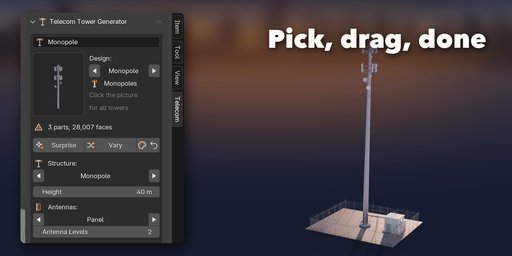
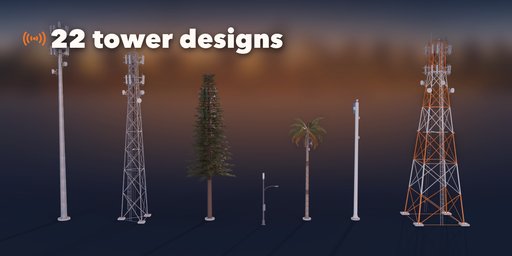
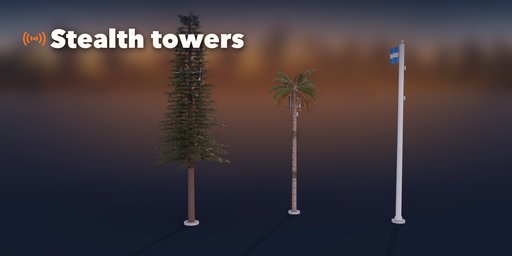
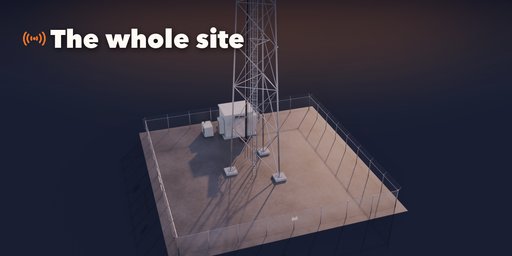
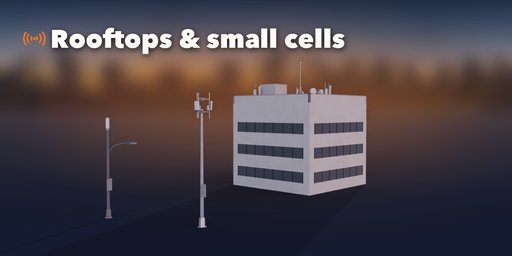
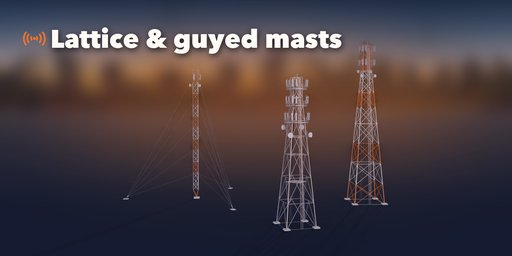
SignalForge builds real telecom towers inside Blender. Pick one of 22 designs and drop a monopole with three sectors of 4G and 5G antennas, a lattice tower with microwave dishes, a guyed radio mast, a monopine hiding in the trees, a palm tree, a stealth flagpole, a small cell on a street pole, a concrete TV tower or a rooftop site, then change anything: height, antennas, mounts, dishes, the fenced compound and the finish are sliders, pictures and switches, and the tower rebuilds live.
Every site is built like the real thing, from the climbing ladder to the warning signs on the fence, with photo textures and PBR materials that work in Cycles, EEVEE and game engines.
Tower Types
- Tapered monopoles with 12-sided, 18-sided or round shafts and slip-joint sections
- Self-supporting lattice towers with three or four legs, tube, rod or angle members and X, K, diamond or zig-zag bracing
- Guyed masts with guy wires on several levels and anchor blocks
- Stealth towers: monopine (fir or pine), monopalm and flagpole with a hidden antenna canister
- Small cell street poles, concrete telecom towers and rooftop sites on parapets or sleds
Antennas and Mounts
- Sector frames, platforms with handrails, T-arms, ring mounts, stand-offs and canisters
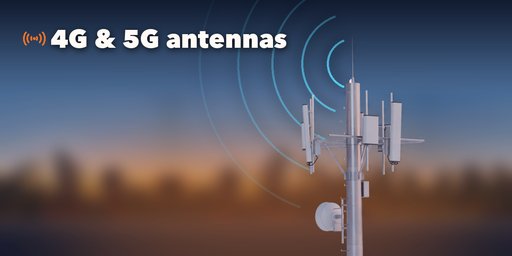
- 4G panel antennas, 5G massive MIMO units or both, with remote radios and jumper cables
- Shrouded, standard and grid microwave dishes, omni whips, lightning rods and aviation lights
- Up to several antenna levels, any number of sectors and antennas per sector
The Site
- Gravel compound with chain-link fence, barbed wire and a double gate
- Equipment shelter or outdoor cabinets, backup generator, ice bridge and cable trays
- RF warning, no trespassing and site ID signs printed as image decals, sharp and ready for export
Finish
- Galvanized, weathered zinc, painted or orange and white aviation bands
- Grey, white, beige, brown or green radomes, dirt, rust and glowing obstruction lights
- Real bark and needle textures on monopines and monopalms
Picture-driven sidebar, Surprise and Vary buttons, Shift+A menu, three detail levels and Static Copy for export.
Requires Blender 4.2 or newer. Tested on Blender 4.2, 4.5 and 5.2 LTS.
How to use
Installation
In Blender open Edit, Preferences, Get Extensions, then use Install from Disk and pick the telecom_tower_generator zip.
Usage
- Open the Telecom tab in the 3D viewport sidebar (N). With nothing selected, click the picture to choose one of the 22 designs, or browse Monopoles, Lattice, Stealth and Urban, and add it at the 3D cursor. You can also use Shift+A, Telecom Tower.
- The card at the top shows the design. Surprise makes a new random tower, Vary changes the current one a little, the palette button picks new colors and the arrow resets the design. Height, antenna type, levels and the steel finish sit right under it.
- The icon tabs hold every setting: Tower (type, pole or lattice, guys, climbing, aviation bands), Antennas (mount, antennas, radios, dishes, lights), Disguise (branches, fronds or flag), Site (compound, fence, equipment, signs), Finish (colors, dirt, rust, lights) and Parts (detail, Static Copy, Delete).
Static Copy turns the tower into plain meshes for export to FBX, glTF or a game engine.
FAQ
Which Blender versions are supported?
Blender 4.2 and newer. It is tested on Blender 4.2, 4.5 and 5.2 LTS.
Can I use the towers in a game engine?
Yes. Materials are standard PBR (base color, roughness, metallic, normal) and Static Copy turns the tower into plain meshes for FBX or glTF export. The Low detail level uses simpler members and fewer segments for far shots and games.
Is the text on the signs real geometry?
No. Every sign, plate and label is an image decal on a flat panel, so it stays sharp in renders and exports cleanly without heavy text meshes.


