
 Models
 Materials
 HDRIs
 Scenes
 Brushes
 Node Groups
 Printables
 Creators
 Creations
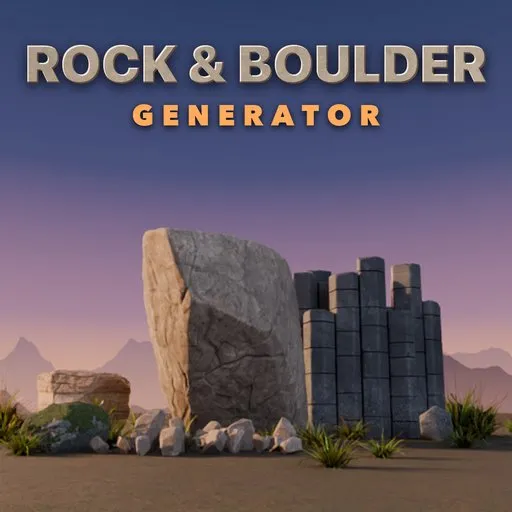
Rock & Boulder Generator
 add-on
Photoreal procedural rocks: 20 real-world presets from granite boulders and sandstone strata to basalt columns, river pebbles, rubble, moss and snow, with live sliders, game LODs and PBR baking.
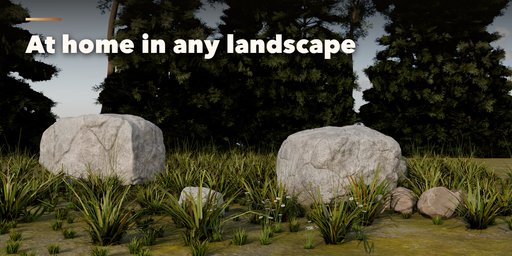
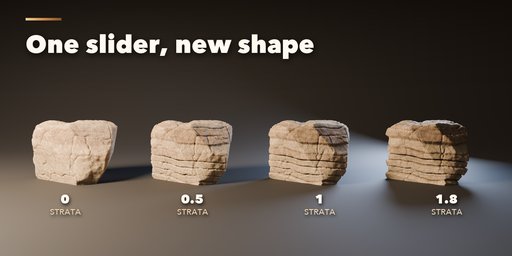
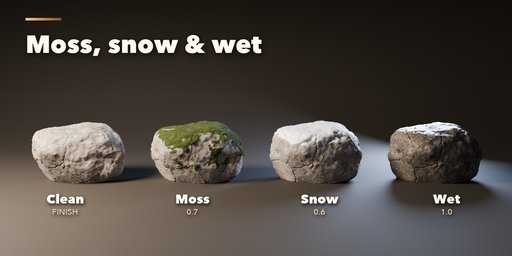
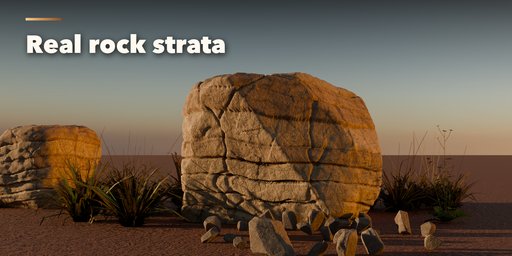
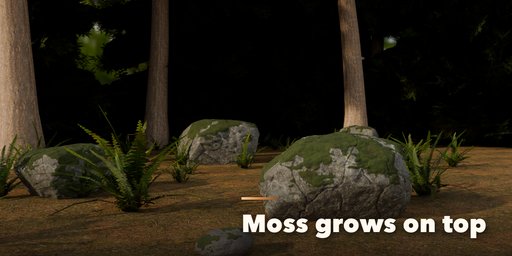
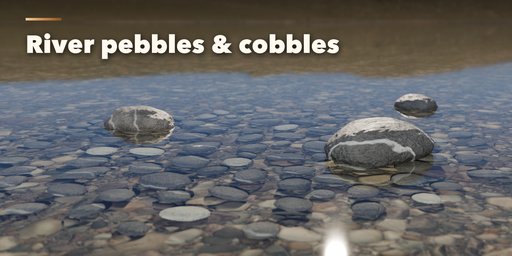
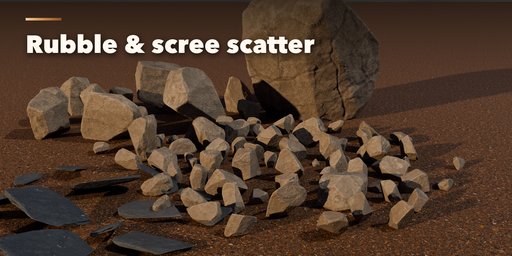
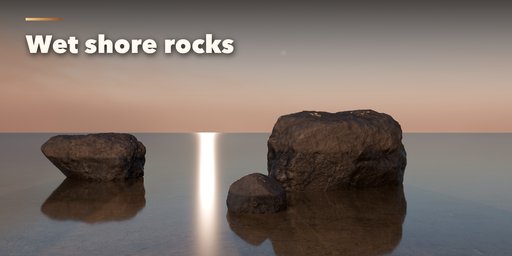
Rock & Boulder Generator builds photoreal rocks in one click, right in the 3D viewport sidebar. Every rock is made from scratch by the addon: real fracture planes with sharp edges, chipped corners, sediment beds, cracks, pits and flaky surface detail, with a full PBR material that follows the shape.
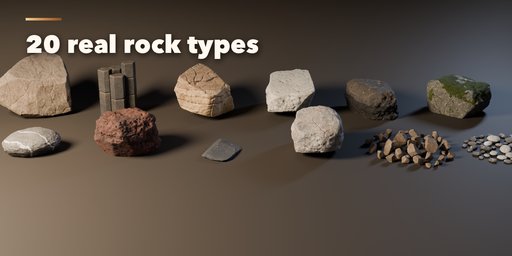
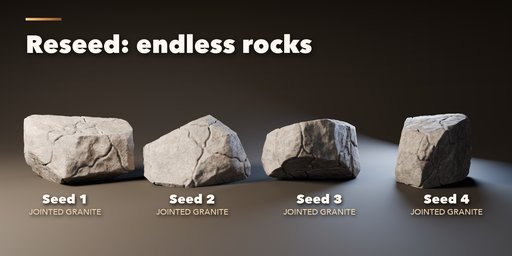
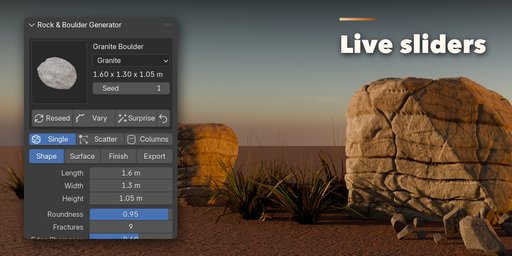
Pick from 20 real-world presets or press Surprise. Every slider rebuilds the rock live, and a new seed gives you a fresh rock of the same kind, so a whole set of matching stones takes seconds.
What it makes
- Granite boulders, jointed granite blocks and angular cliff chunks
- Layered sandstone with eroded beds, and red desert sandstone streaked with rock varnish
- Slate shards and slate scree, limestone with solution pits, lava rock and marble
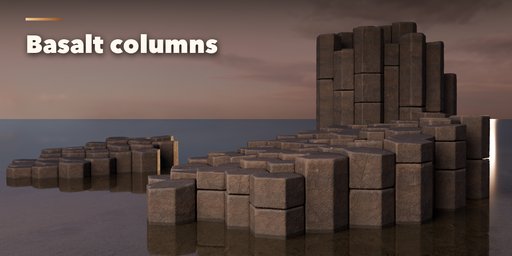
- Basalt columns and Giant's Causeway stepping stones with real hexagonal joints
- River pebbles, river cobbles with quartz veins, rubble scatter and shore rocks
- Mossy forest rocks, snow-capped boulders, stepping stones and standing stones
Built for games and film
- Scatter mode packs many separate stones without overlaps; Columns mode grows basalt joints
- Moss and snow grow on the faces that point up, with real thickness
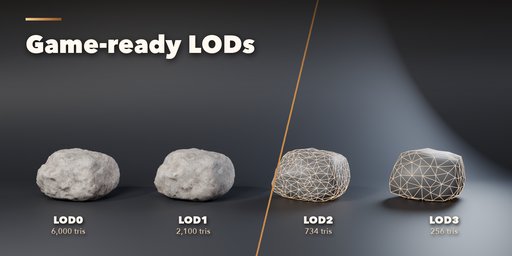
- Make Game LODs creates triangulated LOD0 to LOD3 meshes in one click
- Bake PBR Textures bakes color, roughness and normal maps from the detailed rock onto a low poly LOD
- Clean UVs, smooth normals and attributes for cavity, occlusion, layer, moss and snow
- Convert to Plain Mesh when you are done
Requires Blender 4.2 or newer. Tested on Blender 4.2, 4.5 and 5.2 LTS.
How to use
Installation
In Blender open Edit, Preferences, Get Extensions, then use Install from Disk and pick the rock_generator zip.
Usage
- Open the Rock tab in the 3D viewport sidebar (N). With no rock selected, click the picture to pick a preset and press Add to place it at the 3D cursor, or click any preset in the All Rocks list. You can also use Shift+A, Mesh, Rock.
- The card at the top shows the preset, the rock type and the size. Reseed makes a new rock of the same kind, Vary changes it a little, Surprise makes a random rock and the arrow resets the preset.
- Choose Single, Scatter (many separate stones) or Columns (basalt joints).
- The tabs hold every setting: Shape (size, roundness, fractures, chips), Surface (detail, strata, cracks, pits, moss, snow), Finish (rock type, colors, lichen, varnish, wetness, weathering) and Export (mesh detail, LODs, baking, Convert to Plain Mesh).
Game workflow
- Make Game LODs.
- Select the rock, then its LOD0 as the active object.
- Bake PBR Textures (Cycles bakes color, roughness and normal maps onto the LOD).
- Export the LODs as FBX or glTF.
FAQ
Which Blender versions are supported?
Blender 4.2 and newer. It is tested on Blender 4.2, 4.5 and 5.2 LTS.
Can I use the rocks in a game engine?
Yes. Make Game LODs creates triangulated LOD meshes, and Bake PBR Textures bakes color, roughness and normal maps onto them. The rocks have clean UVs and export as FBX or glTF to Unreal, Unity or Godot.
Does it need image textures or an internet connection?
No. The materials are procedural with four small CC0 photo textures from Poly Haven built in, so everything works offline in Cycles and EEVEE.
Can I make many different rocks of the same kind?
Yes. Reseed keeps every setting and builds a new random rock, and Scatter mode places many separate stones at once without overlaps.


