
 Models
 Materials
 HDRIs
 Scenes
 Brushes
 Node Groups
 Printables
 Creators
 Creations
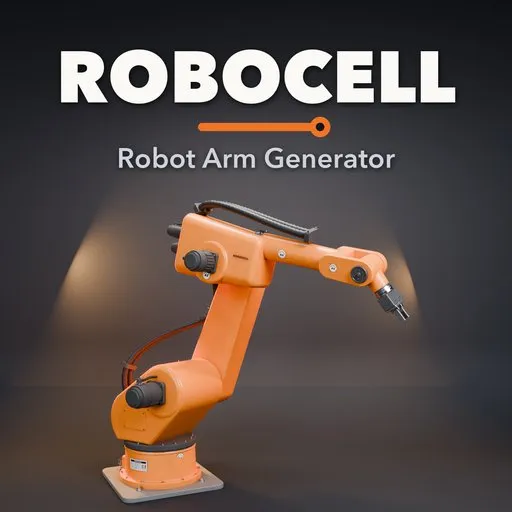
Robocell – Robot Arm Generator for Blender
 add-on
Rigged industrial robot arms in one click: 6-axis, cobots, palletizers, SCARA, delta and gantry robots with IK, 12 tools, hoses, mounts and liveries.
Explore all my Blender addons
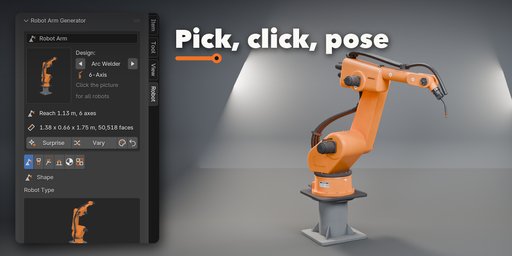
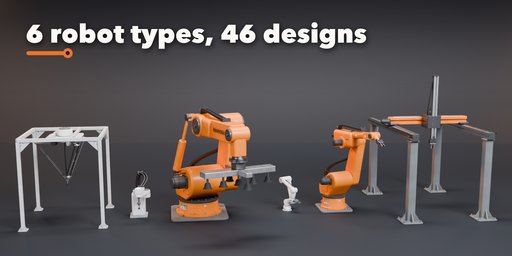
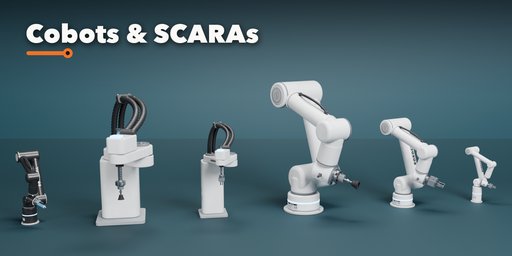
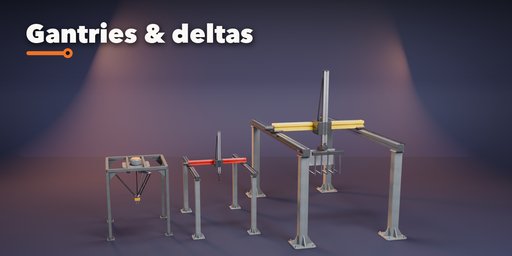
Robocell builds rigged industrial robot arms in one click: six-axis factory arms, collaborative cobots, four-axis palletizers, SCARA assembly robots, delta pickers and cartesian gantries. Every robot is a real armature with an IK target, so you move one empty and the whole arm follows, with every axis kept inside its real range.
Pick one of 46 designs from a picture gallery, then change anything: arm lengths, offsets, link thickness, housing style, mount, tool, hoses and paint. The robot rebuilds live while you drag a slider, and it stays fully rigged after every change.
What you get
- 6 robot types: 6-axis articulated, cobot, palletizer, SCARA, delta and gantry (portal, cantilever and table)
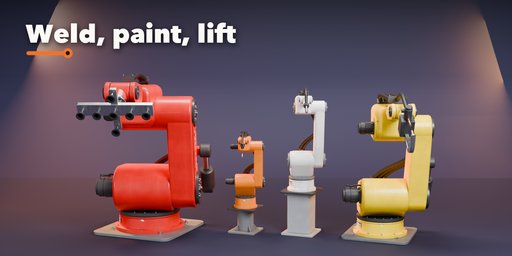
- 46 ready designs: handlers, arc and spot welders, paint robots, machine tenders, heavy lifters, lab arms, cobots, palletizers, SCARAs, deltas and gantries
- 12 end effectors: parallel and three-finger grippers, vacuum cup and vacuum array, magnet, welding torch, spot weld gun, spray gun, spindle, dispenser, pallet fork and a bare flange
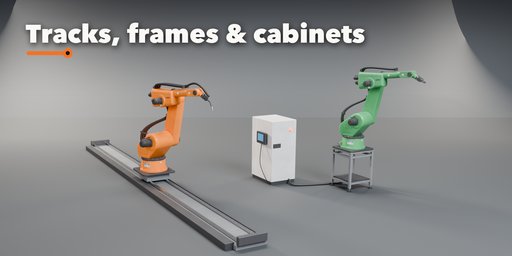
- Real rig: IK target or joint sliders, IK limits per axis, level-keeping palletizer wrist, parallel delta arms, sliding gantry axes and a linear floor track as a 7th axis
- Gripper fingers that open and close with one slider
- Dress packs: corrugated, smooth or spiral-wrapped hoses that bend with the joints, counterbalance cylinder, servo motors
- Mounts: floor plate, round and square risers, steel frame or cart, linear track, controller cabinet with teach pendant
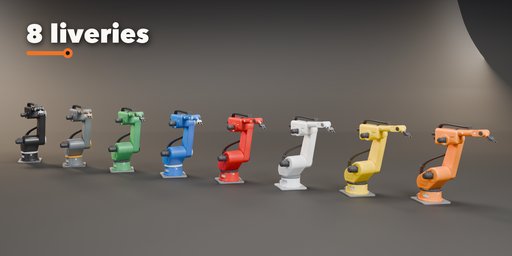
- Eight liveries (orange, yellow, white, red, blue, green, graphite, black) plus free colors, gloss and wear
- Animation ready: key the IK target or the joint sliders with Blender's normal keyframes, and copy the IK pose into sliders
- Photorealistic PBR materials that export to game engines, three detail levels
No brand names or copied models: every robot is a generic design built from real proportions and joint ranges.
Requires Blender 4.2 or newer. Tested on Blender 4.2, 4.5 and 5.2 LTS.
How to use
Installation
In Blender open Edit, Preferences, Get Extensions, then use Install from Disk and pick the zip.
Usage
- Open the sidebar in the 3D Viewport (N) and pick the Robot tab, or use Shift+A, Robot Arm.
- Click the big picture to choose a design, then press Add Robot Arm.
- Shape tab: robot type, housing style and arm lengths. Tool tab: pick an end effector. Base & Cables tab: mount, track, controller and hoses. Finish tab: livery, colors, gloss and wear.
- Pose tab: in IK Target mode press Select Target and move or rotate it; the arm follows inside its axis limits. In Joint Sliders mode set every axis by hand (the sliders can be animated).
- Animate with Blender's normal keyframes: key the IK target, or the joint sliders and Gripper Open (hover and press I). IK to Sliders copies the solved pose into the sliders.
Tips
Surprise makes a random robot, Vary changes the proportions a little, and the color button picks a random livery. Detail Low gives game-ready meshes.
FAQ
Which Blender versions are supported?
Blender 4.2 and newer. It is tested on Blender 4.2, 4.5 and 5.2 LTS.
Is the robot really rigged?
Yes. Every robot is an armature with one bone per axis, an IK target empty and axis limits. The body mesh is skinned to the bones, and the hoses bend with the joints.
Can I use the robots in a game engine?
Yes. Materials are standard Principled BSDF with image textures, and the armature with the skinned mesh exports to FBX or glTF. Use the Low detail level for lighter meshes.
Are these copies of real robot brands?
No. The designs are generic, built from the proportions and joint ranges of real industrial robots, without brand names or logos.


