
 Models
 Materials
 HDRIs
 Scenes
 Brushes
 Node Groups
 Printables
 Creators
 Creations
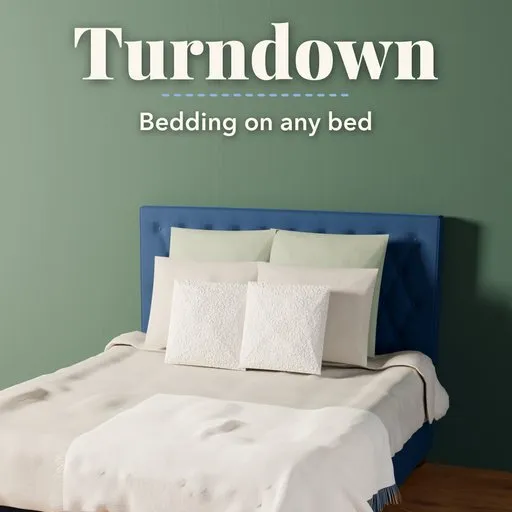
Turndown – Procedural Bedding Collection
 add-on
One-click bedding on any bed: draped fitted and flat sheets, duvets, quilts, throws, skirts and ten pillow arrangements, with scanned fabrics, ten looks and a Messiness slider.
Explore all my Blender addons
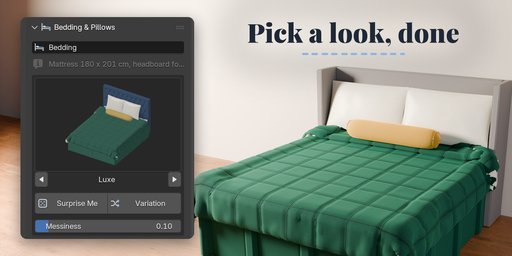
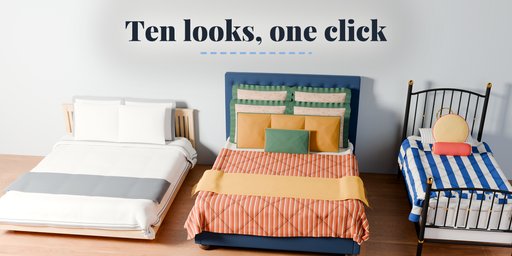
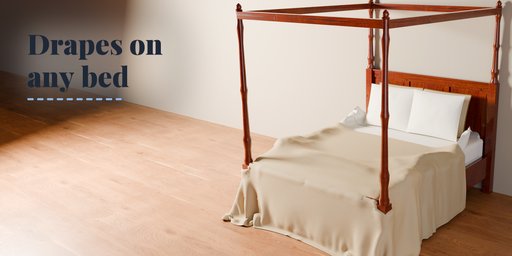
Turndown makes a bed in one click. It drapes a fitted sheet, a flat sheet, a duvet or comforter, a throw and a full stack of pillows on a bed, and every piece is real cloth that settles on the mattress, hangs over the edges, folds back at the head and wrinkles as much as you want. Use one of the six included bed frames, or select any bed model of your own: the mattress, headboard, footboard and side rails are found automatically and the bedding drapes onto exactly that bed.
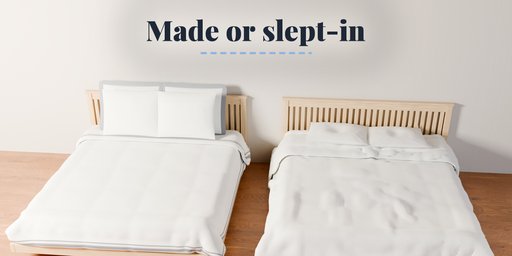
Pick a look from the gallery, from a crisp hotel white with a grey runner to a rumpled linen bed, a striped kids bed, a quilted cottage bed with a skirt or a slept-in morning bed. One Messiness slider goes from freshly made to kicked back and creased. Surprise Me rolls a new bed with a matching palette every click.
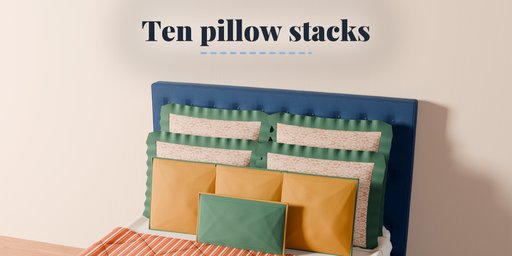
Every layer can be switched on or off and tuned: cover type, stitching, loft, side and foot overhang, fold-back, tucked or loose sheets, throw style and bed skirt. Pillows come in ten arrangements, from two flat sleeping pillows to a designer stack with Euro shams, flanged shams, cushions, bolsters and lumbar pillows, with fill, corner ears and lean.
Features
- Drapes on any bed model: mattress, headboard, footboard and rails detected automatically
- Six built-in beds in single, queen and king: tufted upholstered, platform, wooden panel, iron, hotel divan and four-poster
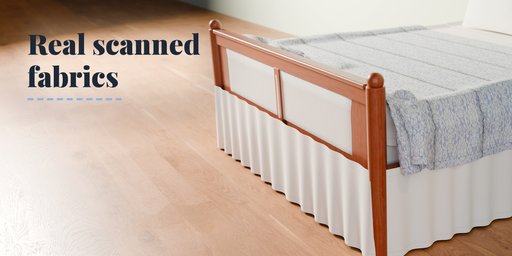
- Fitted sheet, flat sheet, duvet, comforter, quilt, coverlet, bedspread, blanket, throw and bed skirt
- Ten pillow arrangements with standard, king, Euro, sham, cushion, lumbar, round, bolster and neck roll pillows
- Ten looks, a Messiness slider, new variations and a Surprise Me button
- 17 photoreal scanned fabrics (percale, sateen, linen, jersey, velvet, waffle, knit, sherpa, plaid, jacquard and more) with stripes, ticking, check and hotel border prints, colors change live
- Real cloth meshes with thickness, hems and UVs, ready for rendering and game engines
- Editing one bed never changes another; Convert to Meshes keeps plain objects
Requires Blender 4.2 or newer. Tested on Blender 4.2, 4.5 and 5.2 LTS.
How to use
Installation
In Blender open Edit, Preferences, Get Extensions, then use Install from Disk and pick the bedding_pillow_generator zip.
Usage
- Open the Bedding tab in the 3D viewport sidebar (N). With nothing selected, click the picture to pick a look, choose a bed style and size, then press Add Bed with Bedding. You can also use Shift+A, Bed with Bedding.
- To dress a bed of your own, select it (with its parts as child objects, or joined) and press Dress Selected Bed. The mattress top, headboard and footboard are found automatically; if the pillows land at the wrong end, set the Head side under Bed and Output.
- With the bedding selected, the first page holds the look, Surprise Me, New Variation, Messiness, the bed, the cover type, the pillow arrangement and the main colors.
- The sections below hold the details: sheets, throw and skirt; cover stitching, loft, overhang and fold-back; pillow size, fill and seams; every fabric group's fabric, print and color; draft or final quality.
- After moving or editing your own bed press Drape Again. Convert to Meshes keeps the bedding as plain objects.
FAQ
Which Blender versions are supported?
Blender 4.2 and newer. It is tested on Blender 4.2, 4.5 and 5.2 LTS.
Does it work with my own bed model?
Yes. Select the bed and press Dress Selected Bed. The addon measures the mattress top, its sides, the headboard, footboard and rails from the geometry, then drapes the sheets, cover and pillows onto it. The bed can be any mesh; its child objects are measured too.
Is it a cloth simulation?
It uses its own fast cloth solver that drapes each layer on the bed in a few seconds, without Blender's cloth modifier, caches or baking. The result is a normal mesh with thickness and UVs that you can keep editing or convert.
Can I use the bedding in a game engine?
Yes. Every piece is a plain mesh with UVs and PBR materials built from image textures. Use Convert to Meshes, then export as usual.


