
 Models
 Materials
 HDRIs
 Scenes
 Brushes
 Node Groups
 Printables
 Creators
 Creations
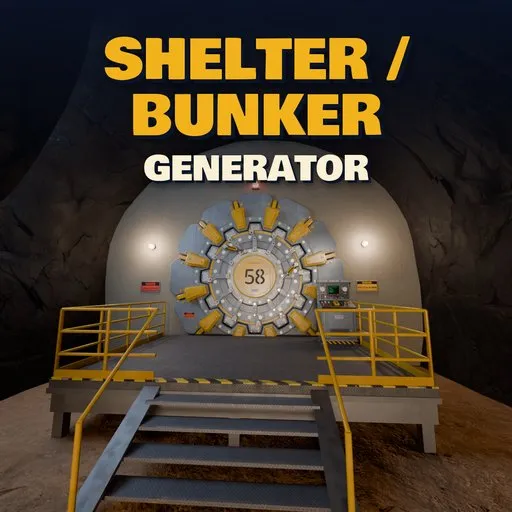
Atomic Shelter – Shelter / Bunker Generator for Blender
 add-on
Procedural retro-futuristic nuclear shelters: gear door entrance, cave tunnel, atrium, 20 furnished room types on many floors, new to ruined.
Explore all my Blender addons
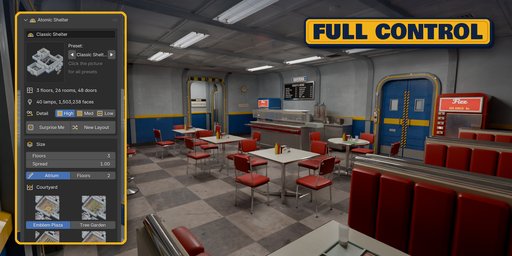
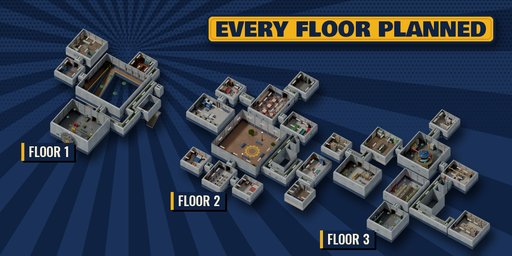
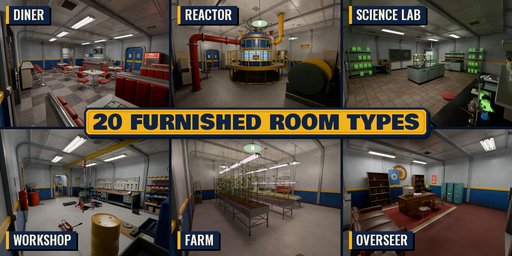
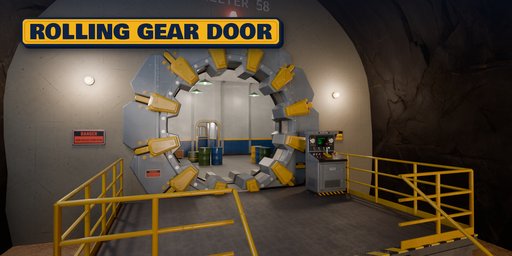
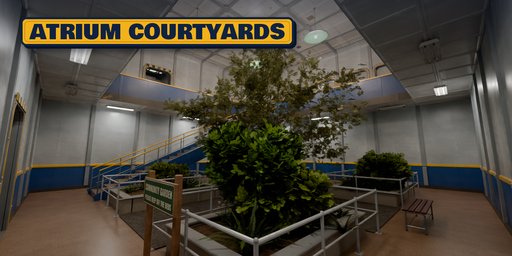
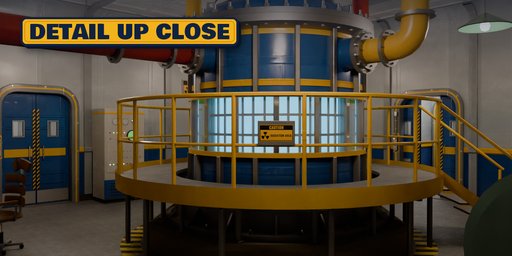
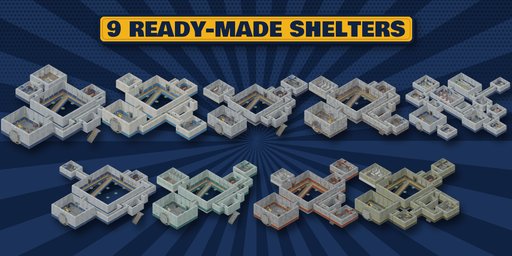
Atomic Shelter is a shelter / bunker generator that builds complete retro-futuristic nuclear shelters in one click, from the giant cog-shaped gear door at the end of a rock cave down to the reactor on the deepest floor.
It works like a smart dungeon generator. You pick how many floors and which rooms, and the planner lays out every floor around a stairwell, an elevator and an atrium open through several floors. It joins the rooms with corridors, places the dangerous and industrial rooms deep and the overseer at the top, and furnishes every room for what it is.
Everything is controllable and everything rebuilds live: floors, room counts and floors per room, layout seed, corridor loops, atrium size, colors, condition and the gear door.
What it builds
- A gear door entrance: a cog-shaped door that a gantry pulls out of its frame and rolls aside on a toothed rack, with an animate button
- A rock cave tunnel with a steel platform, console, caged lamps, a rotating beacon and daylight at its end
- An atrium through several floors with balconies, grand stairs and the overseer's window
- A stairwell, an elevator, corridors with pipes, valves, intercoms, alarm bells and posters
- 20 room types: quarters, dormitories, a diner cafeteria, classroom, recreation, washroom, clinic, overseer, security, armory, hydroponic farm, livestock barn, storage, lab, cryo, mainframe, workshop, water purification and the reactor
- Atomic-age walls: blue lower bands, yellow rails, ribs, cove ceilings, sliding doors with signs
- Room names, level numbers, warnings and posters as image textures, never mesh text
Condition and style
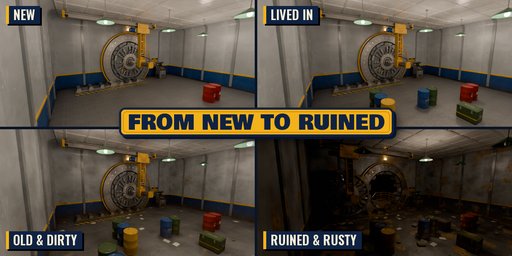
- New, Lived In, Old & Dirty and Ruined & Rusty, plus sliders for dirt, damage, rust, clutter and dead lights
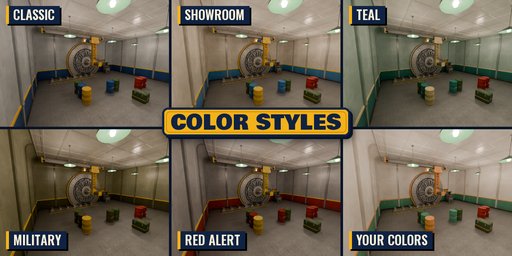
- Five color styles or your own colors, flickering lights, real lamps with a lamp budget
Made for renders and games
- Photoreal PBR materials from Poly Haven scans that also work in game engines
- Game-Ready Copy bakes every material into PBR textures (base color, roughness, metallic, normal, emission) for FBX and glTF export to Unity, Unreal and Godot
- Convert to Mesh for editing, one object per floor and part
- Surprise Me gives a random shelter in one click
Requires Blender 4.2 or newer. Tested on Blender 4.2, 4.5 and 5.2 LTS.
How to use
Installation
In Blender open Edit, Preferences, Get Extensions, then use Install from Disk and pick the zip.
Usage
- Open the Shelter tab in the 3D view sidebar (N) or use Add, Mesh, Bunker.
- Pick a preset picture and click Add Shelter, or click Surprise Me.
- Set floors, style, condition and the gear door on the first page; open Rooms to add or remove rooms and choose their floor.
- New Layout gives another floor plan with the same rooms. Animate Opening keyframes the gear door.
- Tools, Convert to Mesh makes plain objects for editing. Tools, Game-Ready Copy makes plain objects with baked PBR textures for FBX or glTF export to a game engine.
FAQ
Which Blender versions are supported?
Blender 4.2 and newer. It is tested on Blender 4.2, 4.5 and 5.2 LTS.
Can I use the shelters in a game engine?
Yes. Use Tools, Game-Ready Copy: every floor and part becomes a plain mesh with one UV map and baked PBR textures (base color, roughness, metallic, normal, emission), so the paint colors, wear and printed signs survive FBX or glTF export to Unity, Unreal or Godot.
Is it slow on big shelters?
A three floor shelter builds in a few seconds. For huge shelters turn Live Update off in Tools, change several settings, then click Rebuild.


