
 Models
 Materials
 HDRIs
 Scenes
 Brushes
 Node Groups
 Printables
 Creators
 Creations
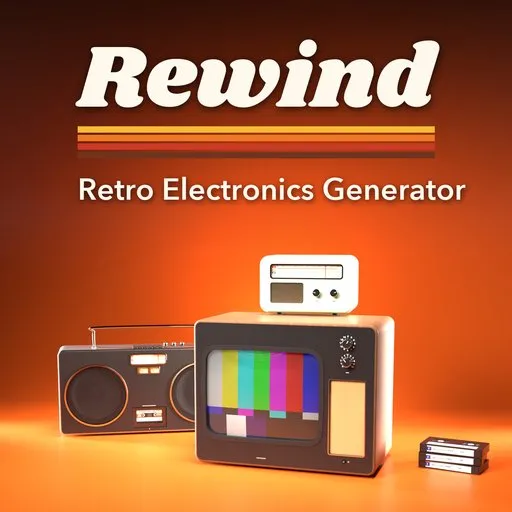
Rewind – Retro Electronics Generator for Blender
 add-on
Photoreal retro electronics: 49 designs of CRT TVs, radios, boomboxes, cassette decks, walkmans, VCRs and tapes, with glowing screens and dials and full live control.
Explore all my Blender addons
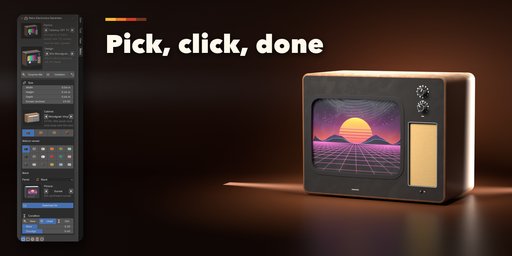
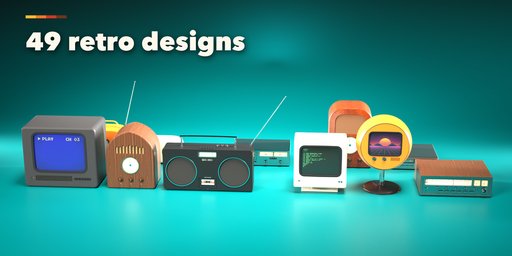
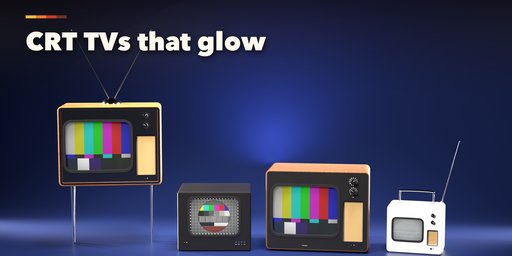
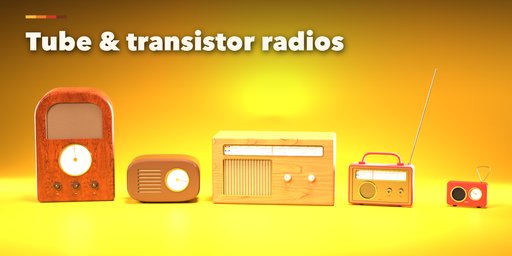
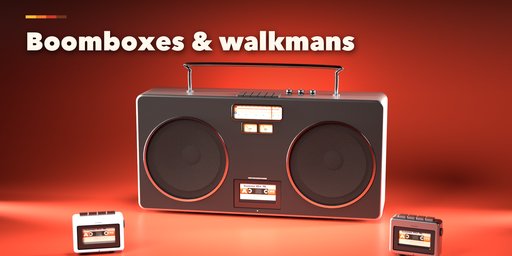
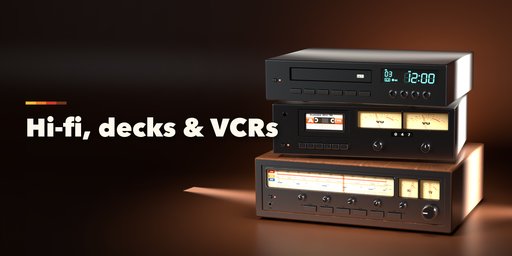
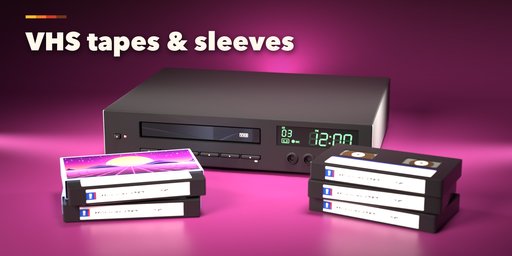
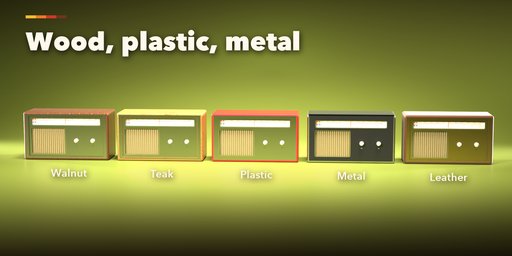
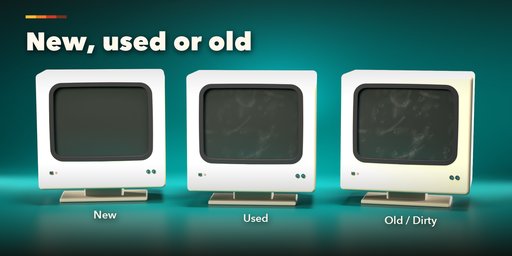
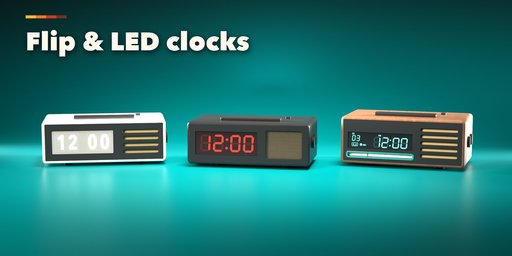
Rewind builds photoreal retro electronics inside Blender: CRT televisions, valve radios, transistor radios, boomboxes, clock radios, hi-fi receivers, cassette decks, desk recorders, walkmans, VCRs and stacks of VHS tapes and cassettes. Pick one of 49 designs from the 1930s to the 1990s, then change anything. Every part is a picture, a slider or a switch, and the device rebuilds live while you drag.
The details are what make them read as real: bowed picture tubes behind a mask, glowing dial scales with a pointer, VU meters with needles, flip-clock cards, glowing VFD and LED clocks that blink, piano keys, knurled knobs, speaker cones behind cloth, fretwork, louvers or perforated metal, and real cassettes behind the tape doors. Every label and marking is a printed decal, and no device carries a brand name, so the models are safe to use in any project.
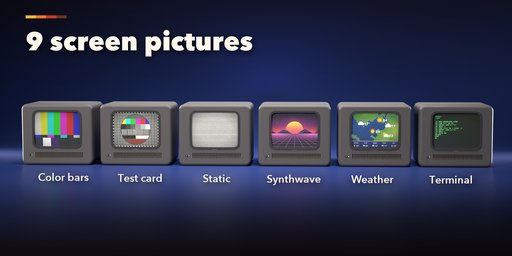
Screens can be off, show static snow that moves when you play the animation, color bars, a test card, a blue VCR screen, a synthwave sunset, a weather map, a green terminal or your own picture, with scanlines, a vignette and adjustable glow.
Features
- 16 device kinds and 49 designs: table, portable, console and space-age TVs, computer monitors, tube and table radios, transistor radios, boomboxes, clock radios, receivers, cassette decks, desk recorders, walkmans, VCRs and tape stacks
- Wood veneer (walnut, teak, oak, rosewood), woodgrain vinyl, painted plastic, brushed metal and leather cabinets
- Box, arched, tombstone and soft-cornered shapes
- 9 screen pictures plus your own image, with animated static and blinking clock displays
- 6 grilles, 6 knob styles, slide and round dials, needle and LED meters, flip, VFD, LED and counter displays
- Legs, plinths, pedestals and swivel stands, rabbit ears and telescopic antennas, carry handles and straps
- VHS tapes in cardboard sleeves and cassettes in clear cases with printed covers
- New, Used or Old with Wear and Smudge sliders: dust, yellowed plastic, scratches, fingerprints and greasy wipes
- Real-world sizes, screen size in inches
- Surprise and Variation buttons for endless new devices
- Picture-driven sidebar, Shift+A menu and Apply as Mesh
- PBR materials that work in Cycles, EEVEE and game engines
Requires Blender 4.2 or newer. Tested on Blender 4.2, 4.5 and 5.2 LTS.
How to use
Installation
In Blender open Edit, Preferences, Get Extensions, then use Install from Disk and pick the retro_electronics_generator zip.
Usage
- Open the Retro tab in the 3D viewport sidebar (N). With nothing selected, click the picture to choose one of the 49 designs and add it at the 3D cursor, or press Surprise Me for a random device. You can also use Shift+A, Mesh, Retro Device.
- Select a device to edit it. The first page holds the main choices: size and screen inches, cabinet, wood or color, front panel, screen picture or tape inside, power, and the condition: New, Used or Old buttons with Wear and Smudge sliders. Surprise makes a new random device, Variation changes the current one a little, and the arrow resets the design.
- The icon tabs hold every other setting: Cabinet (shape, size, legs, antenna, handle), Screen (picture, your own image, scanlines, glow), Controls (knobs, buttons, dials, meters, displays), Speaker & Tape (grilles and the tapes) and Finish (color, wood, front panel, trim).
- Click any picture to open a gallery of all its options, or step through them with the arrows.
Play the animation to see the static move and the clock displays blink. Apply as Mesh turns the device into a plain mesh for editing or export.
FAQ
Which Blender versions are supported?
Blender 4.2 and newer. It is tested on Blender 4.2, 4.5 and 5.2 LTS.
Can I put my own picture on the TV screen?
Yes. Set the screen to Image and pick any picture. It gets the same scanlines, curved glass and glow as the built-in pictures.
Do the devices have brand names or logos?
No. Every label is a generic printed marking (volume, tuning, play, stop...), so the models are safe to use in commercial work.
Can I use the models in a game engine?
Yes. Apply as Mesh gives a normal mesh with UVs and PBR materials based on image textures, which export to FBX or glTF.
Does it work in EEVEE?
Yes, in both Cycles and EEVEE. Screens, dials and displays glow in both.


