
 Models
 Materials
 HDRIs
 Scenes
 Brushes
 Node Groups
 Printables
 Creators
 Creations
Vending Machine Generator
 add-on
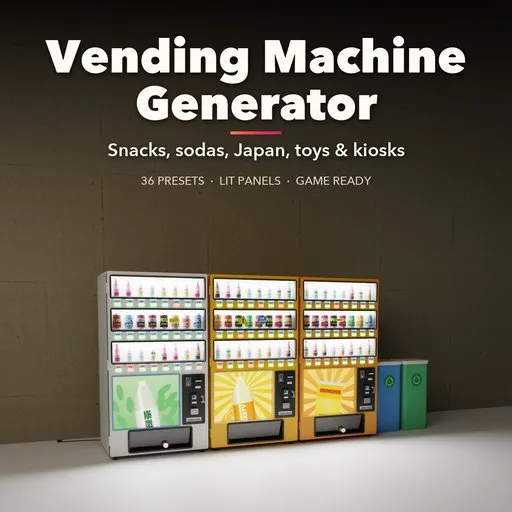
Procedural vending machines with live rebuild: 36 presets from snack, soda and Japanese drink machines to gachapon, claw cranes, ATMs, kiosks and retro coolers, with lit panels and wear.
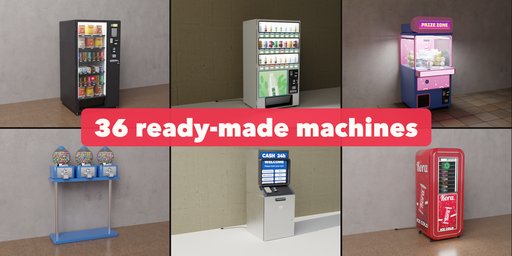
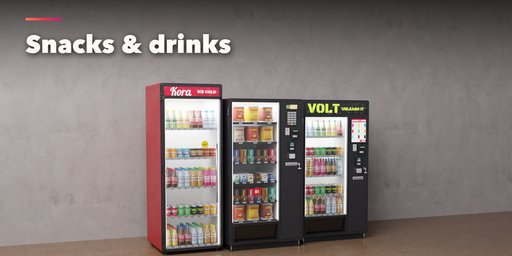
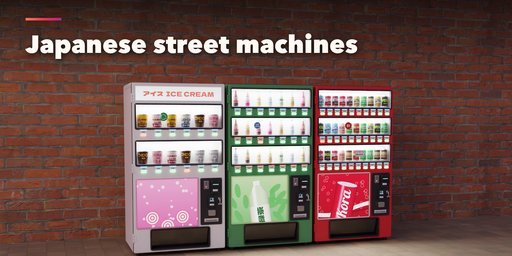
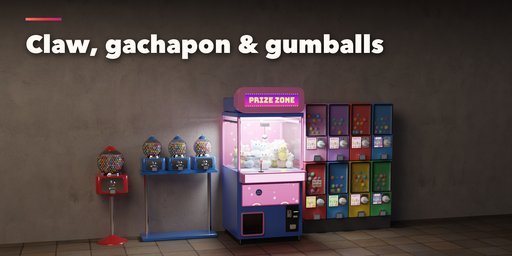
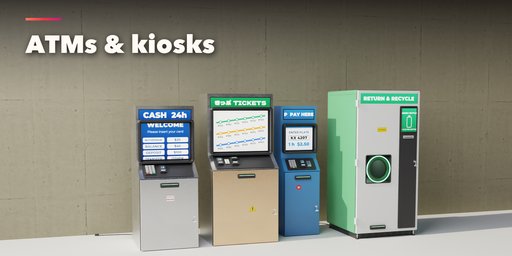
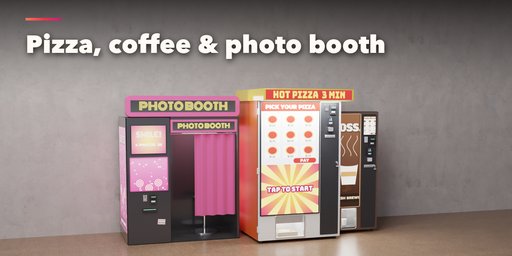
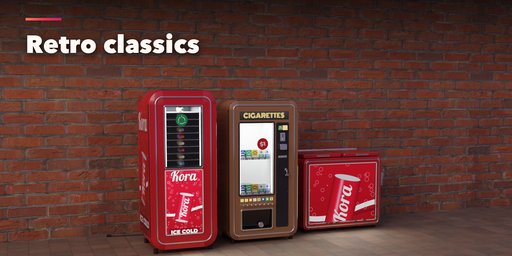
Vending Machine Generator fills streets, stations, offices and arcades with believable machines in one click. Pick one of 36 ready-made machines: a glass-front snack machine with spiral coils, a soda button front, a glass door cooler, a Japanese jidohanbaiki with dummy bottles and hot and cold buttons, an ice cream vendor, a ramen ticket machine, a cigarette machine, a coffee station, pizza and fresh food lockers, a smart fridge, gumball and candy racks, a gachapon wall, a claw crane, a photo booth, an ATM, train ticket, parking and self-order kiosks, a reverse vending machine, a water refill station, a newspaper honor box, a laundromat soap vendor and retro bottle vendors and chest coolers.
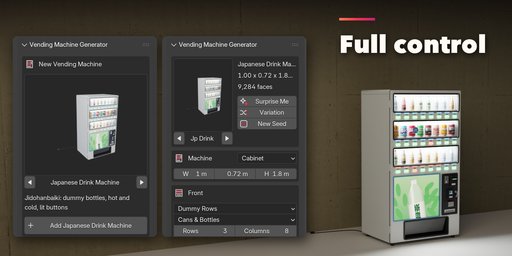
Then change anything and the machine rebuilds live: size, body, what the front shows, rows and columns of products, how full it is, the payment hardware, the delivery bin, the brand, the colors and how lit it is. Every product, price tag, button and screen is real geometry with fictional brands, so the renders are safe to use anywhere.
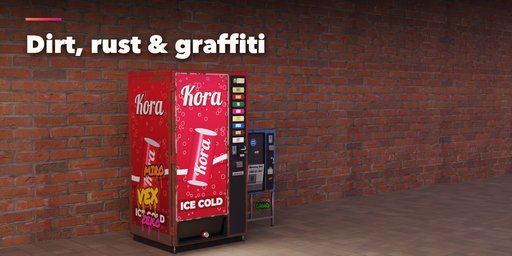
Lit panels glow and add real lamps at night. Dirt, scratches, rust, stickers and graffiti turn a new machine into a wrecked street machine. Line up a bank of machines with mixed brands and recycling bins, the way Japanese streets look.
Features
- 36 presets in 6 groups: snacks, drinks, Japan, toys and arcade, services and kiosks, retro
- 8 bodies: cabinet, retro rounded, chest cooler, kiosk console, gumball pedestal, gachapon tower, claw crane and photo booth
- 12 front displays: spiral coils, cooler shelves, Japanese dummy rows, lit graphics, bottle racks, lockers, screens, capsule windows, newspapers, refill nozzles and bottle intakes
- 16 product sets: cans, bottles, chip bags, candy bars, boxes, cups, capsules, gumballs, plush toys, newspapers, pizza and fresh food
- Keypads, selection buttons, touch screens, PIN pads, pull knobs and cranks, with coin, bill and card slots
- 8 fictional brands with lit headers, marquees, sign boxes and canopies, plus free colors and finishes
- Hot and cold selections and yen prices for Japanese machines
- Glowing panels with optional real lamps, glass you can see through in Cycles and EEVEE
- Dirt, scratches, rust, stickers and graffiti
- Banks of up to 8 machines with a brand mix and recycling bins
- Low, medium and high detail, PBR materials and baked texture atlases that export to game engines
- Surprise Me, Variation and New Seed buttons, a picture gallery and a Shift+A menu
- Convert to Mesh for plain, editable meshes
Requires Blender 4.2 or newer. Tested on Blender 4.2, 4.5 and 5.2 LTS.
How to use
Installation
In Blender open Edit, Preferences, Get Extensions, then use Install from Disk and pick the vending_machine_generator zip.
Usage
- Open the Vending tab in the 3D viewport sidebar (N). With nothing selected, click the picture to pick one of the 36 machines, then press Add. You can also use Shift+A, Mesh, Vending Machine.
- The card at the top shows the machine type. Click its picture to switch to another preset. Surprise Me makes a random machine, Variation changes the current one and New Seed reshuffles products, stock gaps and stickers.
- Machine sets the body and the size. Front sets what the front shows, the products, rows, columns and stock, the control column and the delivery bin. Brand and Colors picks a brand with one click (Shift+click keeps your colors), the sign, the colors and the glow. Wear adds dirt, scratches, rust, stickers and graffiti.
- The closed sections below hold the details: layout, cabinet, payment, lights, a bank of several machines with recycling bins, and export.
- For game engines set Detail to Low and turn Real Lamps off; the glow stays in the emissive materials. Convert to Mesh copies the machine as plain meshes.
FAQ
Which Blender versions are supported?
Blender 4.2 and newer. It is tested on Blender 4.2, 4.5 and 5.2 LTS.
Can I use the machines in a game engine?
Yes. Set Detail to Low and turn Real Lamps off, then use Convert to Mesh. The meshes have UVs, the origin on the floor and plain Principled BSDF materials with image textures, so they export to FBX and glTF for Unreal, Unity or Godot.
Are the brands real?
No. Every logo, label and product is a made-up brand, so you can use the renders in commercial work without trademark trouble.
Can I see the products through the glass in EEVEE?
Yes. The glass is a blended, fresnel-shaded material that shows the stock behind it in EEVEE, Cycles and Material Preview.


