
 Models
 Materials
 HDRIs
 Scenes
 Brushes
 Node Groups
 Printables
 Creators
 Creations
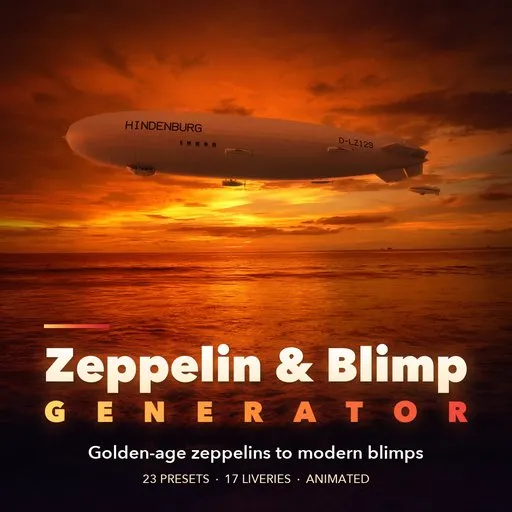
Skyliner – Zeppelin & Blimp Generator for Blender
 add-on
Photoreal procedural airships: rigid zeppelins with girder frames, blimps, hybrids and aerostats. 23 real-airship presets, 17 liveries, painted names, cutaway. Animated, PBR.
Explore all my Blender addons

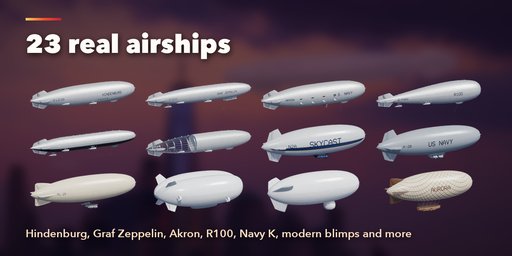
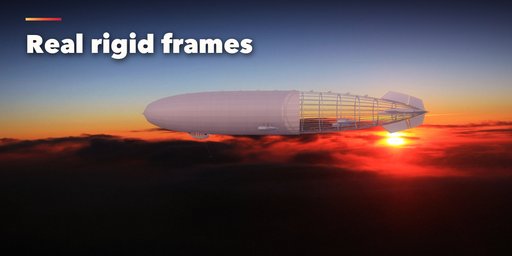

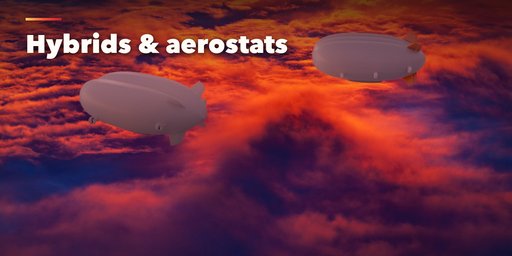
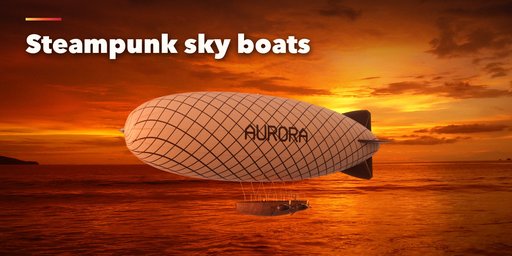
Skyliner builds photorealistic airships inside Blender: golden-age rigid zeppelins like the Hindenburg, Graf Zeppelin, USS Akron and R100, non-rigid blimps from stadium camera ships to Navy K-ships, modern hybrid lifting bodies, tethered radar aerostats and steampunk sky boats. Pick one of 23 presets from pictures, press Add, then change anything. Every setting rebuilds the airship live.
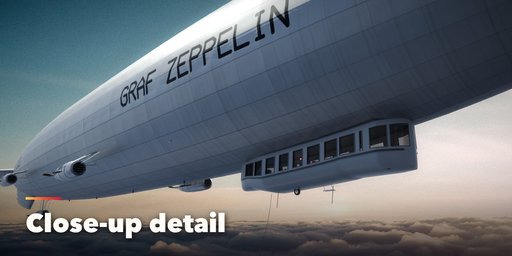
The hulls are built like the real ones. Rigid zeppelins get a girder frame with main rings and longitudinals, a faceted outer cover stretched between them, a mooring cone, control and passenger cars, engine cars on struts or outriggers, a trailing aerial, handling lines and navigation lights. A cutaway slider peels the cover back to show the frame, for under-construction scenes.
Blimps have soft fabric envelopes with seams, gondolas with real cabin interiors, ducted or open propellers, landing wheels and nose battens. Names and registrations are painted on both flanks, reading correctly on each side.
Features
- 23 presets: Hindenburg, Graf Zeppelin, Akron, R100, R101, WWI raider, Schütte-Lanz, under construction, modern blimp, stadium blimp, Navy K and L, Parseval, sightseeing, RC blimp, steampunk, hybrid, cargo hybrid, three aerostats and an ad blimp
- Blimp, rigid zeppelin, hybrid airship and tethered aerostat, all from preview pictures
- 3 hull shapes, multi-lobe hybrids, 4 fin layouts and 4 fin shapes
- 6 gondola styles, 6 engine layouts, metal, wood or ducted propellers
- 17 liveries with up to 4 colors, plus your own name and registration in big hull letters
- Rigid frame view and cutaway, lights, antennas, mooring cone, hangar and handling lines
- Gentle bobbing, drift and spinning propellers on the timeline
- Randomize and Surprise Me for endless new airships
- Real-world scale in meters, PBR materials that export to game engines, Make Static for export
Requires Blender 4.2 or newer. Tested on Blender 4.2, 4.5 and 5.2 LTS.
How to use
Installation
In Blender open Edit, Preferences, Get Extensions, then use Install from Disk and pick the zeppelin_generator zip.
Usage
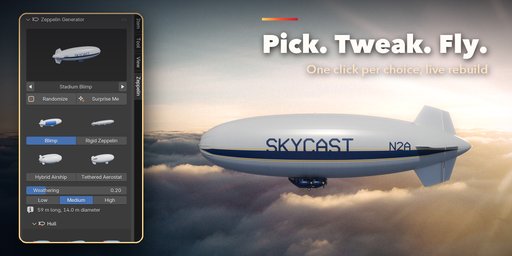
- Open the Zeppelin tab in the 3D viewport sidebar (N). Click the picture to choose a preset (or step with the arrows) and press Add to place the airship at the 3D cursor. You can also use Shift+A, Airship.
- With an airship selected, the picture applies another preset to it. Randomize makes a new airship of the same kind; Surprise Me can also change the kind. The four tiles switch between blimp, rigid zeppelin, hybrid airship and tethered aerostat.
- Hull sets the shape, length and slenderness; Rigid Frame shows the girders and the cutaway. Gondola, Fins and Engines & Propellers pick their styles from pictures.
- Pattern & Colors picks one of 17 liveries and up to four colors. Name & Registration paints your own text on both flanks. Lights & Lines adds navigation lights, antennas and handling lines.
- Fabric, Flight & Animation and Seed & Output hold the finer settings: fabric finish, altitude, bobbing, drift, spinning propellers, seed, detail level, Rebuild and Make Static.
Every airship is built in meters at real-world size. Materials are Principled BSDF with image textures, so the meshes export to game engines; Make Static turns an airship into plain objects for export or hand editing.
FAQ
Which Blender versions are supported?
Blender 4.2 and newer. It is tested on Blender 4.2, 4.5 and 5.2 LTS.
Can I animate the airships?
Yes. Turn on Animate in Flight & Animation: the airship bobs gently and drifts and the propellers spin, all driven by the timeline. Every part sits under one empty, so you can also keyframe the flight path yourself.
Can I put my own name on the hull?
Yes. Name & Registration paints any name and registration in big letters on both flanks, in the color and size you choose. They read correctly from both sides.
Can I use the airships in a game engine?
Yes. Materials use Principled BSDF with image textures and the livery is a single texture per airship. Make Static turns the airship into plain mesh objects ready to export as FBX or glTF, and Low detail gives lighter meshes.


