
 Models
 Materials
 HDRIs
HDRIs
 Scenes
 Brushes
 Node Groups
 Printables
 Creators
 Creations
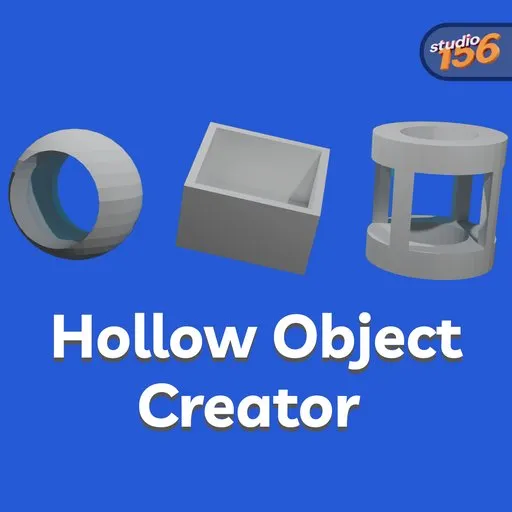
Hollow Object Creator – Blender Add-on for Easy Hollowing & Cutouts
 add-on
Turn any mesh into a hollow object in seconds! Create shape-matching openings, adjust wall thickness, and add cutouts on any of the six sides—all from a simple, intuitive Blender tool.
Need to hollow out a mesh in Blender without spending time setting up modifiers and Boolean operations manually? Hollow Object Creator lets you transform almost any object into a hollow version with adjustable wall thickness in just a few clicks. Whether you're creating bottles, barrels, boxes, vases, dishes, or other container-like objects, the add-on provides a fast and intuitive workflow.
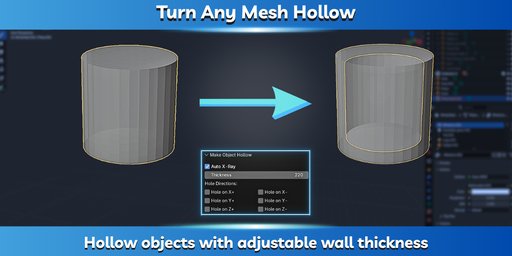
Hollow Any Object in Seconds
Turn solid meshes into hollow objects with a single operation. Simply select your object, choose the desired wall thickness, and let the add-on do the work. It creates a clean hollow interior while preserving the original shape, making it ideal for both modeling and preparing objects for 3D printing.
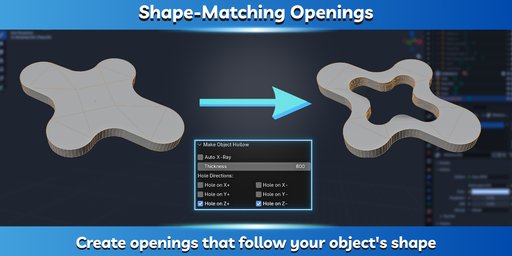
Create Perfect Shape-Matching Openings
Need an opening that perfectly follows the contour of your model? Hollow Object Creator can automatically generate cutouts that match the object's shape, making it easy to create open containers, bottles, vases, boxes, and many other designs. This eliminates the need for tedious manual Boolean editing and produces consistent, clean results.
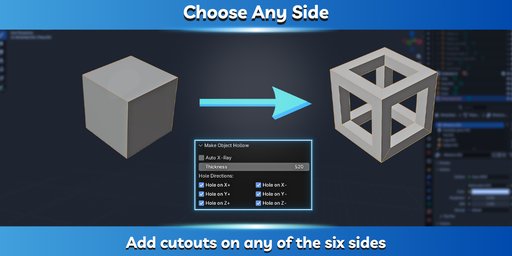
Full Control Over Cutout Placement
Choose exactly where your opening should appear. Enable cutouts on any combination of the six sides (X+, X−, Y+, Y−, Z+, and Z−), giving you the flexibility to create different types of hollow objects without additional modeling work.
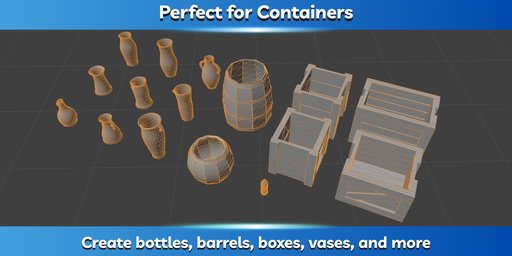
Perfect for Everyday Modeling Tasks
The add-on is especially useful for creating containers and similar objects, including:
- Bottles
- Vases
- Barrels
- Boxes
- Dishes
- Decorative objects
- 3D-printable models
Because it works with the existing shape of your mesh, you can quickly create a wide variety of hollow objects while maintaining their original design.
Features
✔️ Hollow almost any mesh with one click
✔️ Adjustable wall thickness
✔️ Create shape-matching openings
✔️ Add cutouts on any of the six sides
✔️ Simple and intuitive interface
✔️ Supports Undo (Ctrl + Z)
✔️ Works with complex object shapes
How to Use
- Install the add-on.
- Select an object in Blender.
- Open the Object tab.
- Click Make Object Hollow.
- Set the wall thickness.
- Enable the desired cutout sides.
- Click OK.
Shortcut: Press Shift + Ctrl + H to open the tool instantly.
Installation
- Download the ZIP file (do not extract it).
- Open Edit → Preferences → Add-ons in Blender.
- Click Install..., select the ZIP file, and enable the add-on.
- The tool will appear in the Object tab.
Who Is This Add-on For?
- 3D Artists creating props and container models.
- Game Developers building optimized environment assets.
- Product Designers preparing models for visualization or prototyping.
- 3D Printing Enthusiasts creating hollow objects with controllable wall thickness.


