
 Models
 Materials
 HDRIs
 Scenes
 Brushes
 Node Groups
 Printables
 Creators
 Creations
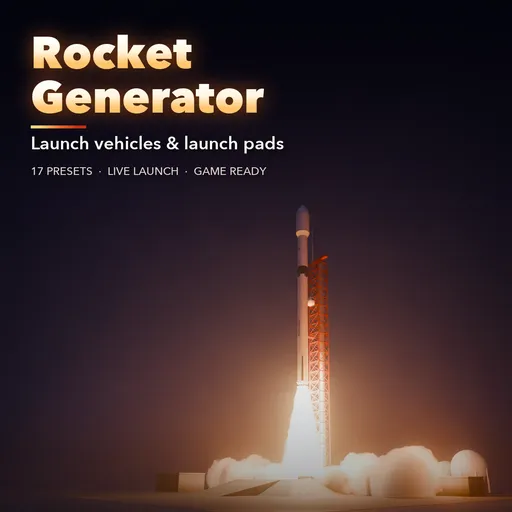
Rocket & Launch Pad Generator
 add-on
Procedural rockets on a full launch pad with live rebuild: 17 presets from reusable boosters, heavies and moon rockets to a shuttle stack, stainless ships, missiles and model rockets.
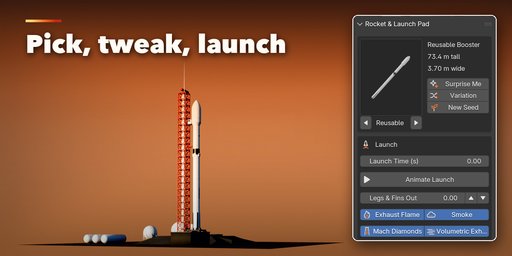
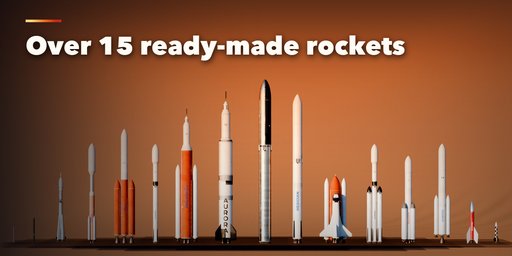
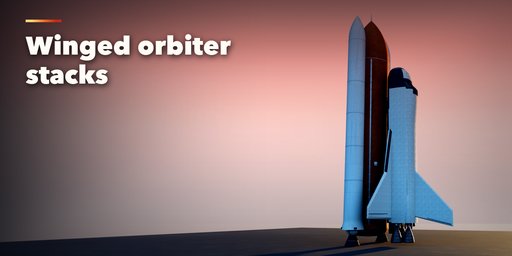
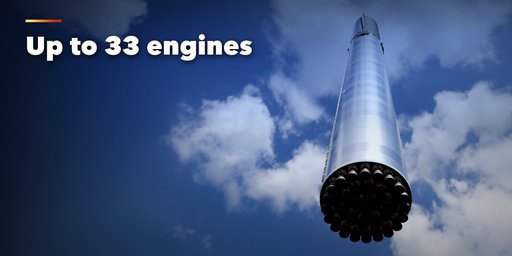
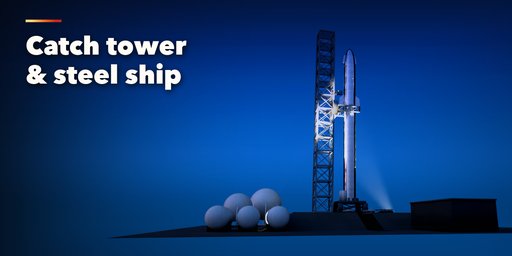
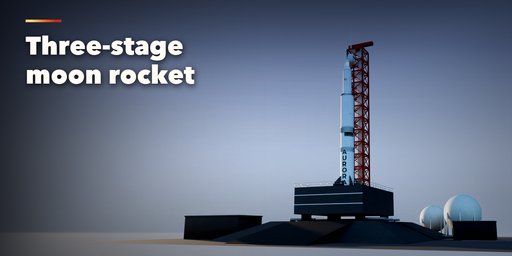
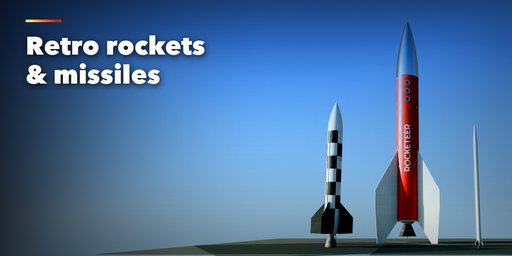
Rocket & Launch Pad Generator builds detailed launch vehicles standing on a full launch complex in one click, in real-world meters. Pick one of 17 ready-made rockets: a reusable booster with grid fins and landing legs, a triple-core heavy, a hydrogen heavy, a twin-solid heavy, a common-core rocket, a big reusable, a strap-on heavy, a small carbon rocket, a stainless super-heavy with its ship, a three-stage moon rocket, a strap-on classic, a crewed heavy, a winged orbiter stack with external tank and solid boosters, a sounding rocket, a checkered war-era missile, a toy model rocket on its launch rod and a retro sci-fi rocket.
Then change anything and the rocket rebuilds live: one to three stages, diameters and lengths, interstages, engine types and clusters from a single bell to 33 engines, fairings, capsules with escape towers, side boosters, fins, grid fins, landing legs, finishes, lettering and flags.
Every rocket is modeled to be looked at up close: engine bells with nozzle extensions, hatbands and turbopump plumbing, stage separation lines, raceways, stringers and ribs, insulation foam with its real texture, heat shield tiles, carbon interstages and painted lettering that sits just off the skin. The launch pad has a flame trench, a steel launch table with hold-down clamps, a lattice umbilical tower with swing arms and a crew access arm, a strongback or a catch tower with arms, lightning towers with catenary wires, a water tower and a propellant farm.
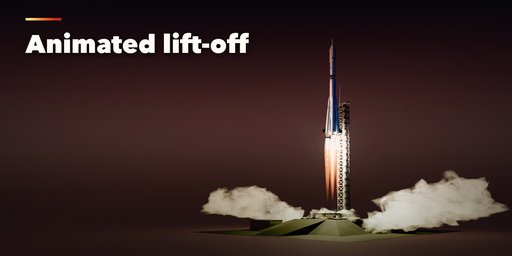
Launch Time animates the whole launch through drivers: engines ignite, exhaust flames and smoke grow and the rocket climbs, all in real time without a rebuild.
Features
- 17 presets in 5 groups: modern, heavy lift, crewed, small and fun
- 1 to 3 stages, solid, open truss and vented interstages, hammerhead upper stages
- Gas generator, staged combustion, hydrolox, solid and multi-chamber engines in 10 cluster layouts
- Ogive, von Karman, conic, biconic and elliptic fairings, capsules with escape towers, ships and retro noses
- 0 to 6 side boosters: liquid cores, solid motors and tapered strap-ons
- Fins, grid fins and landing legs that fold out with one animatable slider
- Finishes: white, painted, black, carbon, silver, insulation foam, stainless steel, roll pattern, checker and cardboard
- Lettering you can type into, flags and stripes, soot, frost and pad scorch
- Mound, mobile launcher, rail and model pads with lattice, strongback and catch towers
- Animate Launch: one click keyframes ignition, lift-off and the climb with flames and smoke volumes
- Photoreal PBR materials that also work in game engines, low, medium and high detail, Convert to Mesh for export
- Surprise Me, Variation and New Seed buttons, a picture gallery and a Shift+A menu
All rocket names and flags are made up, so the renders are safe for commercial work.
Requires Blender 4.2 or newer. Tested on Blender 4.2, 4.5 and 5.2 LTS.
How to use
Installation
In Blender open Edit, Preferences, Get Extensions, then use Install from Disk and pick the rocket_generator zip.
Usage
- Open the Rocket tab in the 3D viewport sidebar (N). With nothing selected, click the picture to pick one of the 17 rockets, then press Add. You can also use Shift+A, Mesh, Rocket.
- The card at the top shows the rocket. Click its picture to switch to another preset. Surprise Me makes a random rocket, Variation changes the current one and New Seed reshuffles hatches and smoke.
- The Launch box holds Launch Time, Animate Launch (keyframes ignition and the climb from the current frame), Legs & Fins Out and the flame and smoke switches.
- Name & Colors sets the lettering, its font, the three paint colors and the flag.
- The closed sections below hold the details: stages, engines, fairing and top, boosters, fins and recovery, surface and wear, launch pad and tower, and export.
- For game engines set Detail to Low and use Convert to Mesh; the meshes have UVs and plain Principled BSDF materials.
FAQ
Which Blender versions are supported?
Blender 4.2 and newer. It is tested on Blender 4.2, 4.5 and 5.2 LTS.
Can I animate a launch?
Yes. Press Animate Launch and the engines ignite at the current frame, the flames and smoke grow and the rocket lifts off and climbs. Everything is driven by the animatable Launch Time setting, so it plays back in real time. Legs & Fins Out folds the landing legs and grid fins.
Can I use the rockets in a game engine?
Yes. Set Detail to Low, then use Convert to Mesh. The meshes have UVs and plain Principled BSDF materials with image textures, so they export to FBX and glTF.
Are the rocket names real?
No. Every name, flag and lettering is made up, so you can use the renders in commercial work. Type your own lettering if you need it.


