
 Models
 Materials
 HDRIs
 Scenes
 Brushes
 Node Groups
 Printables
 Creators
 Creations
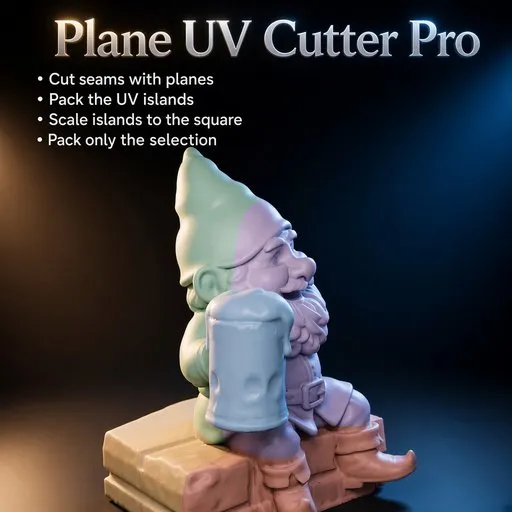
Plane UV Cutter Pro
 add-on
Stop tracing seams one edge at a time. Place a plane through your model and Plane UV Cutter Pro cuts where the plane meets the mesh, marks the seam, and packs every island into the square. Scale each plane to set the cut. Shape it so the seams curve.
Plane UV Cutter PRO
Blender 4.5 add-on
Put planes through a model. Where each plane meets the surface, the add-on cuts a seam, unwraps the islands, and packs them into the UV square.
What Pro addsPlane UV Seams cuts the seams. Plane UV Cutter Pro does that, then lays the islands out.
- Pack UVs. Places the islands in the 0–1 square and keeps a margin between them.
- Cut and Pack. Cuts the seams, unwraps from them, and packs in one step. Unwrap can be turned off to pack the UVs that are already there.
- Margin and Texture Size. Sets the padding in pixels of the texture you are packing for.
- Rotate Islands. Turns an island by 90 degrees when that fits the square better.
- World Orientation. Turns each island so world up points up on the map before packing.
- Lock Texel Density. Keeps island scale matched to surface area, so a large surface stays large.
- Scale To Bounds. Grows the packed layout to fill the square without closing the margin. Box mode keeps every island’s box clear. Shape mode lets an island grow into the empty corner of a neighbour’s box.
- Pack Selected. Moves only the islands that touch the selected faces, into the space the others leave free.
- Stack Matches. Lays a later copy on the first island when the surface, the UV shape, and the facing match.
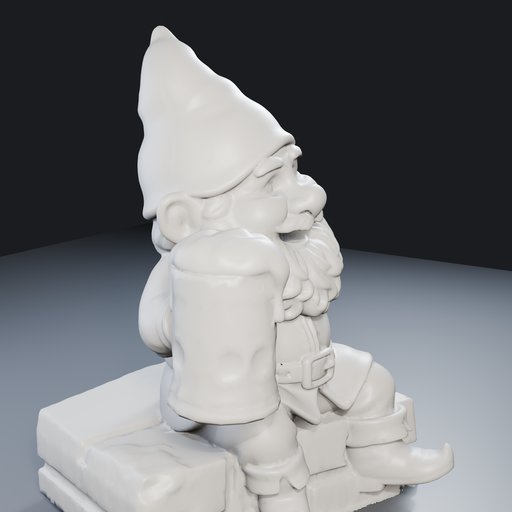
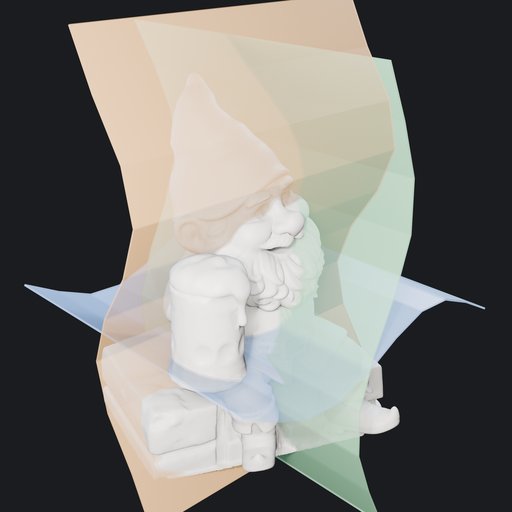
Before. One mesh, with no seams from the add-on.
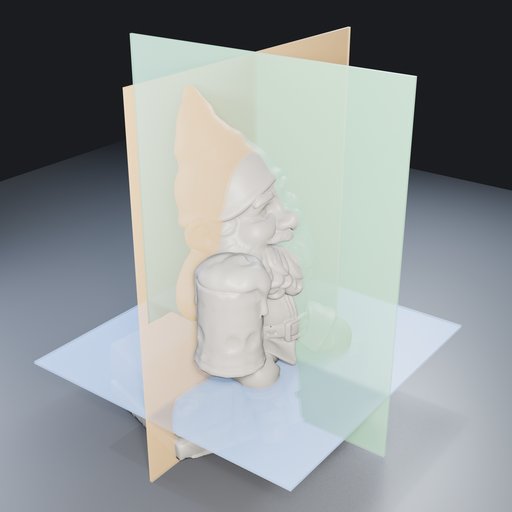
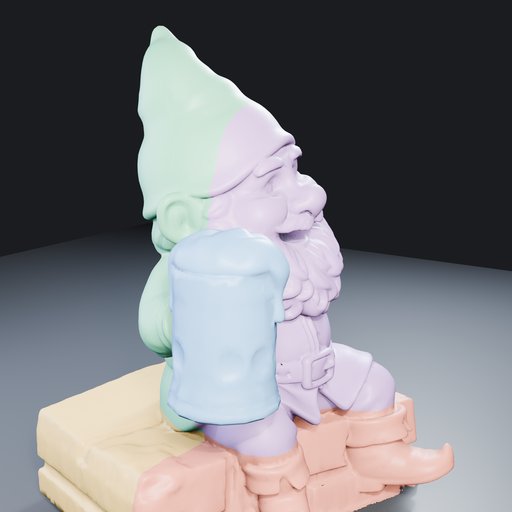
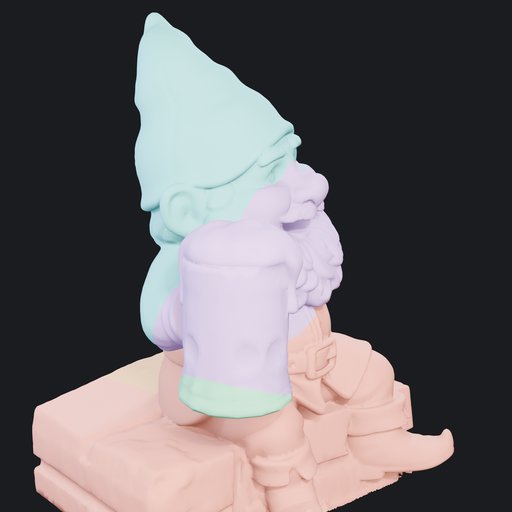
After. Three planes cut the mesh. Each UV island is a different color.
The cut is the island boundary. Color changes where the plane met the mesh, not along a hand-picked jagged edge.
Place the planesScale a plane to set how far the cut runs. It only cuts where the plane overlaps the mesh. Each colored sheet is its own cutter.
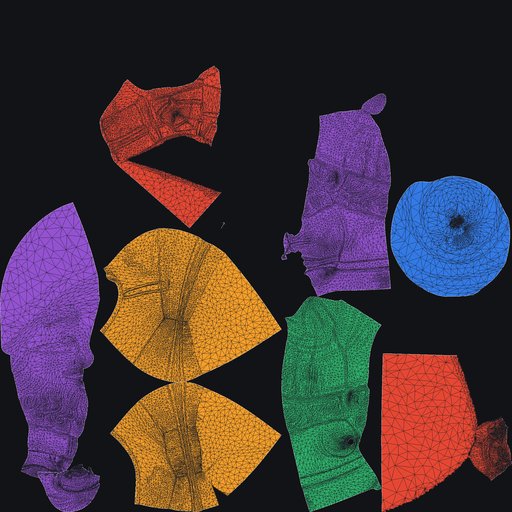
The UV packerBefore. The islands from the cut, still covering one another.
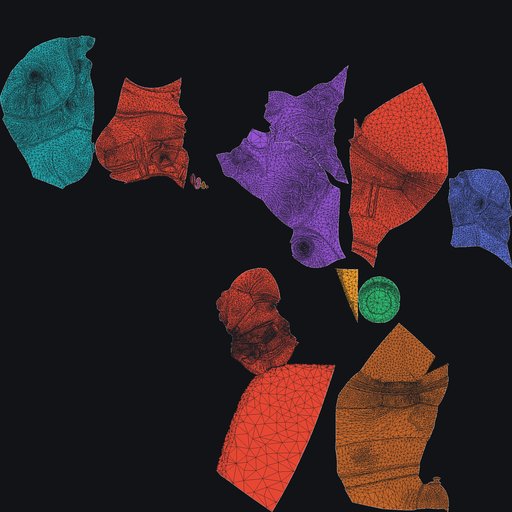
After. Pack separates them and leaves a margin. Lock Texel Density keeps a large surface large on the map. Colors match the model. Light edges are the seams. These cuts used Cut Through Crossings, so each plane ran its full length.
Stack MatchesOff. Two islands with the same shape each take a spot.
On. The copy is laid on the first island. A stack grows as one piece when Scale To Bounds is on. Mirrored copies are not stacked.
Pack SelectedBefore. The orange island sits on top of the red one. The blue island is already clear.
After. Only the selected island moves, into the space the others leave free. The red and blue islands stay where they were.
How to use it- In Blender 4.5 or later, open Edit, Preferences, Get Extensions. Install from disk and pick plane_uv_cutter_pro-1.2.2.zip.
- Select the model. In the 3D Viewport sidebar, open UV Cutter.
- Add a cutter with View, X, Y, or Z. Move and scale it in the viewport. The seam only appears where the plane overlaps the mesh.
- For a curved seam, set Cuts and press Subdivide, then shape the plane in Edit Mode.
- Show Planes draws the cutters solid. Turn it off to hide them and see the mesh. With none selected, Cut uses every plane in the view layer.
- Press Cut and Pack. With Unwrap on, it cuts, unwraps from the new seams, and packs. Turn Unwrap off to pack the UVs that are already there.
- Use Cut UV Seams on its own when you only want the seams. Use Pack UVs when the seams are already marked.
If Cut warns that the vertices sit far from the object's origin, press Set Origin to Geometry and cut again.
What the toggles do Cut Through CrossingsOff, the default. Where two cuts meet, a stub that runs out to a free end is dropped when a longer piece leaves that same meeting, so a plus becomes an L. Rings and pieces between two crossings stay. On, every side runs the full length of its plane. The shots above were made with this on.
Stop At SeamsOn by default. A new cut treats a seam already on the mesh like a crossing, and the stub past that seam is dropped. The old seam stays. Turn it off to cut straight through existing seams. This is ignored while Clear Existing Seams is on.
Clear Existing SeamsRemoves the current seam marks before the new ones are added. Those old marks do not stop the new cut.
UnwrapOn by default, and only Cut and Pack uses it. The whole model is unwrapped from the new seams before the pack. Turn it off to pack the existing UV layout. Plain Cut never unwraps.
Margin and Texture SizeMargin is the padding between islands, in pixels of the texture size. The packer turns that into a gap in the UV square. If the chosen gaps cannot all fit, the gap is reduced and the add-on says so.
Rotate IslandsTurns islands by 90 degree steps so they pack tighter. With World Orientation on, an island is never turned on its side.
World OrientationTurns each island so world up points up on the UV map before packing. Faces that point up or down use the other horizontal axis.
Lock Texel DensityOn by default. Island scale stays matched to surface area, so a large surface keeps a large island. Scale To Bounds then grows the whole layout by one factor.
Scale To BoundsAfter the pack, islands grow to fill the square. The margin is kept. Stacked islands grow together and stay on top of each other. Box mode keeps every island's box clear of the others. Shape mode lets an island grow into the empty corner of a neighbour's box.
Pack SelectedPacks only islands that touch the selected faces, into the space the other islands leave free. The other islands stay put. If there is no free space, the whole square is used and a warning is shown.
Stack MatchesLays a later copy on the first island when the surface, the UV shape, and the facing match. Mirrored copies are not stacked. A stack grows as one piece when Scale To Bounds is on.
Plane UV Cutter Pro 1.2.2 for Blender 4.5 and later. The add-on is GPL-3.0-or-later. The install file is plane_uv_cutter_pro-1.2.2.zip.


