
 Models
 Materials
 HDRIs
HDRIs
 Scenes
 Brushes
 Node Groups
 Printables
 Creators
 Creations
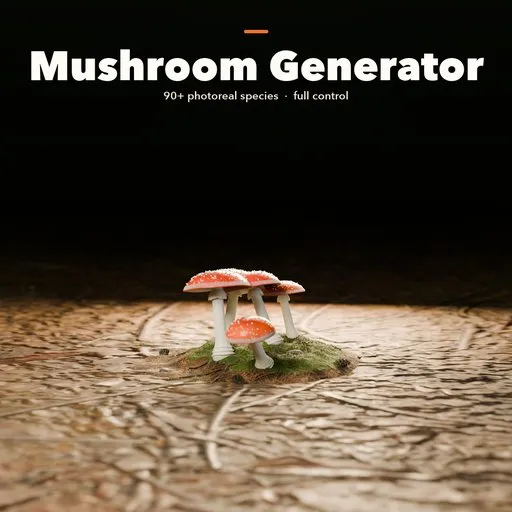
Mushroom Generator for Blender - 90+ Photoreal Fungi
 add-on
Photorealistic procedural mushrooms in Blender: 93 real and fantasy species, full control over cap, gills, stem, age and colonies, real ground, and game export with LODs.
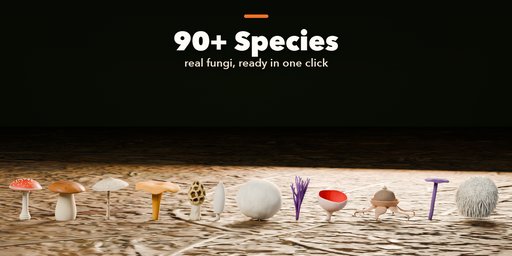
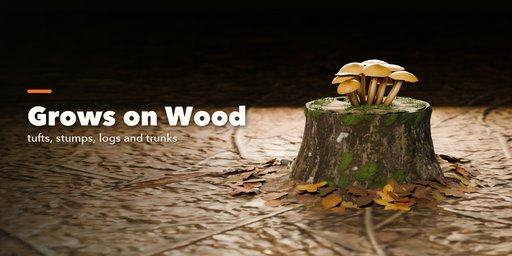
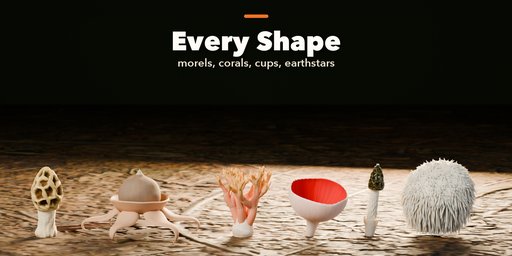
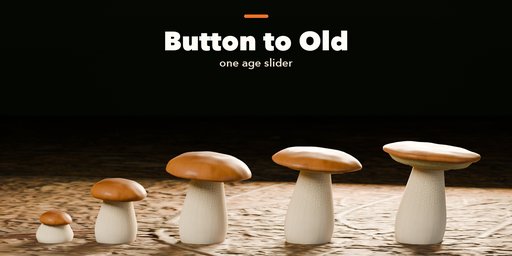
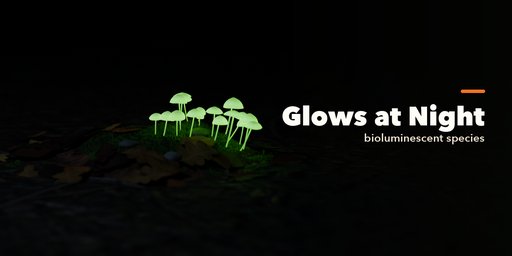
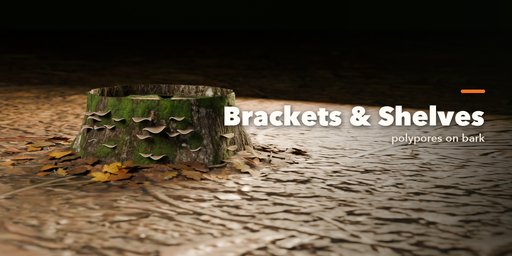
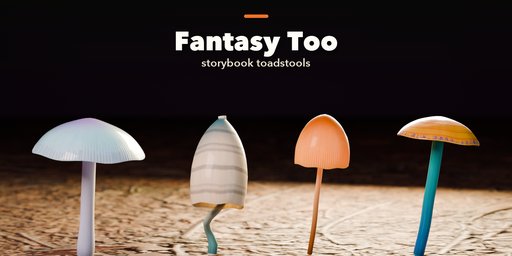
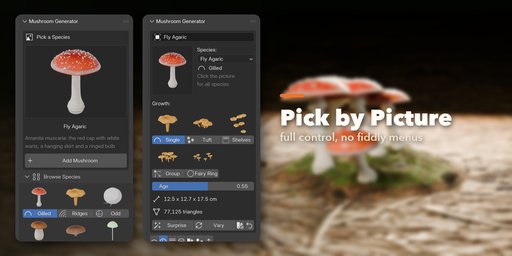
Mushroom Generator builds photorealistic mushrooms, toadstools and fungi in Blender with one click. Pick one of 93 real and fantasy species from a picture gallery, or start from scratch, and change anything you like: the cap, the gills, the stem, the ring, the colors, the age, how many grow together and what they grow from.
Every mushroom is generated and textured by the add-on itself. Caps get painted color, warts, scales, cracks and wet sheens; gills, pores and teeth are real geometry; thin flesh lets the light shine through in Cycles. Nothing to download, and every texture is packed into your .blend file.
Species
- 93 species in six families: gilled caps, boletes, chanterelles and hedgehogs, wood fungi, odd shapes and fantasy
- Fly agaric, death cap, porcini, chanterelle, parasol, shiitake, oyster, honey fungus, waxcaps, inkcaps, morels, puffballs, earthstars, corals, cups, stinkhorns, lion's mane, turkey tail, reishi and many more
- Glowing mushrooms for night scenes, and storybook toadstools for fantasy worlds
Full control
- Nine body plans: cap and stem, bracket, puffball, earthstar, coral, spines, club, cup and morel
- Gills, pores, teeth or ridges, rings, skirts, volvas, warts and veils
- One age slider from closed button to old, flattened cap
- Colonies: single, group, tuft, fairy ring or shelves, each mushroom with its own age, size and lean
- Ground: soil, moss, logs, stumps and trunks with leaf litter
- Surprise, Vary and Colors buttons for endless variations
Easy to use
- Pick by picture in the sidebar; every choice shows what it makes
- Everything rebuilds live while you drag a slider
- Photo Studio button: camera, lights and backdrop in one click
Game ready
- Low, medium and high detail
- Export for Games: GLB, glTF, FBX or OBJ with PBR textures and LODs
- Convert to a normal mesh at any time
Requires Blender 4.2 or newer. Tested on Blender 4.2, 4.5 and 5.2 LTS. Works in Cycles and EEVEE.
How to use
Installation
In Blender open Edit, Preferences, Get Extensions, then use Install from Disk and pick the zip.
Usage
- Open the Mushroom tab in the 3D viewport sidebar (N).
- Click the big picture to choose a species, then Add.
- With the mushroom selected, change it in the tabs: Body Plan, Cap, Underside, Stem, Colors & Surface, Colony & Ground.
- Surprise, Vary and Colors make new variations from the current one.
- In Parts & Export choose a detail level, then Export for Games (GLB, glTF, FBX or OBJ with optional LODs), Photo Studio, or Convert to Mesh.
FAQ
Which Blender versions are supported?
Blender 4.2 and newer. It is tested on Blender 4.2, 4.5 and 5.2 LTS.
Can I use the mushrooms in Unity, Unreal or Godot?
Yes. Export for Games writes GLB, glTF, FBX or OBJ with PBR materials, the painted textures, triangulated meshes and optional levels of detail.
Do I need internet or extra assets?
No. Every mushroom and its ground is generated by the add-on, and the textures are packed into the .blend file.


