
 Add-ons
 Models
 Materials
 HDRIs
 Scenes
 Brushes
 Node Groups
 Printables
 Creators
 Creations
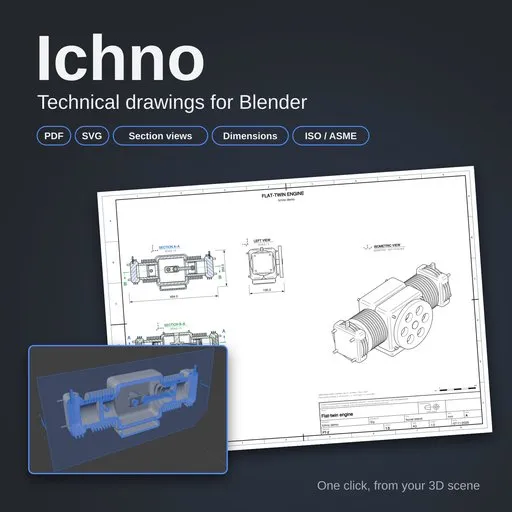
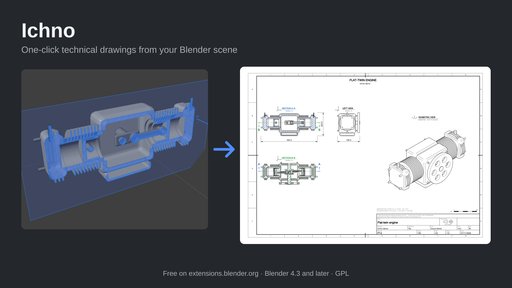
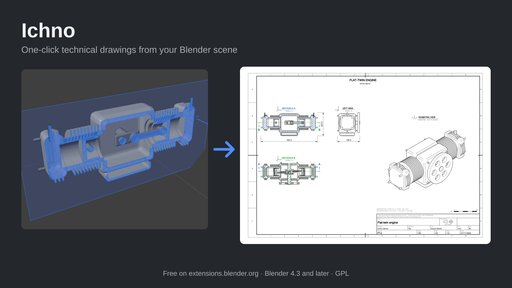
Technical drawings from your Blender scene, in one click
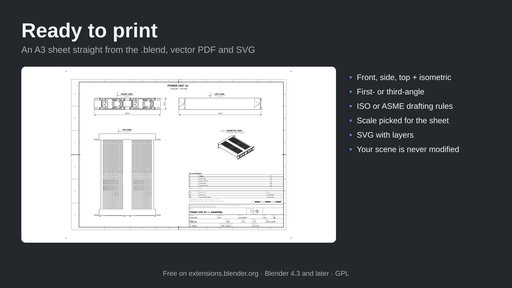
Ichno turns your Blender scene into a technical drawing: orthographic and isometric views, section views, dimensions, title block and bill of materials, exported as vector PDF and SVG.
Made for blueprints and shop drawings: furniture and woodworking plans, interior layouts, product design, 3D printing parts, mechanical assemblies. Print it, send it to a client or a workshop, or open it in Illustrator, Inkscape, Affinity or a CAD tool.
How it works
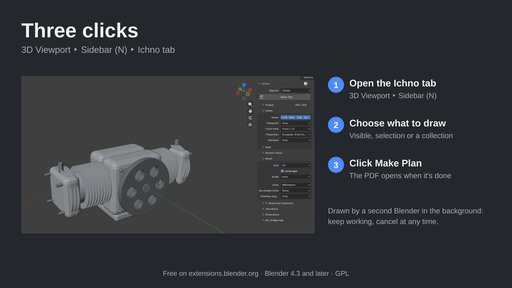
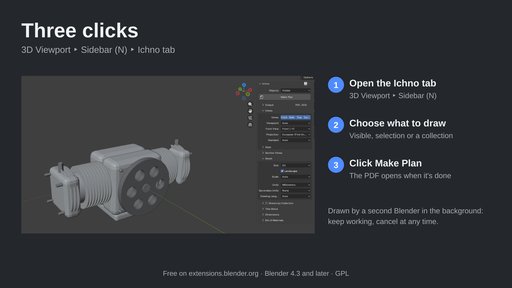
- 3D Viewport ‣ Sidebar (N) ‣ Ichno tab.
- Choose what to draw: visible objects, the selection or one collection.
- Click Make Plan: the PDF opens when it's done.
The drawing is computed by a second Blender in the background, from a copy of your file: your scene is never modified, you can keep working, and you can cancel at any time.
Views
- Front, side and top views, first-angle (ISO E) or third-angle (ISO A) projection
- Isometric view from any corner, or from your current viewport angle
- Clean visible lines from Line Art, optional dashed hidden lines, ISO 128 line weights
- Automatic standard scale (metric or imperial), or a fixed one
Section views
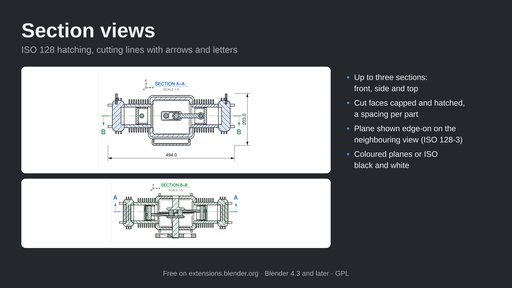
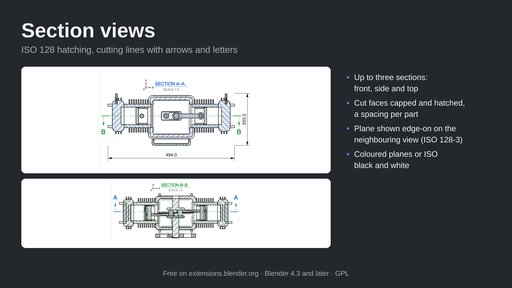
- Up to three sections (front, side, top), each cutting plane placed in the 3D View with a live hatched preview
- Cut faces capped and hatched (ISO 128-50), a different spacing for each part, titled "SECTION A–A"
- Cutting plane shown edge-on on the neighbouring view, with arrows and letters (ISO 128-3)
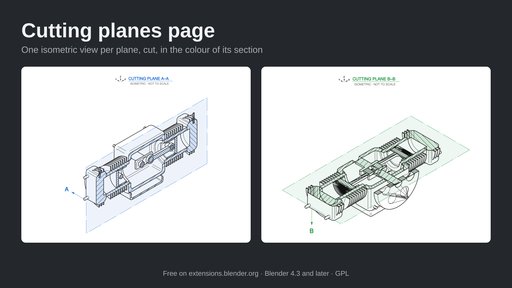
- Optional page with one isometric view per plane
Dimensions and tolerances
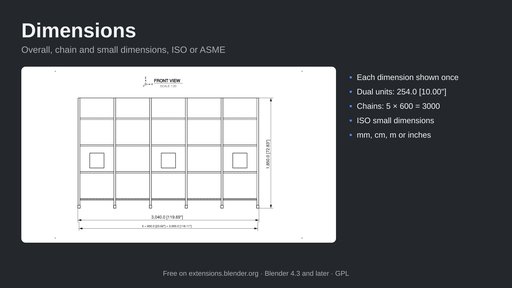
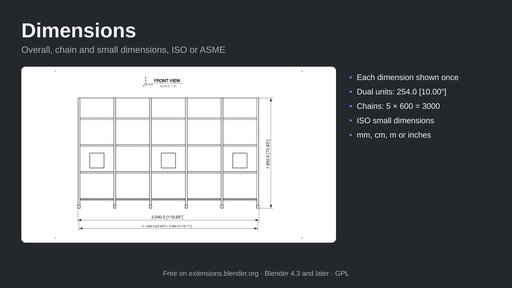
- ISO or ASME dimensioning; each overall size shown once, in mm, cm, m or inches
- Dual dimensioning, e.g. 254.0 [10.00"]
- Chain dimensions for rows of objects, equal spacing combined as 5 × 600 = 3000
- ISO small dimensions: figure and arrows moved outside when they don't fit
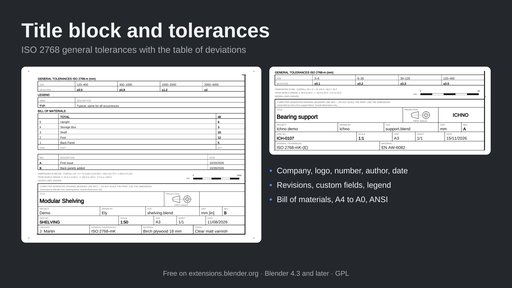
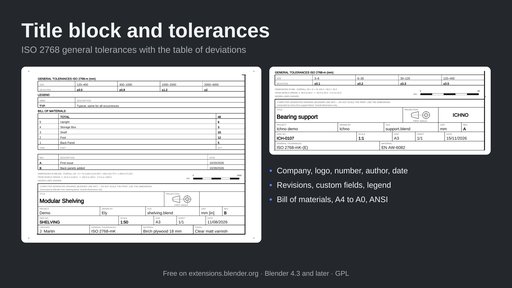
- ISO 2768 general tolerances (f, m, c, v / H, K, L, envelope E) with an optional table of deviations
Sheets, title block, bill of materials
- A4 to A0, Letter, Tabloid, ANSI C and D, portrait or landscape
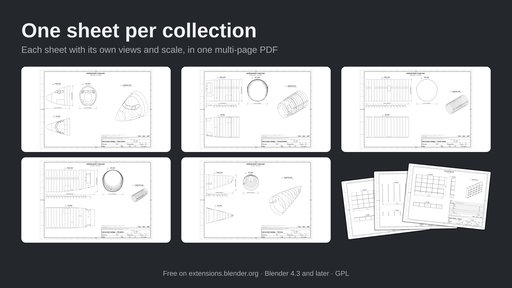
- One sheet per collection in a single multi-page PDF, each with its own views and scale
- Title block with company name and logo, drawing number, author, date, revisions, custom fields, tolerances and material
- Bill of materials counted by object name, collection or custom property, on the drawing or on a separate sheet
- SVG with layers (VISIBLE, HIDDEN, DIMENSIONS, TEXT, FRAME)
Requirements and help
- Blender 4.3 or later, tested on 4.3, 4.5 LTS, 5.0 and 5.2 LTS (Windows, macOS, Linux). Nothing else to install, no account, no internet connection.
- Interface and drawings in English and French.
- Manual: right-click any Ichno setting ‣ Online Manual (F1), or https://github.com/Elyh29/ichno/wiki
- Bugs and ideas: https://github.com/Elyh29/ichno/issues
- Very heavy models (millions of triangles) take a few minutes; use Fast mode for drafts. Manual dimensions between two points and hole dimensions are not in this version yet.
- Free and open source (GPL-3.0-or-later).
By


