
 Models
 Materials
 HDRIs
HDRIs
 Scenes
 Brushes
 Node Groups
 Printables
 Creators
 Creations
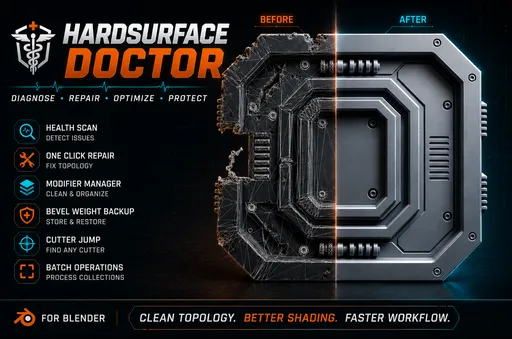
Hardsurface Doctor
 add-on
Non-Destructive Boolean, Bevel & Cleanup Suite.
Hard Ops / Boxcutter own the cutting workflow. Hardsurface Doctor owns everything that happens after the cut — the mess, the broken bevels, and the tangled modifier stack.
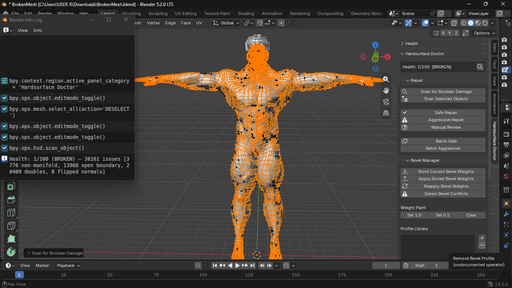
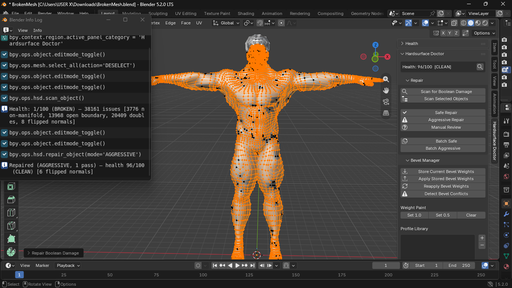
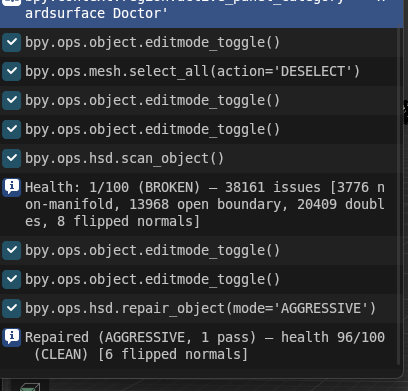
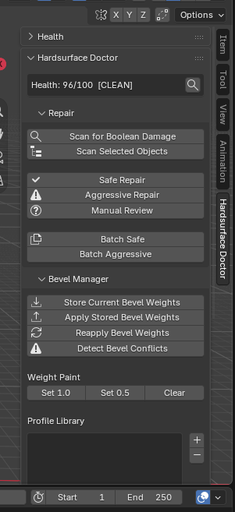
Hardsurface Doctor is a complete post-boolean toolkit for hard-surface artists working non-destructively in Blender.
While tools like Hard Ops and Boxcutter excel at cutting, the real work often begins after the cut: broken topology, lost bevel weights, overlapping bevels, and chaotic boolean stacks. Hardsurface Doctor solves these problems in one unified sidebar panel.
Repair
Auto-scan for boolean damage: n-gons, non-manifold edges, interior faces, zero-area faces, doubled vertices, flipped normals, shading artifacts, leftover seams
One-click presets: Safe, Aggressive, Manual Review
Batch repair across multiple selected objects
Per-object Health Score (0–100) with CLEAN / NEEDS ATTENTION / BROKEN status
Bevel Manager
Persistent bevel weight tracking — store and reapply after topology changes
Bevel weight paint (set weight on selected edges)
Profile library (save / load / apply / import / export)
Conflict detection for overlapping bevels
Boolean Stack
Visual list of all boolean modifiers on the active object
Reorder operations (move up/down) with live stack update
Mute / unmute individual operations
Rename, tag, and group operations
Jump-to-cutter (select the cutter object)
Export / import stack presets for kit-bashing
Cross-Pillar Features
Unified sidebar panel (View3D → Sidebar → Hardsurface Doctor)
Per-object health indicator
Fully undo-safe operators
Preferences for auto-repair-on-apply and defaults
Requirements
Blender 4.2 or later (4.x and 5.x supported)
GPL-3.0-or-later
Installation
Download the ZIP
Edit → Preferences → Add-ons → Install from Disk (or drag & drop)
Enable Hardsurface Doctor
Open the 3D Viewport Sidebar (N) → Hardsurface Doctor tab
Quick Start
Select a mesh with boolean modifiers or boolean damage
Click Scan for Boolean Damage
Use Safe Repair or Aggressive Repair
Open Boolean Stack → Refresh → reorder / mute as needed
Store bevel weights before heavy edits; reapply after
Support
Contact: [email protected]


