
 Models
 Materials
 HDRIs
 Scenes
 Brushes
 Node Groups
 Printables
 Creators
 Creations
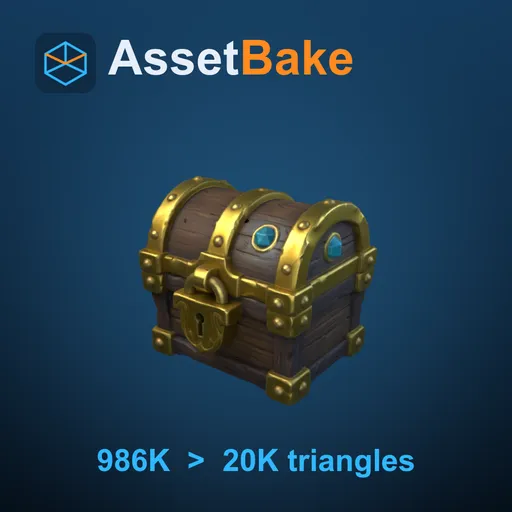
AssetBake - AI Mesh to Low Poly Game Asset, UV & PBR Bake
 add-on
Turn a heavy AI-generated model (Meshy, Tripo, Hunyuan3D) into a game asset in one click: low-poly Game or Quad-dominant mesh, new UVs, baked PBR textures and a GLB export. Runs in the background.
AI models look finished, but they are heavy and messy. AssetBake turns one into a game asset with one button.
AI services such as Meshy, Tripo, Hunyuan3D and Rodin give you models with 146,000 to 1.7 million triangles, messy textures and missing or generator-made UVs. Select the model in Blender, pick a triangle budget, press Make Game Asset. You get a low-poly mesh, new UVs, a baked PBR texture set and a GLB export for Unity, Unreal Engine, Godot or the web. It runs in a background process, so Blender stays usable, and your original is never changed.
Two modes: Game and Quad-dominant. Both work on macOS (Apple Silicon), Windows (x86-64) and Linux (x86-64). Intel Mac: not supported yet. AssetBake is not retopology.
Open source, stated plainly. Quad-dominant mode uses a compiled open-source remesh module (GPL-3.0-or-later). Source code: https://github.com/mendbox/im-remesh . Game mode needs no compiled code.
InstallBlender 4.2 LTS or newer. Edit > Preferences > Get Extensions > arrow menu > Install from Disk, then pick the downloaded .zip. Do not unpack it. Press N in the 3D Viewport and open the AssetBake tab. Blender's own "glTF 2.0 format" add-on must be on (it is by default).
One click- Select the model in Blender (Object Mode).
- Open the AssetBake tab (press N), pick a Triangle budget and a texture size.
- Press Make Game Asset. A progress bar and a Cancel button appear. You keep working.
- Press Export GLB.
Game mode lands within 5% of the number you choose. On our boar test model (a Meshy model, 145,859 triangles) the result was 9,999 triangles for a budget of 10,000. The shape stays: the surface is within 0.03% of the model size (worst point 0.07%). The Result box shows this number for every asset.
New UVsUnwrapped and packed with padding.
A baked PBR texture setNormal map, base colour, one ORM texture (ambient occlusion in red, roughness in green, metallic in blue), plus emission and alpha when the source has them. A Blender material that Blender's own glTF exporter understands, and a GLB with tangents, scale applied, one mesh and one material. A Result box says what happened: triangles before and after, shape deviation, texture size, UV islands, time, and a plain reason for every warning.
Features, with numbers- Triangle budget: presets 2,000 / 5,000 / 10,000 / 20,000 / 50,000, or Custom from 200 to 1,000,000.
- Texture size: 1k, 2k or 4k.
- Maps: Normal, Base Colour, Roughness, Metallic, Emission, Alpha, AO. Emission and alpha are baked only when the source has them.
- Scope: one asset for the whole selection, or one asset per part (up to 24 large parts, each with the full budget and its own textures).
- Remove hidden surface: surface shut in between parts is left out and its triangles go to the visible surface.
- OpenGL or DirectX normal map for export (DirectX for Unreal Engine). Optional loose PNG textures.
- Select Source: brings the original back so you can make a second version. Cmd/Ctrl+Z removes the result.
- Heavy sources: tested up to 6.9 million triangles (about 2.7 minutes, 1k textures, Apple Silicon). A 1.7 million triangle source took about 45 seconds. Limit 8 million.
- Speed: 145,859 triangles to a 10,000 triangle asset with 2k textures in about 10 seconds on a Mac with Apple Silicon.
- Offline: no internet, no other software, no graphics card.
Game (triangles): a mesh made only of triangles, within 5% of your budget. Works on every model, on all platforms. Use it for games, web 3D and AR.
Quad-dominant: mostly quads on thick parts, triangles on thin parts, in one closed mesh. Faces: 5,000 or more (10,000 or more recommended). Works on solid models such as characters, animals and props; thin sheets such as leaves and flags stay triangles. Numbers at 10,000 faces: the Meshy boar gave about 95% quads, a winged demon with many thin parts about 47%. If a model does not allow it, a Game asset is made instead and the Result box gives the reason.
What it does NOT do- It is not retopology and not a sculpting or remodelling tool.
- No rig, weights, animation, shape keys or constraints: you get a static mesh in the rest pose.
- Transparency is a cut-out only. Glass and smoke are not supported.
- Only base colour, roughness, metallic, emission, alpha and normals are carried over.
- It always makes new UVs. One material and one texture set per asset. 8-bit PNG only.
- GLB export only. No FBX, no engine presets, no LOD chain.
- Blender 4.2 LTS or newer (tested on 4.2 LTS, 4.5 LTS and 5.2 on macOS Apple Silicon). About 2 to 8 GB of free memory for normal AI models.
- Windows (x86-64, Windows 11): Game and Quad-dominant, the same automated tests on Blender 4.2, 4.5 and 5.2.
- Linux (x86-64): Game and Quad-dominant verified on Blender 4.2 and 5.2.
- Intel Mac: not supported yet.
- The GLB was loaded in Godot 4 without warnings. License: GPL-3.0-or-later.
Game mode only, up to 5,000 triangles, 1k textures, Normal, Base Colour and AO: free on Blendkit and at https://github.com/mendbox/assetbake-lite
SupportEmail [email protected] (reply within 24 hours). Free updates. Manual: https://mendboxstudio.com/docs/assetbake


