
 Models
 Materials
 HDRIs
 Scenes
 Brushes
 Node Groups
 Printables
 Creators
 Creations
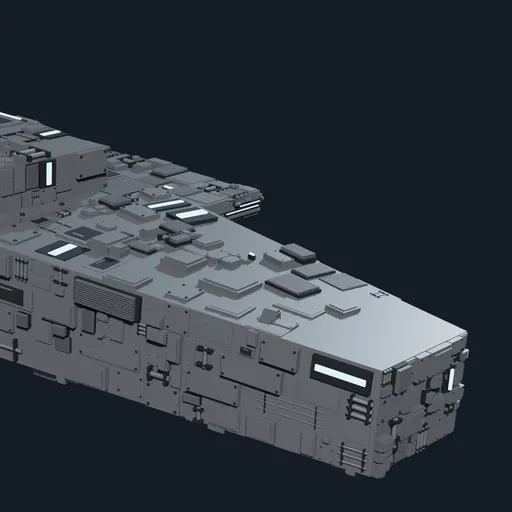
GreebleCraft Pro - Sci-Fi Panels & Greebles on Selected Faces
 add-on
Turn plain faces into a detailed sci-fi hull with one button. Select faces, press Greeble Faces, move a slider, watch it rebuild.
$12
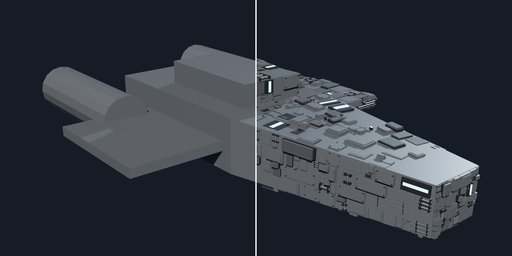
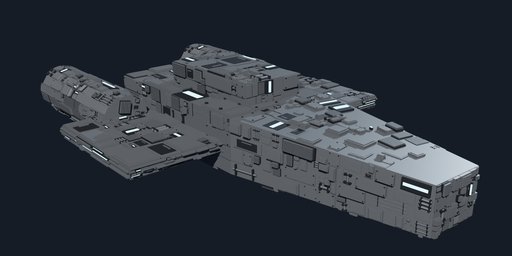
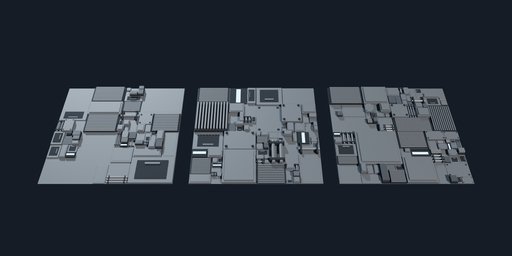
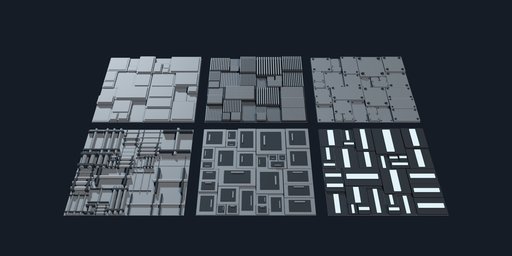
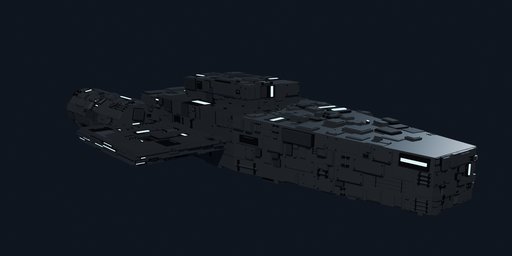
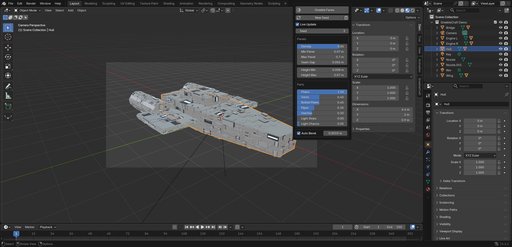
One button, a detailed hull
Select faces, press Greeble Faces, move a slider, watch it rebuild. The spaceship in the pictures started as five simple shapes (a box, a slab, two cylinders, a wing). Everything on its surface was made by GreebleCraft buttons in one pass. Nothing was placed by hand.
What it does- Splits faces into panels with seams, then puts a part on each panel: plates, vents, bolted plates, pipes, hatches and glowing light strips. A weight slider per part type.
- Your mesh is never changed. The parts go into a separate "_Greebles" object parented to it, so it moves with your model. Remove Greebles deletes it again.
- Same seed = same result. New Seed rolls a new layout. Live Update rebuilds as you drag Density, panel size, seam gap or height.
- Object Mode greebles every face of the selected objects. Edit Mode only the selected faces.
- Three ready materials (Hull, Dark, Emit) and an Auto Bevel modifier with hardened normals.
- Blender 4.2.23 LTS and 5.2.2 LTS: 25 headless checks each (same seed gives the same mesh, parts stay on the surface and under Height Max, original mesh untouched, re-run keeps one object, plane / cube / cylinder / sphere / Suzanne, save and reopen without the add-on).
- A cube with 384 faces: about 0.3 s.
- Make spaceships, mechs, stations or sci-fi props and want surface detail fast for renders, concept art or backgrounds.
- Like to try many variations: change the seed until a layout looks right.
- Need hand-placed, game-optimized detail. Parts are real geometry (boxes and cylinders), so dense settings make many polygons.
- Want the detail cut into your mesh. GreebleCraft adds parts on top. It does not boolean or edit your faces.
- Open the sidebar (N) in the 3D Viewport and click the GreebleCraft tab.
- Select an object, or enter Edit Mode and select faces.
- Press Greeble Faces.
- Drag Density, Max Panel, Seam Gap or Height Max, or press New Seed for another layout.
Made with AI assistance. The add-on code was written with Claude (Anthropic).
Code license: GPL-3.0-or-later.
Bug reports: message Aisol Studio through Blendkit. Fixes for confirmed bugs in supported Blender versions for 12 months from purchase.
By


